
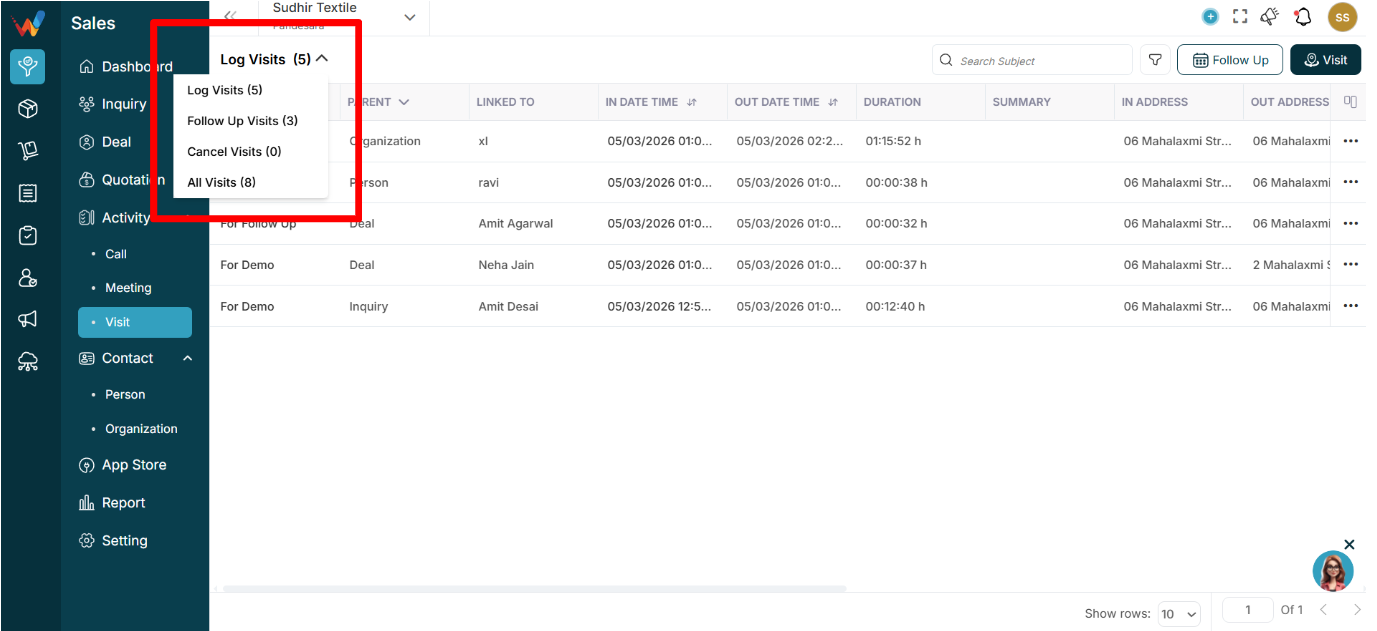
1.1 What This Dropdown Does
The dropdown near Log Visits (5) lets users quickly switch between visit buckets without applying filters.
1.2 Available Categories
Log Visits (5)
Shows visits that are completed and logged. These typically include:
- Check-in time
- Check-out time
- Duration
- Location
Follow Up Visits (3)
Shows scheduled future visits.
Used for:
- Planning field travel
- Tracking upcoming appointments
Cancel Visits (0)
Shows visits that were scheduled but later cancelled.
Important for:
- Monitoring dropped appointments
- Evaluating field planning gaps
All Visits (8)
Shows everything combined:
- Logged
- Follow-up
- Cancelled