
Inventory Dashboard

Navigation Path:
Inventory Module → Dashboard
1.1 Purpose of Dashboard
The Dashboard provides a quick overview of your inventory status. It helps you monitor stock levels and identify issues early.
1.2 Low Stock Item
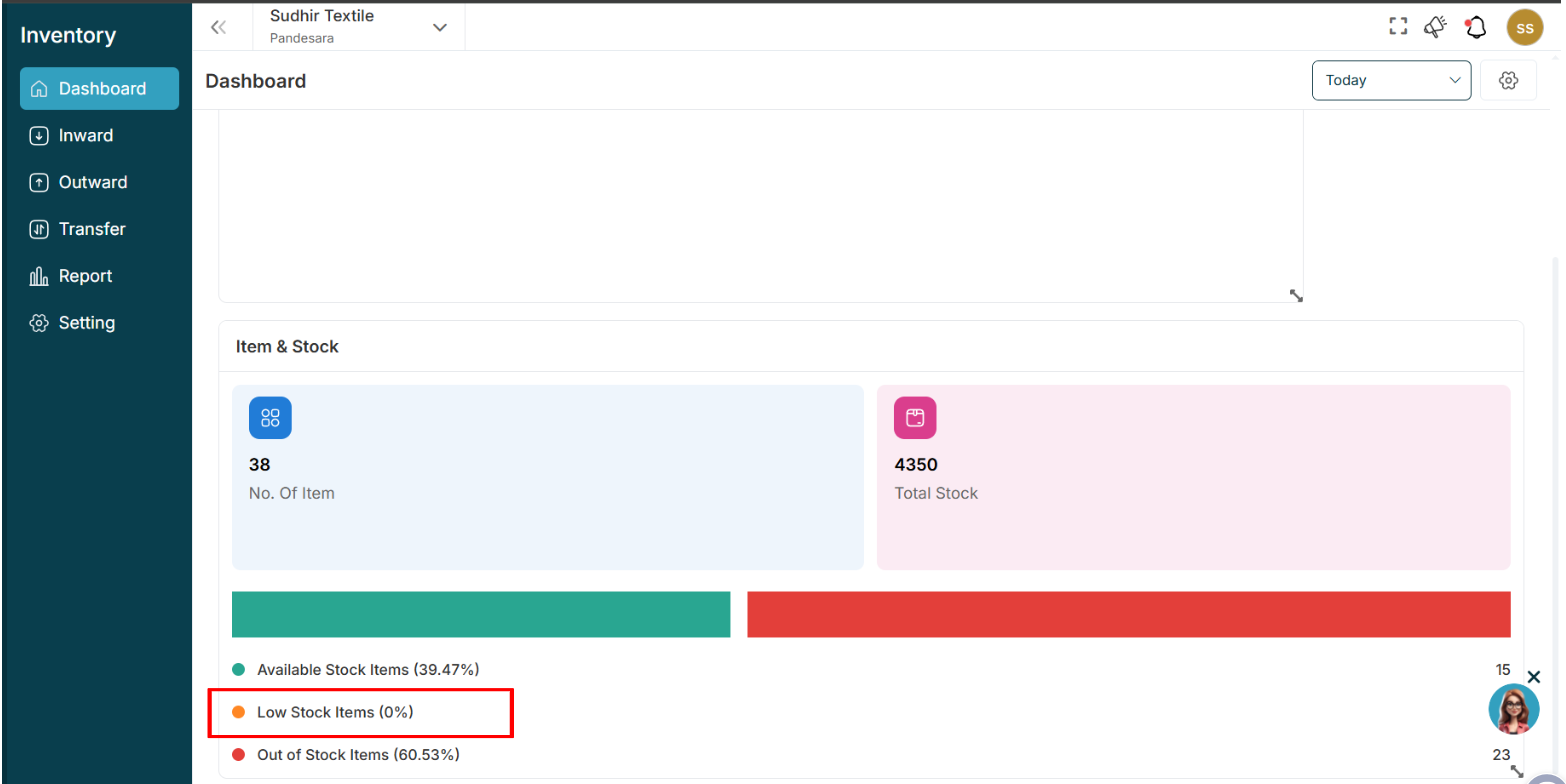
This section displays items that are nearing their minimum stock level.
Purpose
Helps you take action before stock runs out.
How to Use
- Review the listed items.
- Add stock if required using an Inward entry.
1.3 Item and Stock
This section displays key inventory numbers:
- Number of Items: Total number of products
- Total Stock: Total quantity across all items
Purpose
Provides instant visibility into your inventory size.
1.4 Stock Status
This section shows stock distribution:
- Available Stock
- Low Stock
- Out of Stock
Purpose
Helps you quickly understand inventory health.
1.5 Date Filter (Top Right)
Allows you to view dashboard data for different time periods.
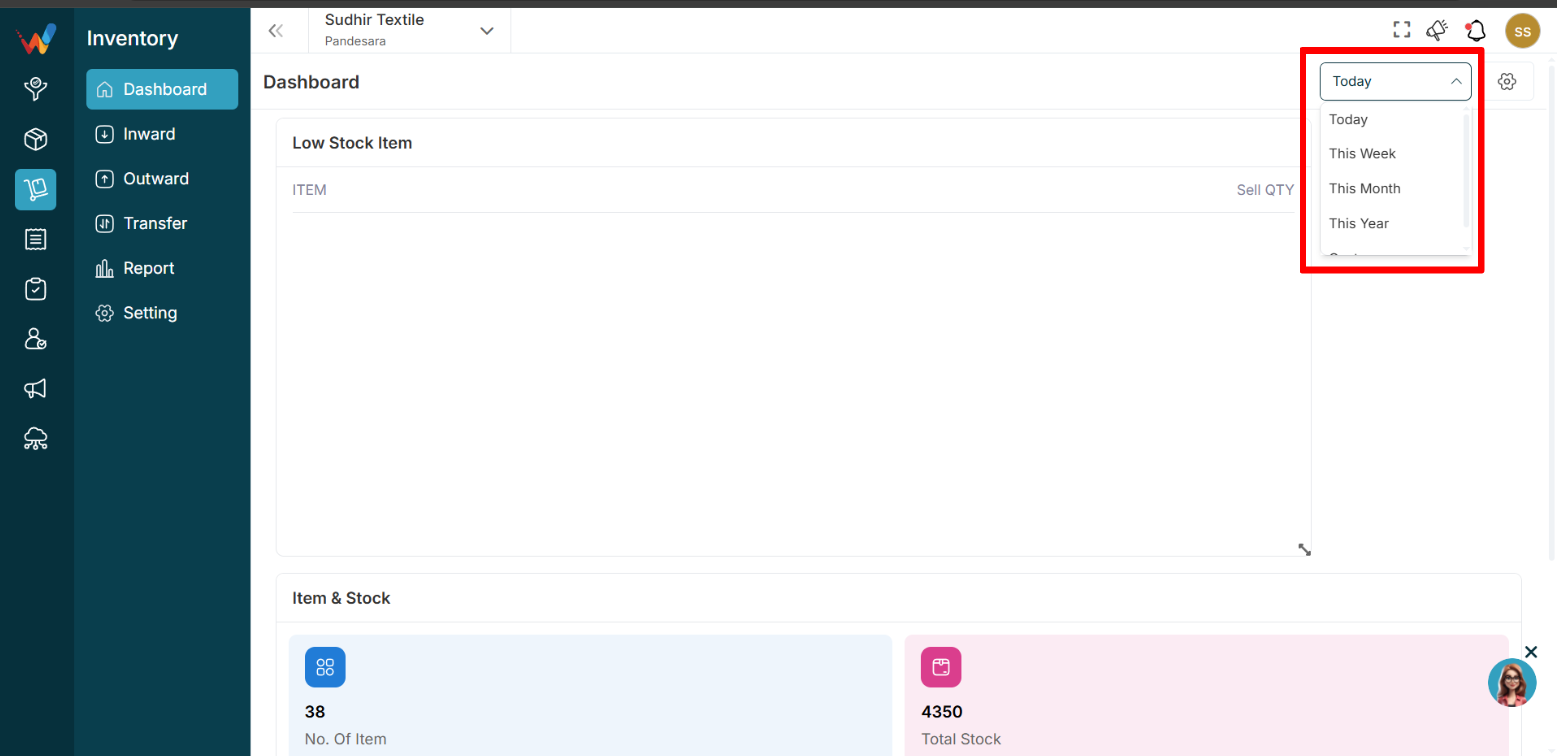
Options Available
- Today
- This Week
- Month
- This Year
- Custom Range
How to Use
- Click the dropdown.
- Select the desired time period.
1.6 Dashboard Settings
Used to control which widgets appear on the Dashboard.
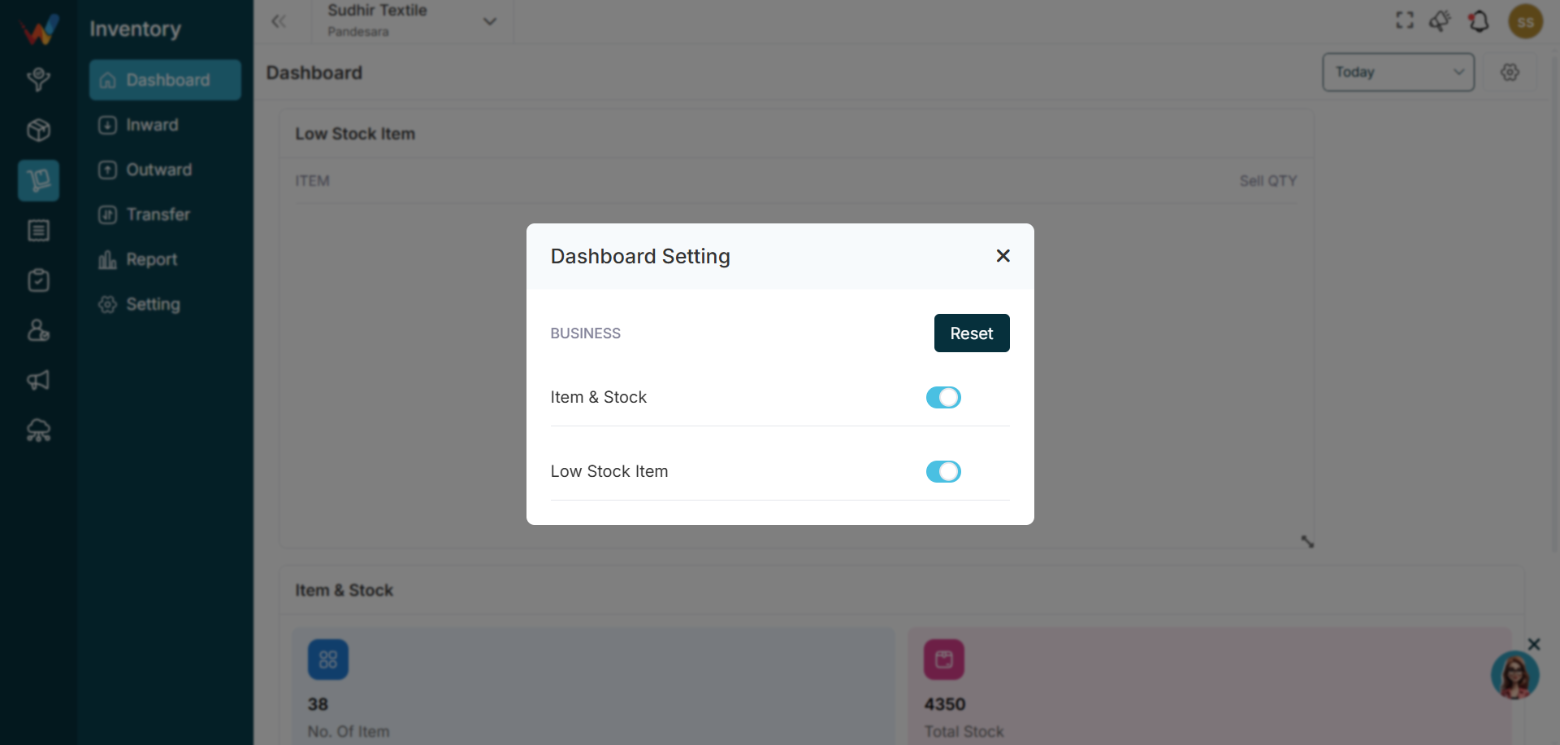
Available Controls
- Item and Stock
- Low Stock Item
- Reset
Purpose
Allows users to personalize the Dashboard view.
How to Use
- Toggle On to show a widget.
- Toggle Off to hide a widget.
- Click Reset to restore the default layout.