
1.1 Purpose
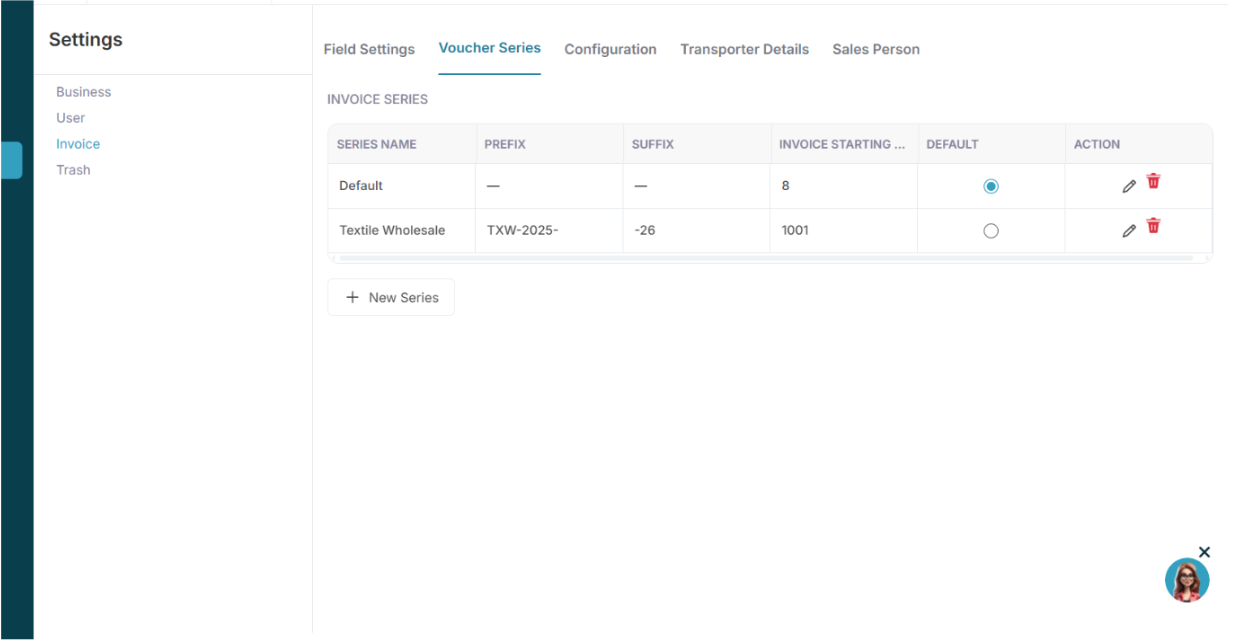
Voucher Series controls invoice numbering logic.
Each series can define:
- Series Name
- Prefix
- Suffix
- Starting Number
- Default status
1.2 Add New Series
Steps:
- Click New Series
Fields:
- Series Name
- Invoice No. (starting number)
- Prefix
- Suffix
- Set as Default
Example:
Series Name: FY2025-26
Prefix: FY-
Suffix: -2025-26
Starting No.: 1
System Logic:
Invoice number format becomes:
FY-1-2025-26
FY-2-2025-26
Auto-increment occurs on each new invoice.
Only one series can be default at a time.
Configuration (E-Invoice and E-Way Bill Services)
References:
Create API Credentials
Attachment link provided in your content (Slack file)
2.1 Purpose
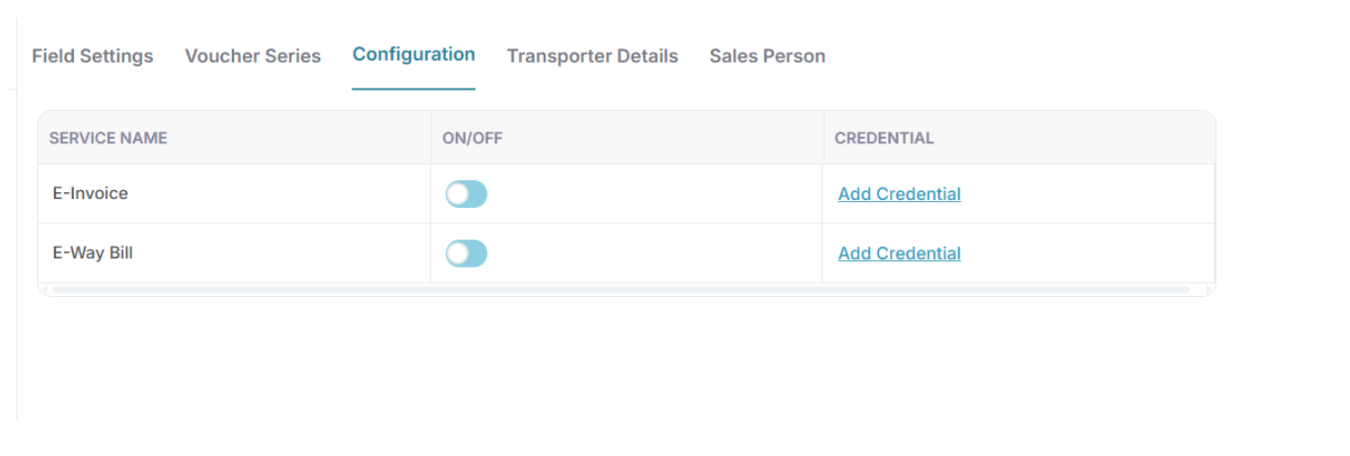
This tab enables or disables government integrations.
Services available:
- E-Invoice
- E-Way Bill
Each service has:
- ON or OFF toggle
- Credential configuration
2.2 Enabling E-Invoice or E-Way Bill
Steps:
- Toggle the service ON
- Click View Credential
- Enter required details
- Click Save
Credential Configuration
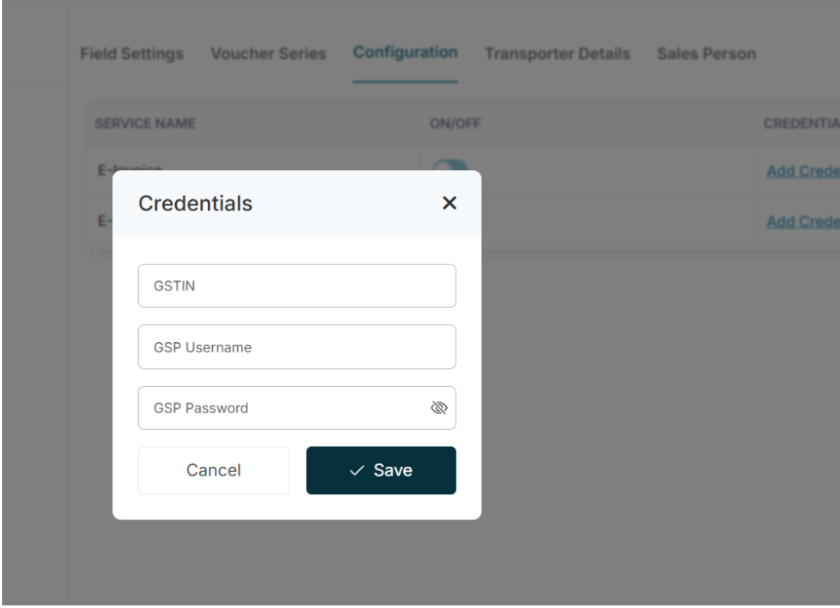
3.1 Required Fields
- GSTIN
- GSP Username
- GSP Password
These credentials are obtained from the GST E-Way Bill portal.
3.2 How to Create a GSP Account (Process Summary)
Log in to:
https://www.ewaybillgst.gov.in
Go to Registration → For GSP
- Click Add/New
- Select GST Provider: Quicko Infosoft Pvt. Ltd.
- Create Username and Password
Use these credentials inside the Wortal Billing Configuration.
3.3 System Logic
When an E-Invoice or E-Way Bill is generated:
- System validates credentials
- API call is made to the GSP provider
- Government portal validates request
- IRN or E-Way Bill number is returned
- Result is linked to the invoice
If credentials are invalid, the system returns an authentication error.