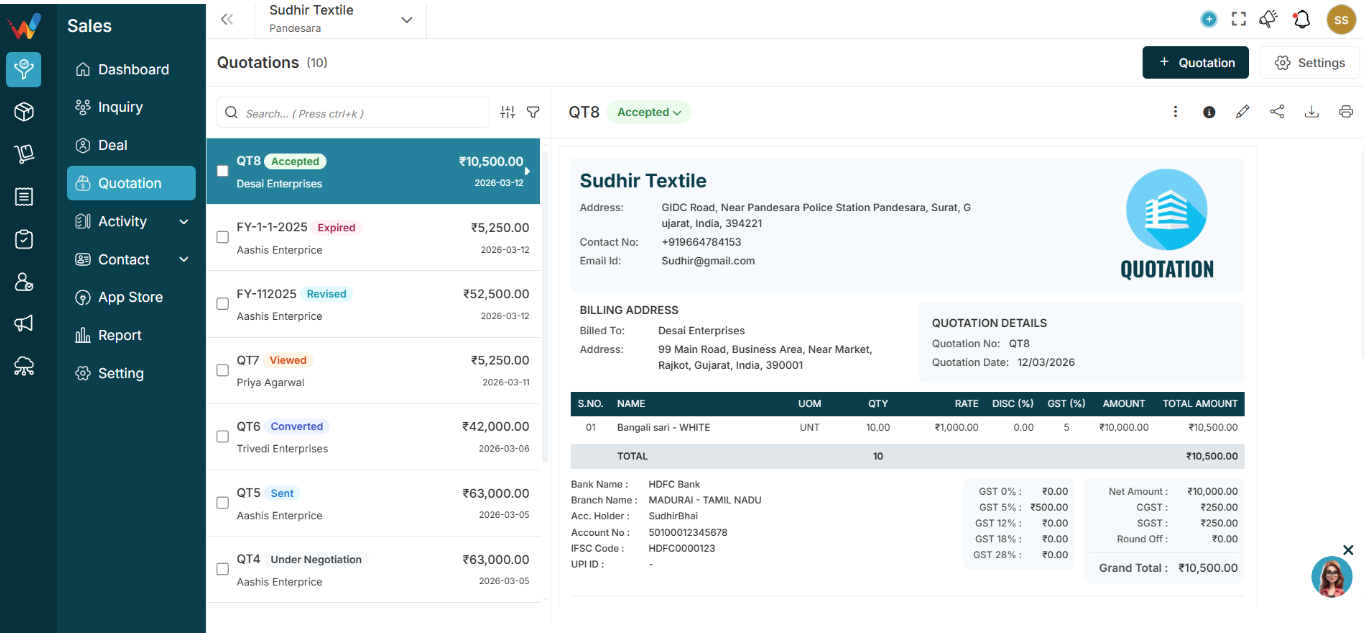
Each row represents one quotation.
1.1 Checkbox
Used for bulk actions such as Bulk Delete.
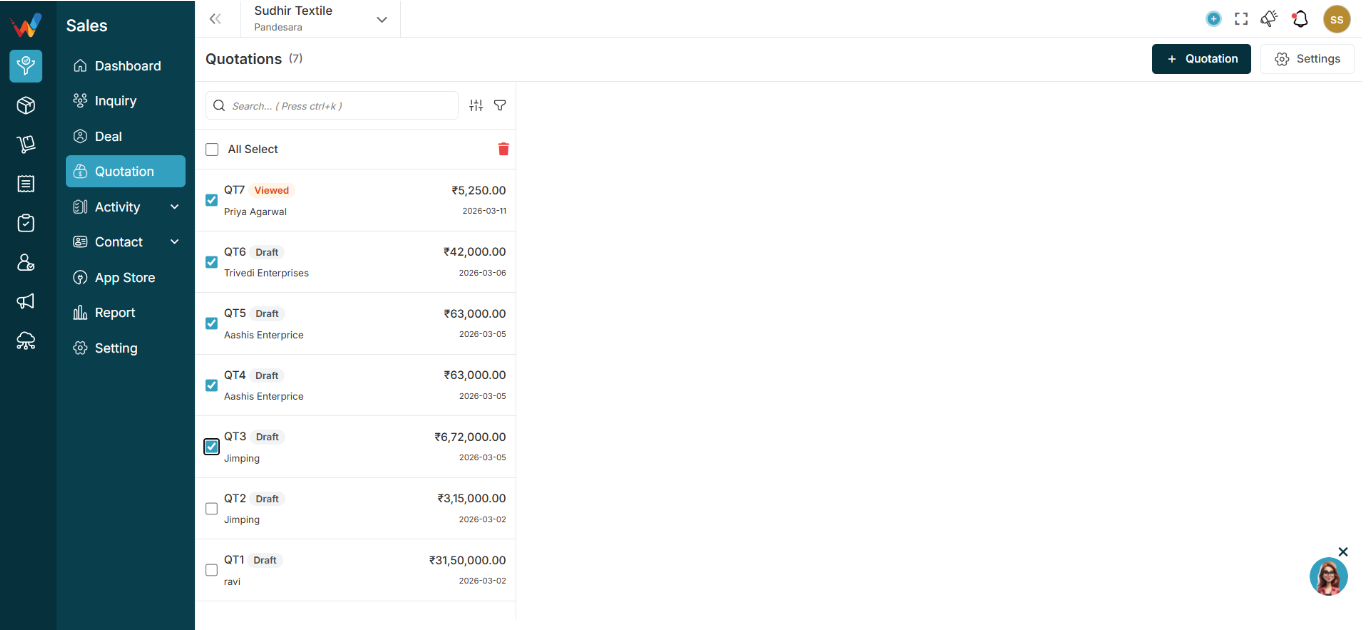
1.2 Quotation Number
Example:
FY-412-2025-26
Notes:
- Series is configurable based on business preference.
- Quotation number is the unique identifier.
1.3 Status Badge
Example:
Draft

Possible statuses:
- Draft
- Sent
- Approved
- Rejected
- Converted
Status affects what actions are allowed.
1.4 Party Name
Customer linked to the quotation.
1.5 Amount
Total quotation amount.
May include GST depending on calculation settings.
1.6 Date
Creation date or quotation date (based on configuration).
1.7. Clicking a Quotation (Preview Behavior)
1.8 What Happens When You Click a Quotation?
A right-side preview panel opens.