
1.1 Purpose
Field Settings controls:
- Invoice header fields
- Custom input fields
- Item table columns
- Item adjustments
It allows system-level customization of the invoice format.
1.2 Invoice Details Section
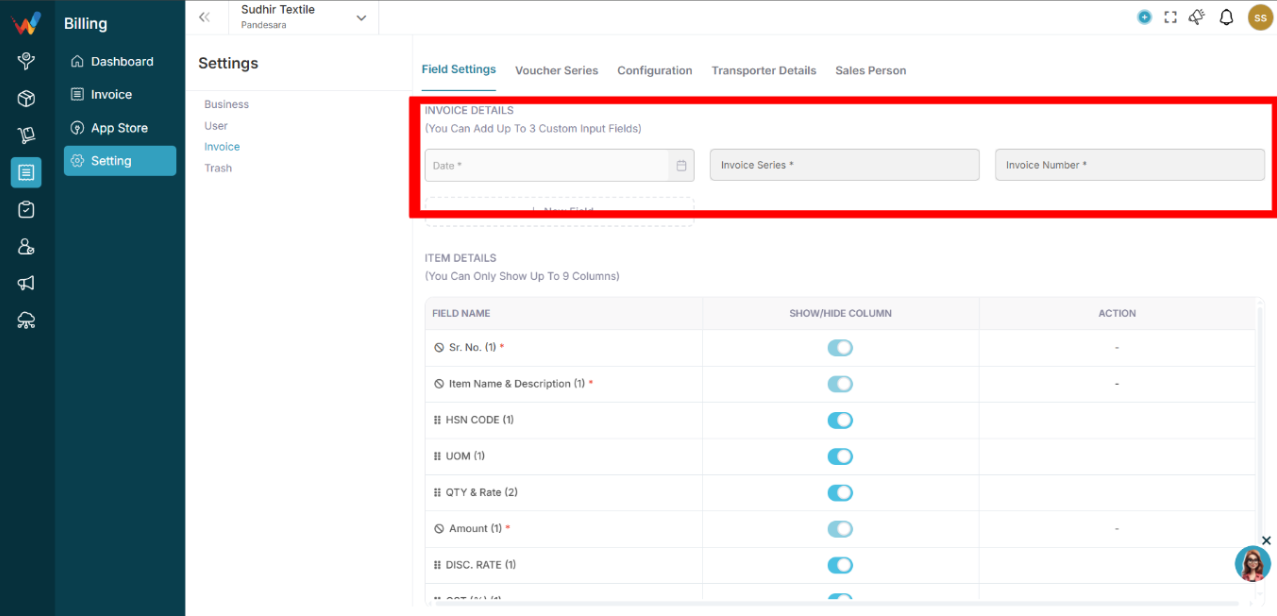
Fields available:
- Date
- Invoice Series
- Invoice Number
You can also:
- Add up to 3 custom input fields
- Define label
- Define field type (Text, Number, Dropdown, Date)
- Mark field as mandatory
Custom Field Creation Flow
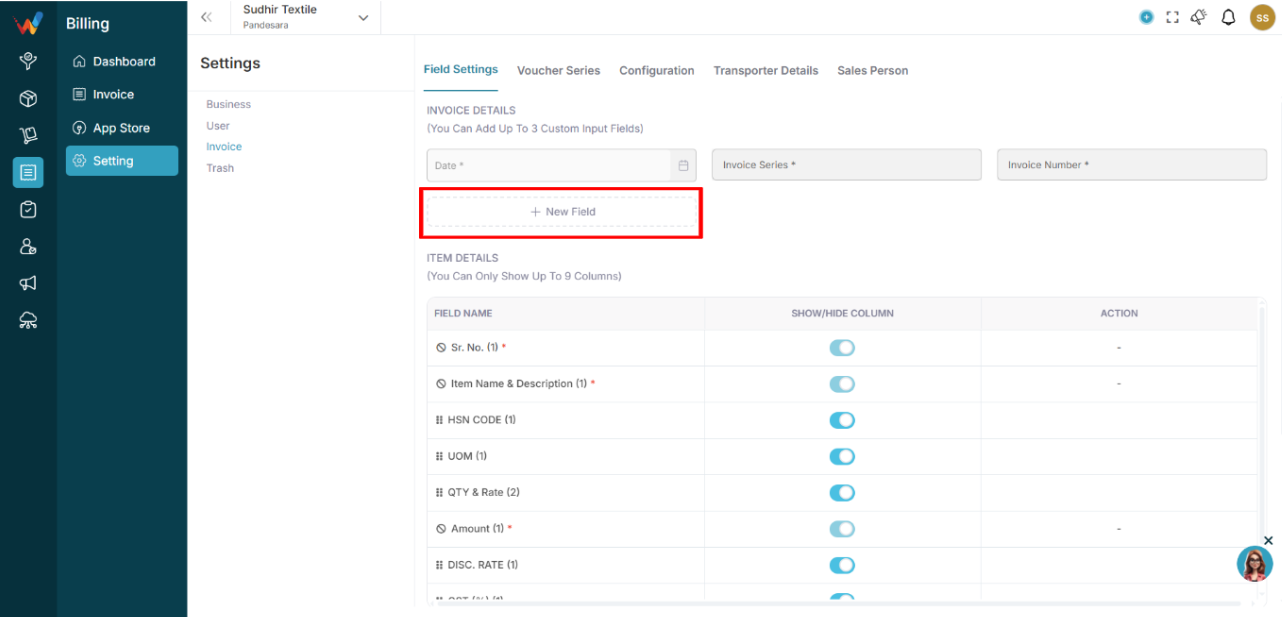
- Click New Field
- Enter Label
- Select Field Type
- Mark as Mandatory (optional)
- Click Create
System Logic
- Custom fields appear on the Create Invoice screen.
- Mandatory fields must be filled before submission if you want to make that field mandatory.
1.3 Item Details Section
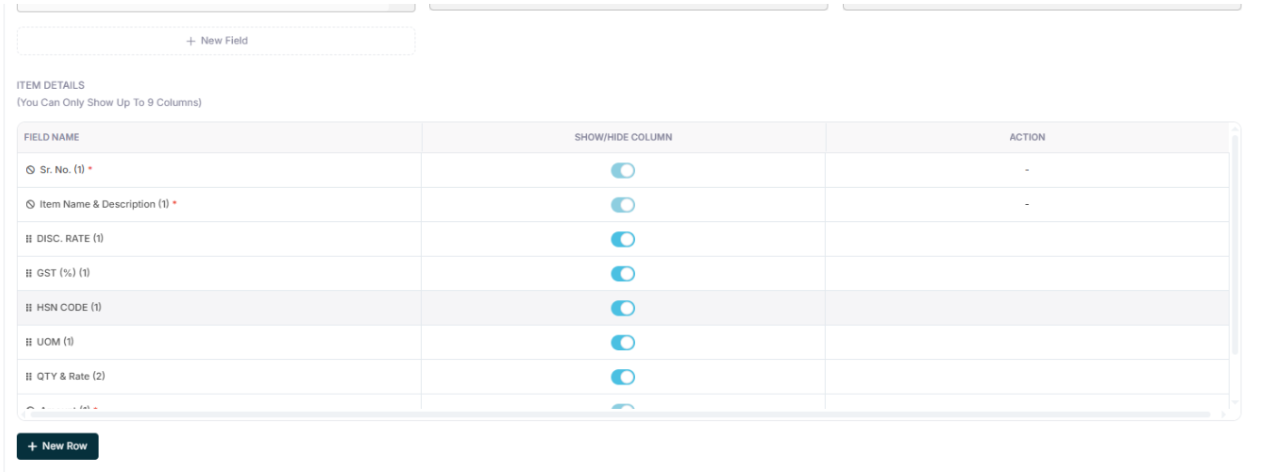
You can control visible columns in the item table.
Available fields:
- Sr. No.
- Item Name and Description
- HSN Code
- UOM
- Qty and Rate
- Amount
- Discount Rate
- GST Percent
- Net Amount
Rules:
- Maximum 9 columns allowed.
- Toggle ON or OFF to show or hide columns.
- The system recalculates automatically based on visible tax structure.
1.4 Item Adjustment Section
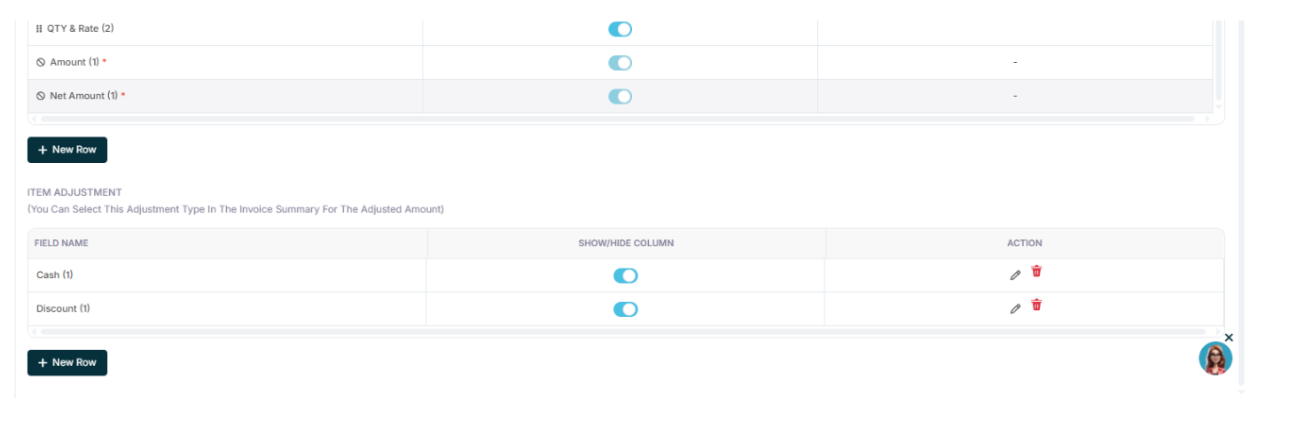
Allows configuration of adjustment types such as:
- Cash
- Discount
- Additional Charges
Each adjustment can be:
- Shown or hidden
- Edited
- Deleted
Adjustments appear in the invoice summary calculation area.