
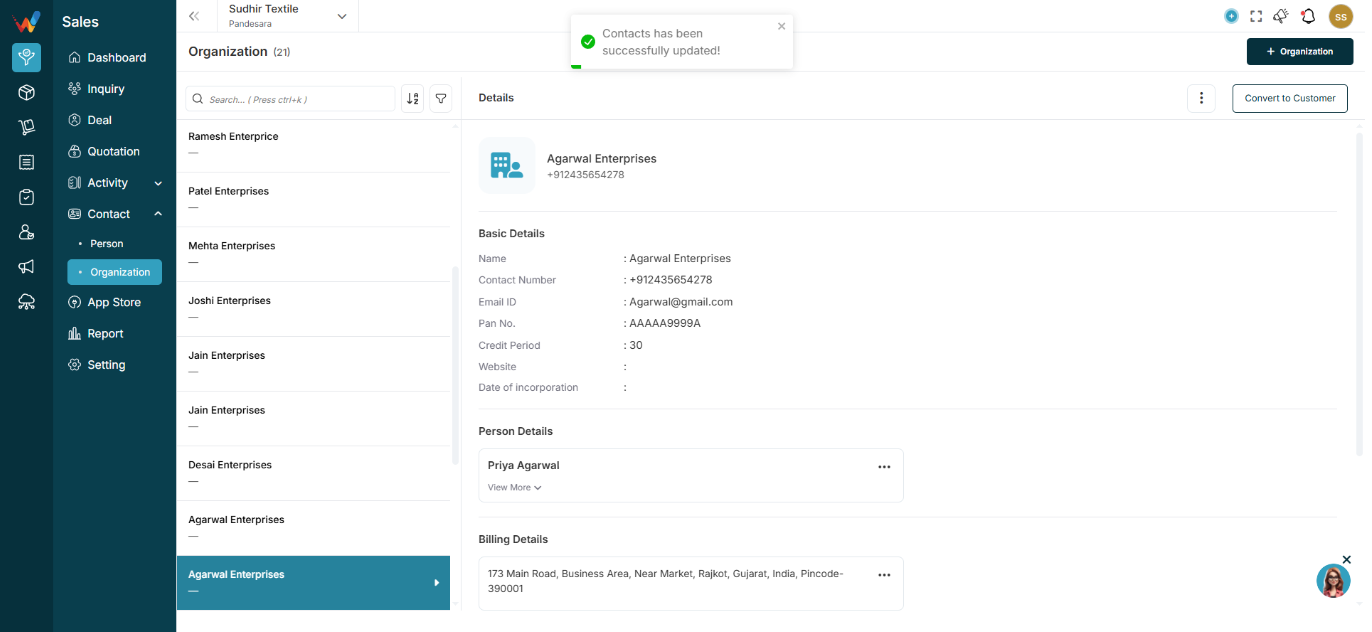
Left Panel — Organization List
Displays:
- Organization name
- Primary contact number
- Scrollable list
- Total count at the top (example: 330)
Behavior:
Clicking any organization loads its details in the right panel.
List Screen Controls
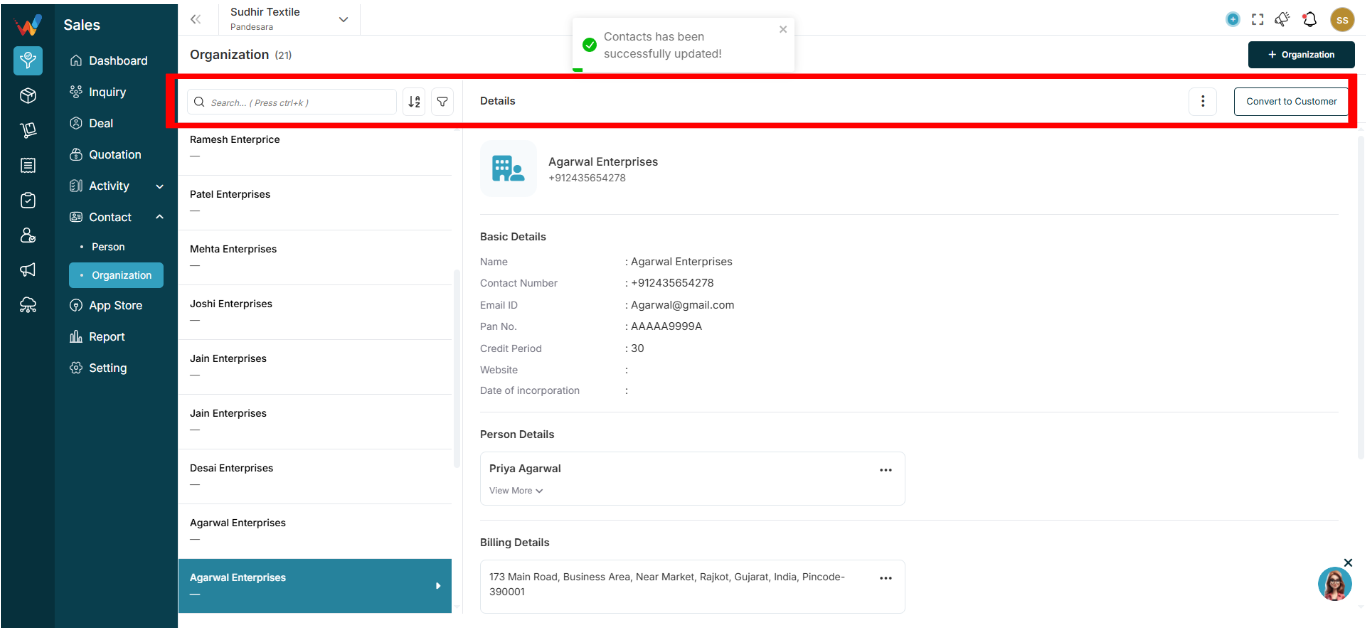
2.1 Search Bar (Ctrl + K)
Used for quick access when the database is large.
Capabilities:
- Search by organization name
- Search by mobile number
2.2 Sort Icon (A–Z / Z–A)

Allows alphabetical sorting of the organization list.
2.3 Filter Icon
Open the side filter panel.
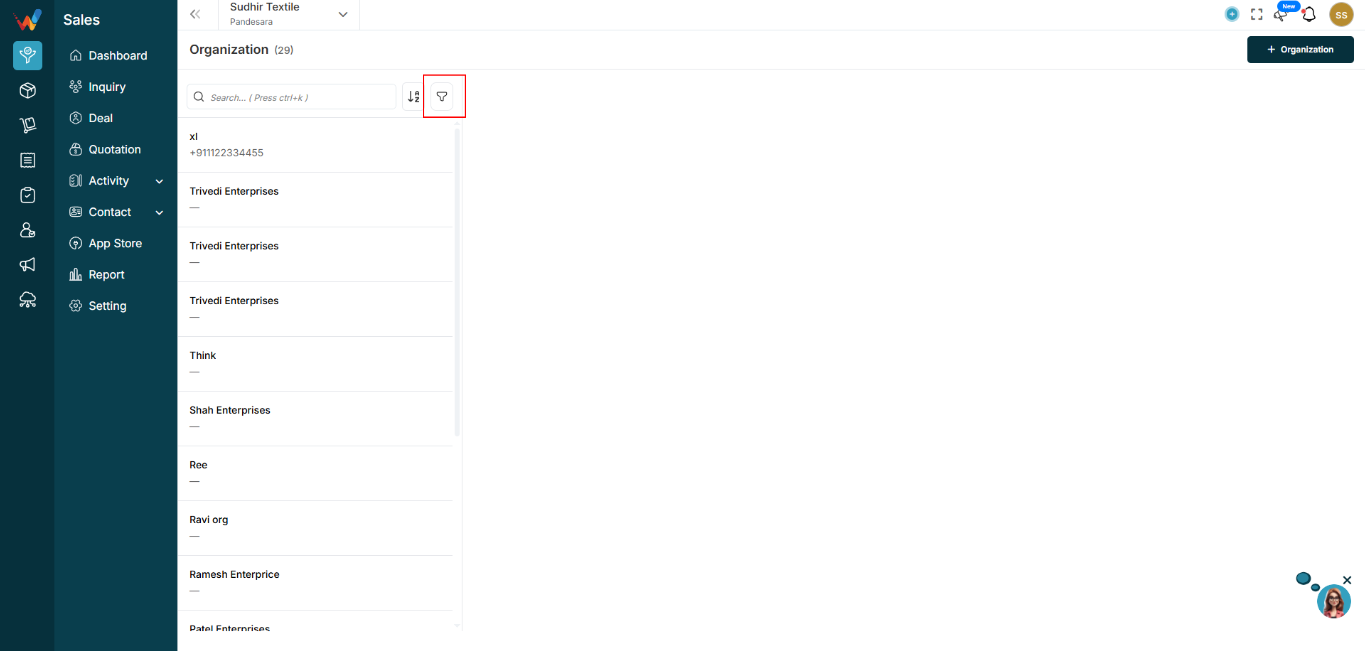
2.4 Add Organization Button (+)
Navigation Path:
Sales Module → Contact→ Organization → Click on + Organization
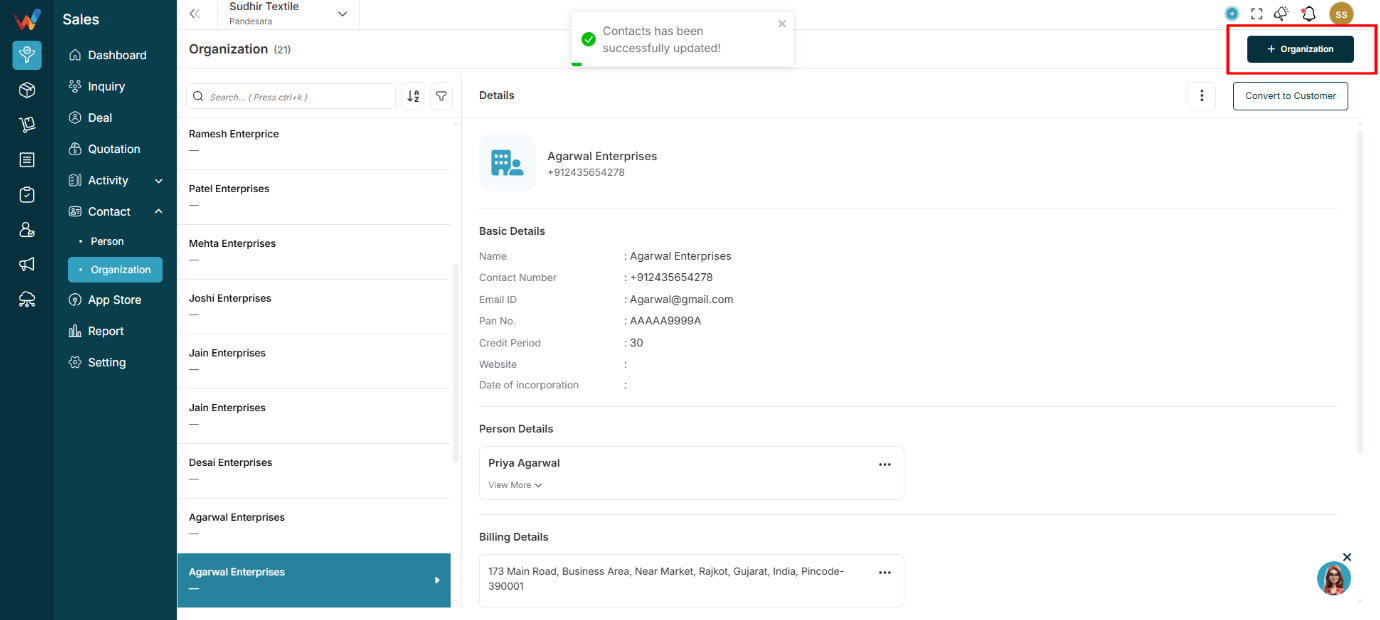
Creates a new organization.
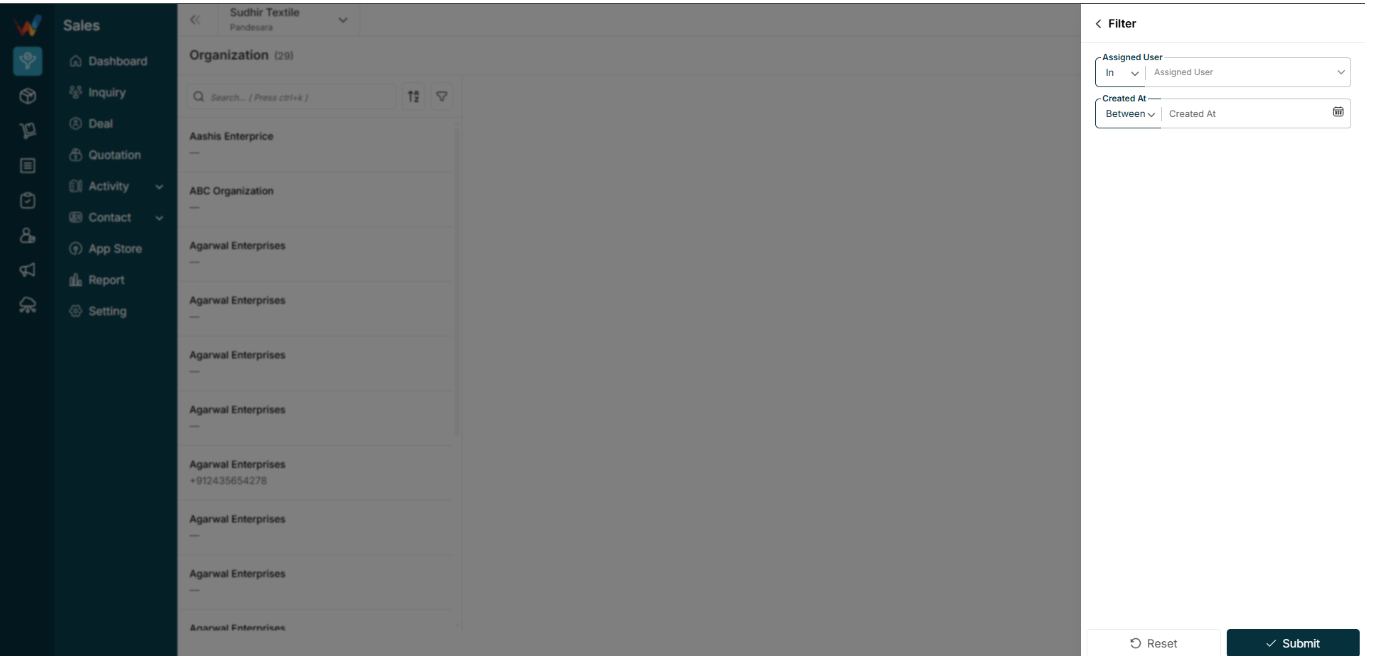
Filter Panel (List Screen)
When user click on filer icon
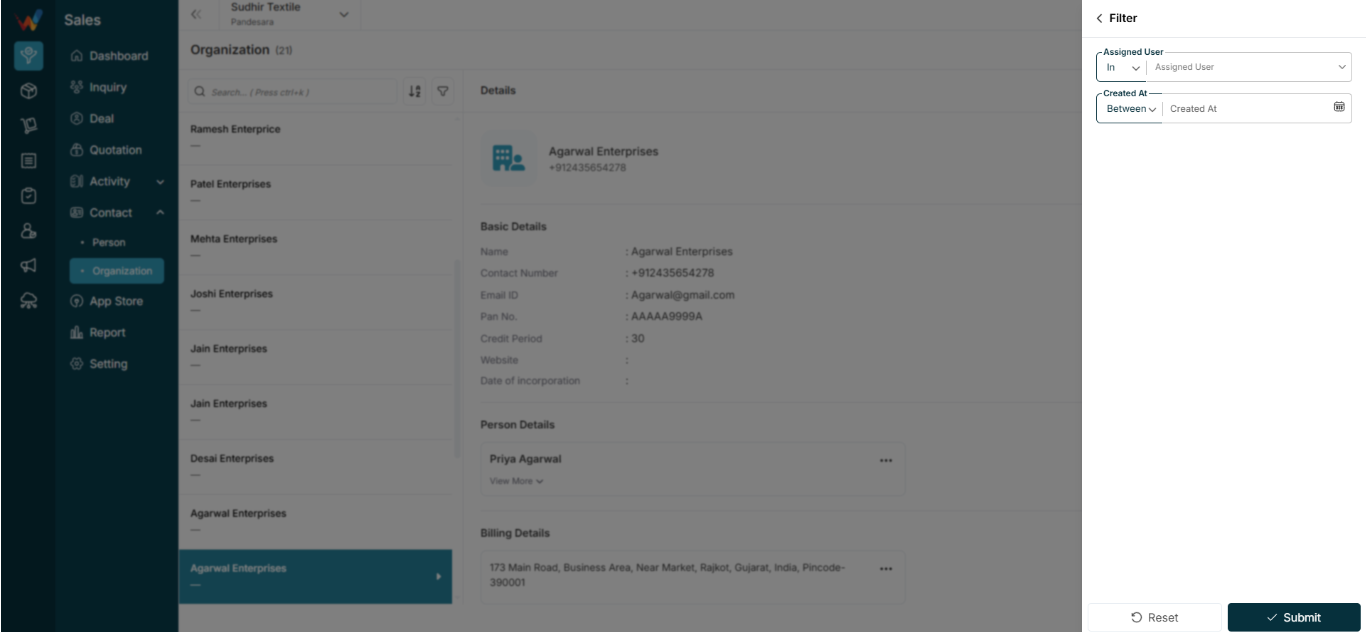
3.1 Assigned User
Operator: In
Select one or more assigned users.
Used to:
Filter organizations created or owned by specific salespeople.
3.2 Created At
Operator: Between
Date range picker.
Used for:
- Finding recently added organizations
- Filtering by a time period for reporting and review