
Purpose of Convert Button
Navigation Path:
Sales Module → Lead → Click Lead’s Name → Convert
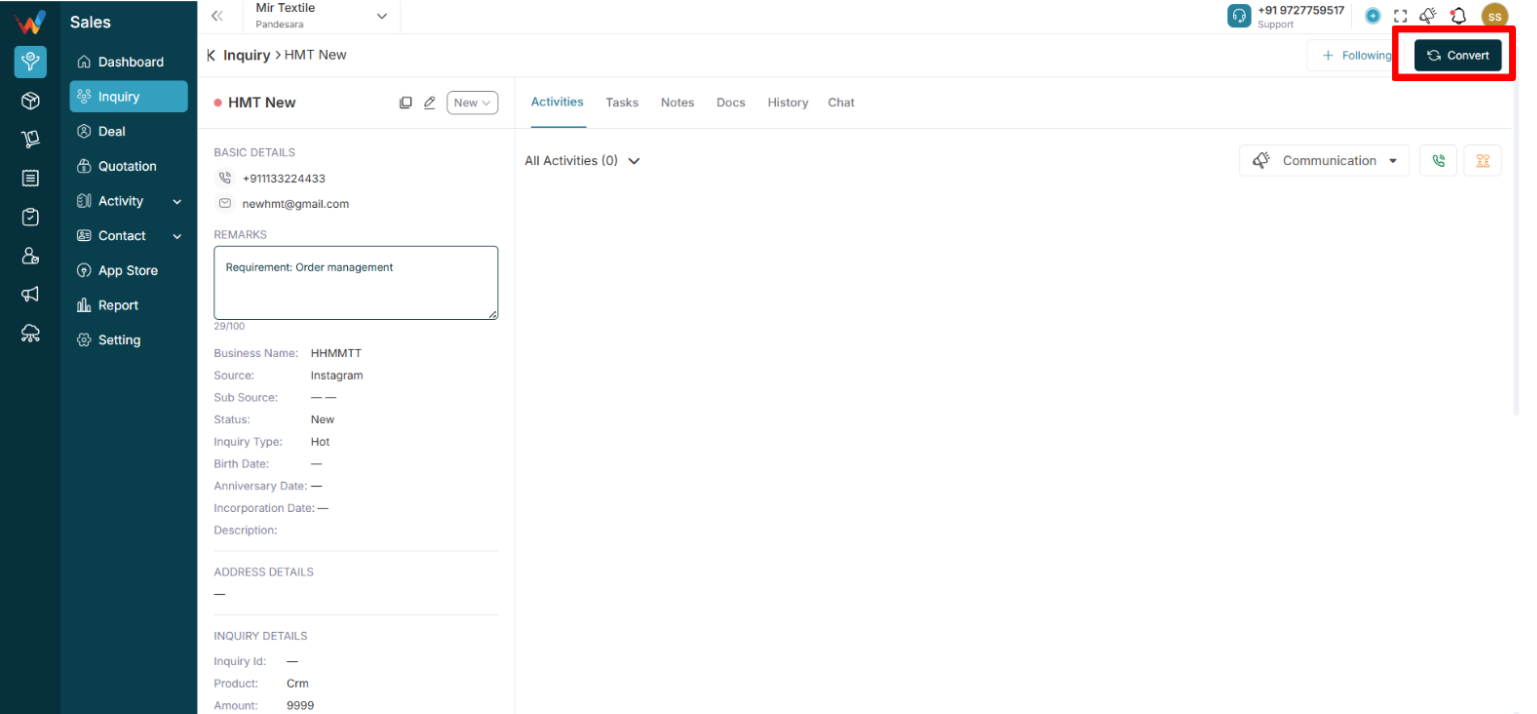
When the user clicks Convert (top right of Lead Detail), the system:
- Opens “Convert to Deal” screen
- Pre-fills lead data
- Creates a Deal record
- Moves lead into Deal pipeline
Important notes:
- Lead remains as a history record
- Deal becomes the active sales opportunity
- Logged communications can move to the deal (as per system design)
Convert to Deal – Screen Structure
Sections:
- Deal details
- Contact details
- Person address details
- Product details
- Recurring deal
- Other details (custom fields)
Deal Details Section
Deal name * (auto-filled from lead, editable)
Stage * (defines pipeline stage, e.g., Prospecting)
Source (auto-filled, editable)
Close date (forecasting and reporting)
Remark
Description
Contact Details Section
Converts lead into:
- Person
- Organization (optional)
Includes:
- Person name * (auto-filled, new marked as “NEW” where applicable)
- Organization name (optional)
- Contact number (auto-filled, editable)
- Email (auto-filled, editable)
- Special dates (optional)
Person Address Details
Billing address (select or create if missing)
Shipping address (select or create if missing)
Product Details (Expandable)
Used to add products linked to the deal for:
- Quotation generation
- Commercial readiness
Typical fields:
- Product name
- Quantity
- Rate
Recurring Deal
Yes / No
If Yes, deal can repeat automatically (if enabled)
Submit Button (Conversion Result)
On Submit, the system typically:
- Creates a new Deal
- Links deal to lead
- Creates person (if new)
- Creates organization (if new)
- Links address
- Moves opportunity into Deal pipeline
- Marks lead as Converted (based on logic)
What Happens After Conversion (System View)
Lead status → Converted
Deal stage → Prospecting (or selected stage)
Data flow:
Lead → Person → Deal → Revenue pipeline
Activities can be moved into the deal to maintain a single timeline (if configured)
When to Convert (Business Logic)
Convert only when:
- Buyer shows serious interest
- Product discussion is done
- Pricing discussion has started
- Revenue expectation is defined
Do not convert:
- On the first call
- Without qualification
- Without product confirmation
Common Mistakes and Best Practices
Common mistakes
Converting without setting stage
Not adding close date
Not adding product details
Creating duplicate person records
Best practice checklist (before convert)
Product selected
Estimated amount entered
Next follow-up planned
Decision maker identified