
Trash – Navigation
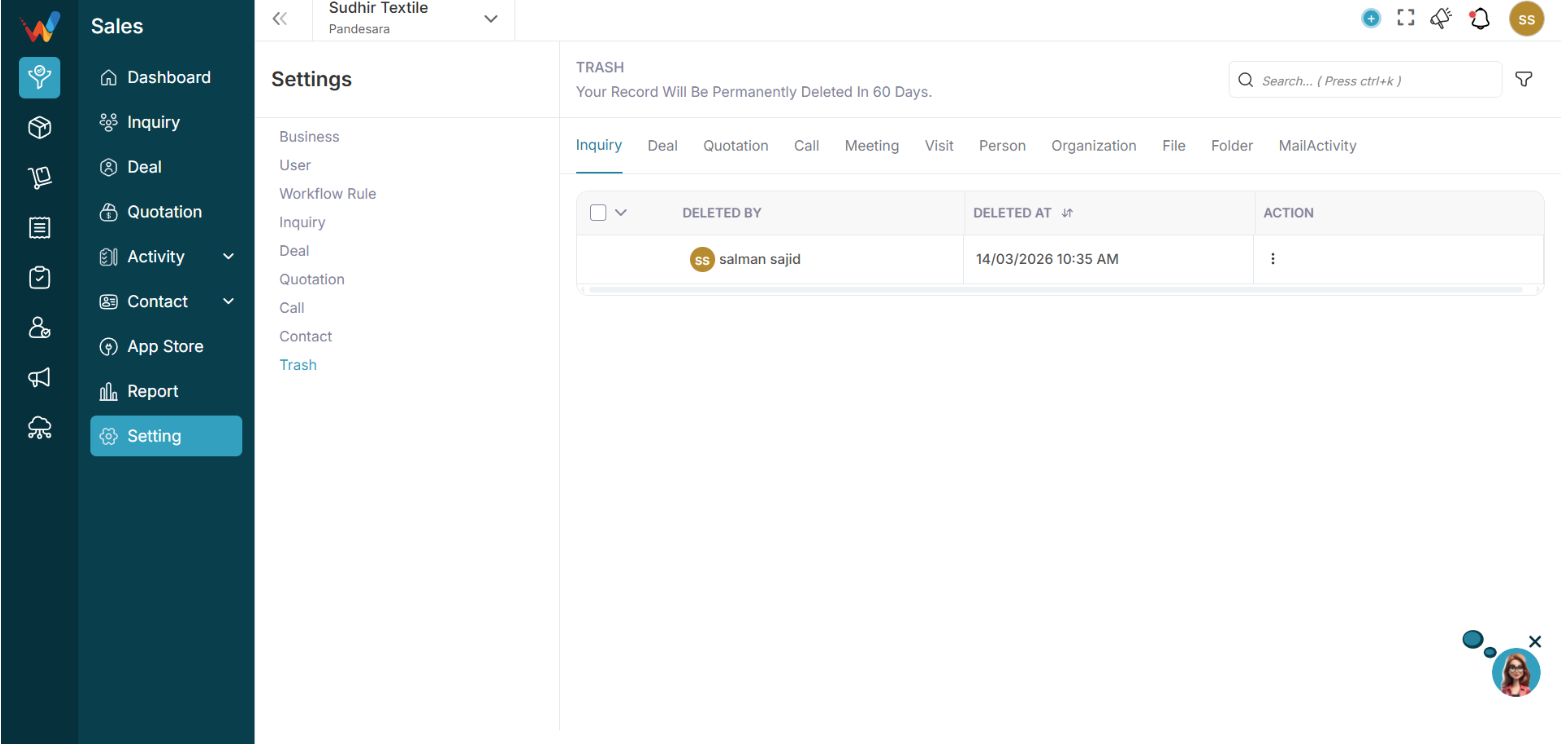
Navigation Path:
Sales Module → Settings → Trash
You will see this message:
Your record will be permanently deleted in 60 days.
This means:
- Deleted records are not removed immediately
- They stay in Trash for 60 days before permanent deletion
Available Trash Tabs (Deleted Records by Module)
Inside Trash, you can view deleted records for:
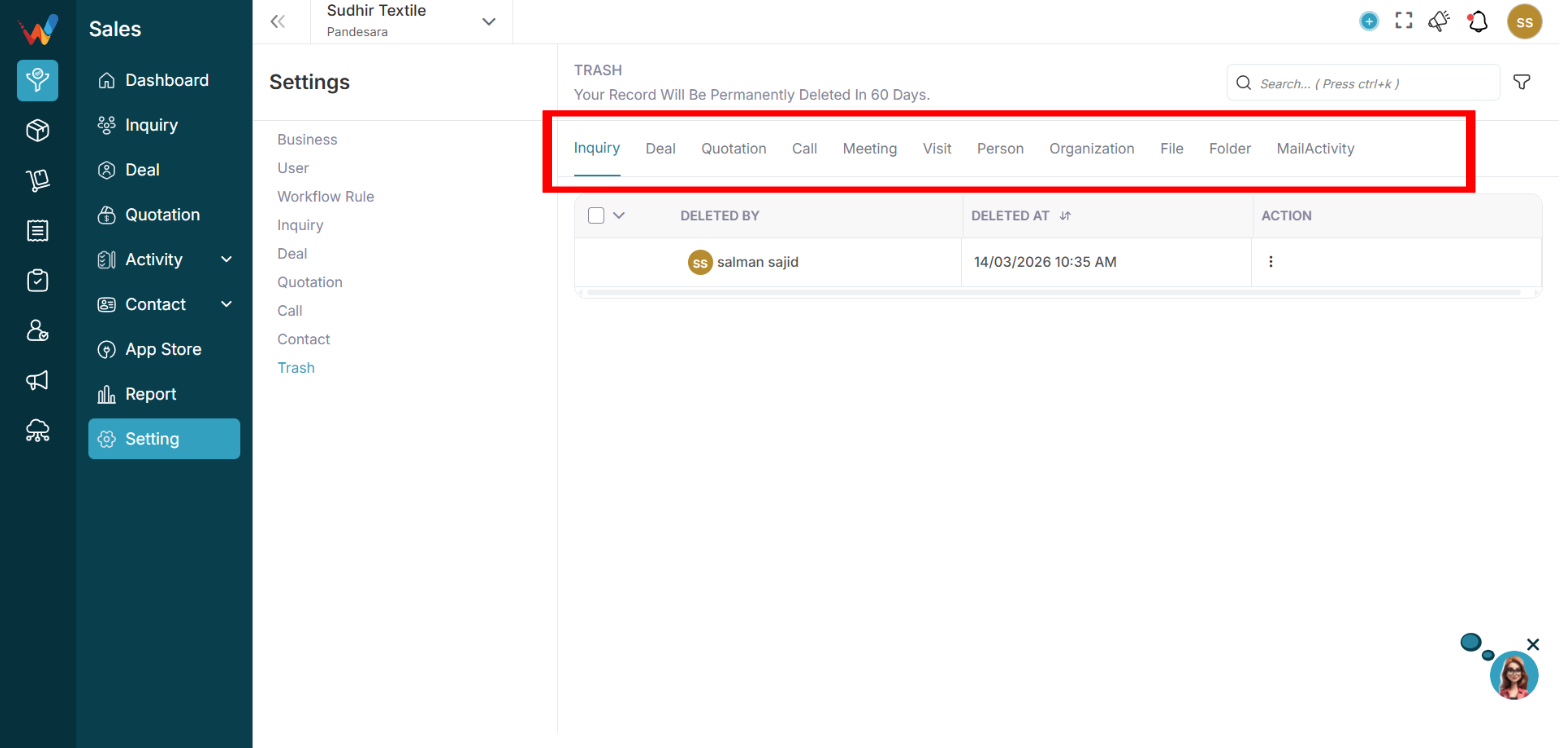
- Lead
- Deal
- Quotation
- Call
- Meeting
- Visit
- Person
- Organization
- File
- Folder
- Mail Activity
Each tab shows deleted records of that module.
What Information Is Visible
Example: Lead tab columns
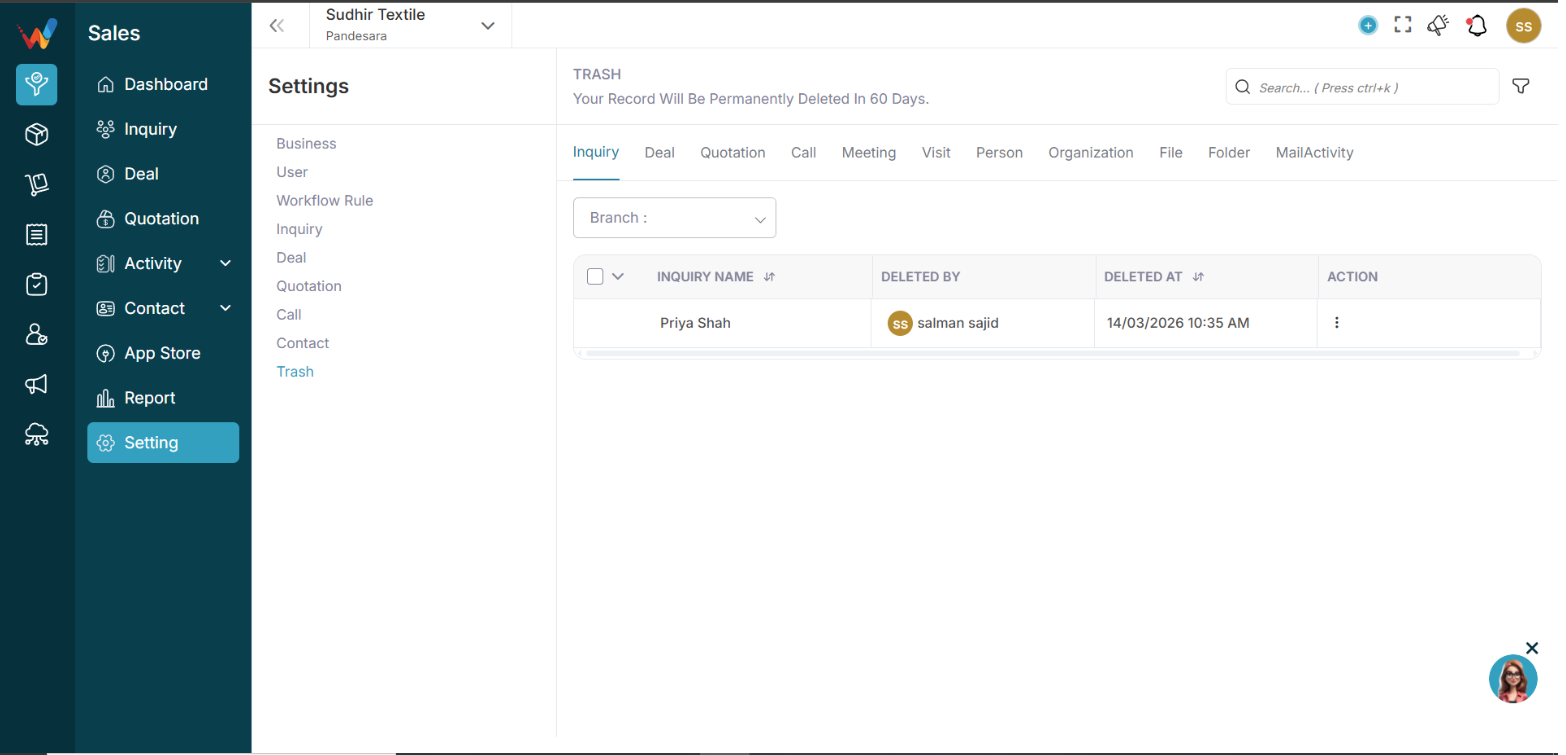
- Lead Name — Name of deleted lead
- Deleted By — User who deleted
- Deleted At — Date and time
- Action — Restore or Delete
This ensures full audit transparency.
Restore Record
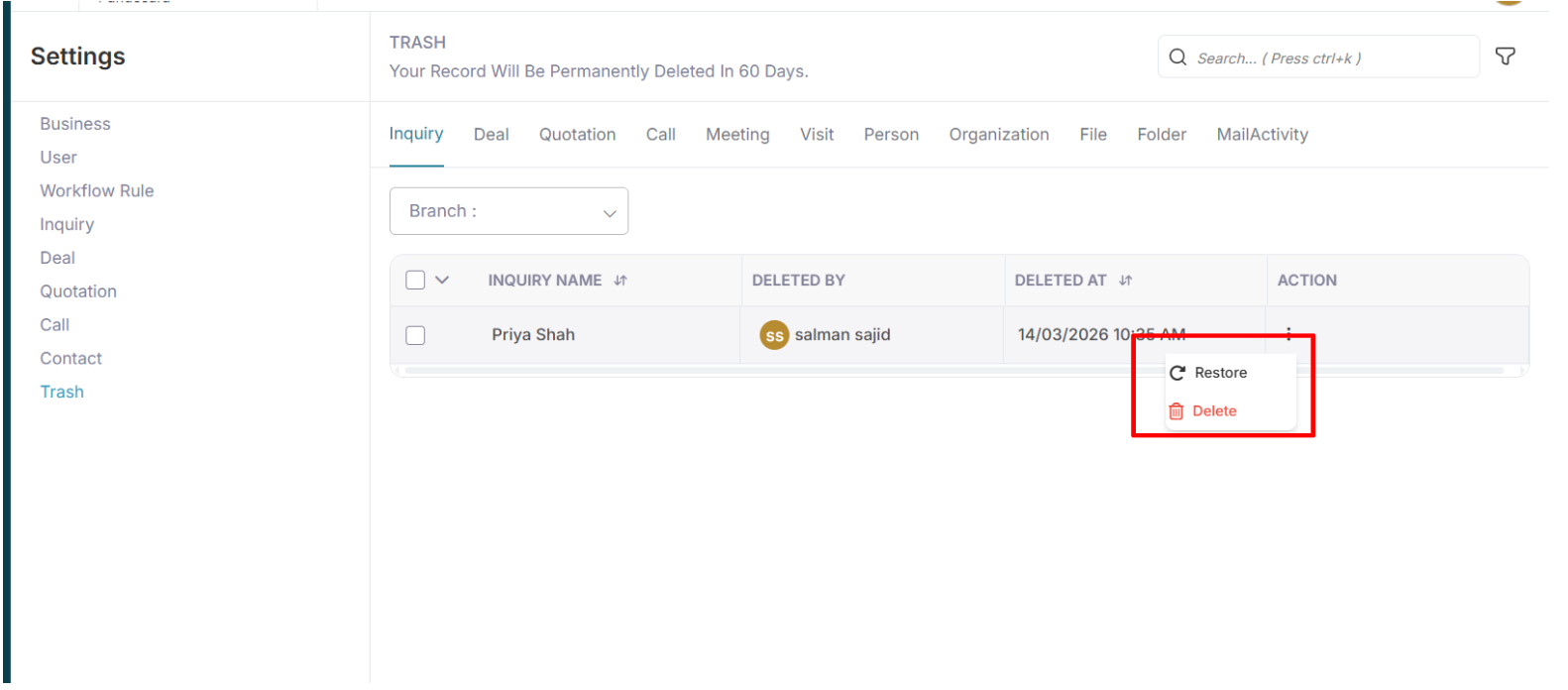
4.1 To Restore
Click:
3 dots
Select:
Restore
The record will:
- Move back to the original module
- Retain original data
- Retain activity history
Permanent Delete
If you select:
🗑 Delete
The record will be:
- Permanently removed
- Not recoverable
- Fully erased from the system
Otherwise, the system auto-deletes the record after 60 days.
Branch Filter
You can filter trash records by branch.
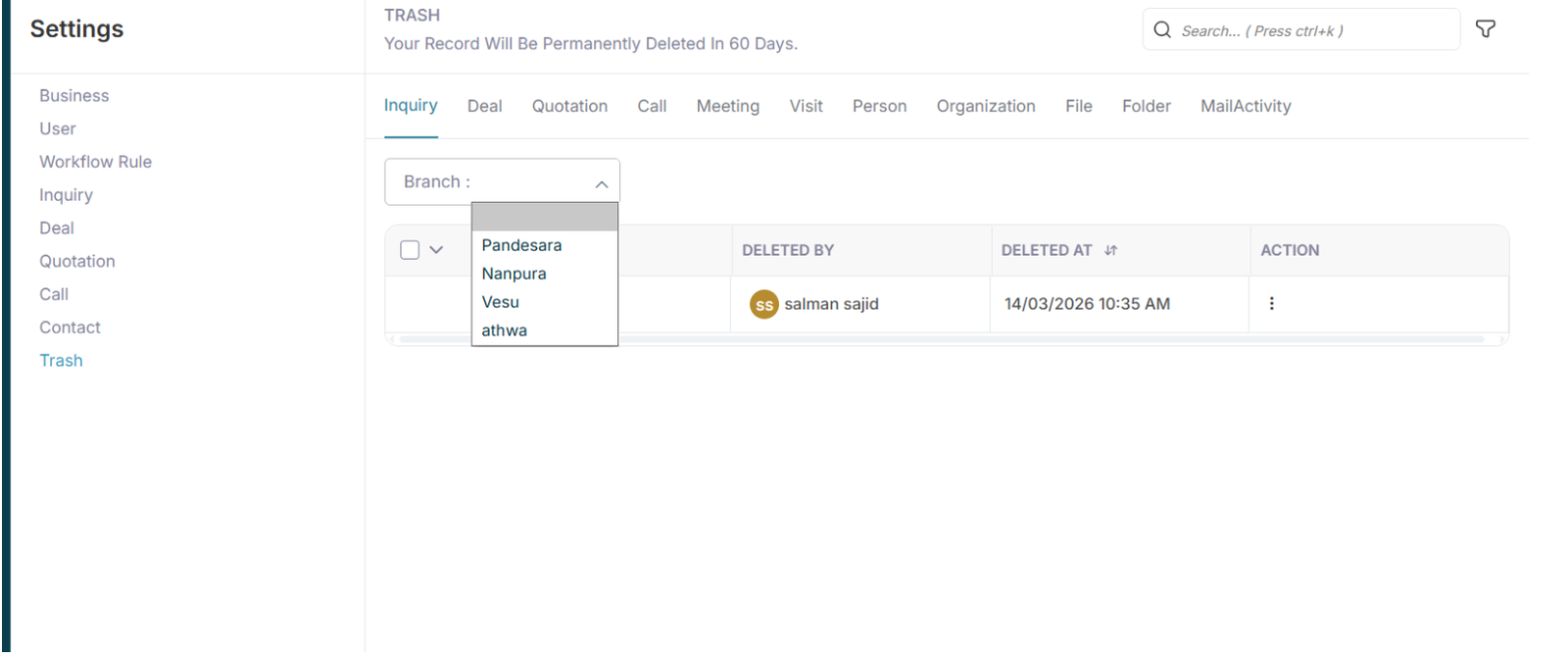
Branch dropdown shows:
- Pandesara
- Nanpura
- Vesu
This helps in:
- Branch-wise data control
- Multi-location management