
Workflow and System Logic (Overall Configuration Flow)
Admin configures:
- Field Settings
- Voucher Series
- Enable E-Invoice and E-Way Bill
- Add credentials
- Add transporters
- Add sales persons
After configuration:
- Invoice Creation
- IRN Generation
- E-Way Bill Generation
- Transport compliance
- Reporting
Real Business Example
A textile business needs:
- Financial year-based invoice numbering
- E-Invoice generation above threshold
- E-Way Bill for inter-state dispatch
- Assigned sales person for each invoice
Admin sets:
- Voucher Series: FY2025-26
- Enables E-Invoice and E-Way Bill
- Adds GSP credentials
- Adds transporter master
- Maps sales team
The system becomes GST-compliant and audit-ready.
Best Practices
- Always verify GSTIN before saving credentials
- Use financial year-based voucher series
- Enable services only after credential verification
- Maintain updated transporter master
- Restrict access to configuration settings
Common Mistakes
- Entering incorrect GSP credentials
- Forgetting to set a default voucher series
- Generating E-Invoice without enabling configuration
- Not updating transporter ID
- Deleting a series after invoices are created
INVOICE TRASH MANAGEMENT
(Settings: Invoice → Trash)
Header Notice
“Your Record Will Be Permanently Deleted in 60 Days.”
This informs users that deleted invoices have a retention window.
Data Table Structure
The Trash table includes the following columns:
- Invoice No.
- Client Name
- Parent
- Deleted By
- Deleted At
- Action
Each deleted invoice record appears here until restored or auto-deleted.
Search and Filter
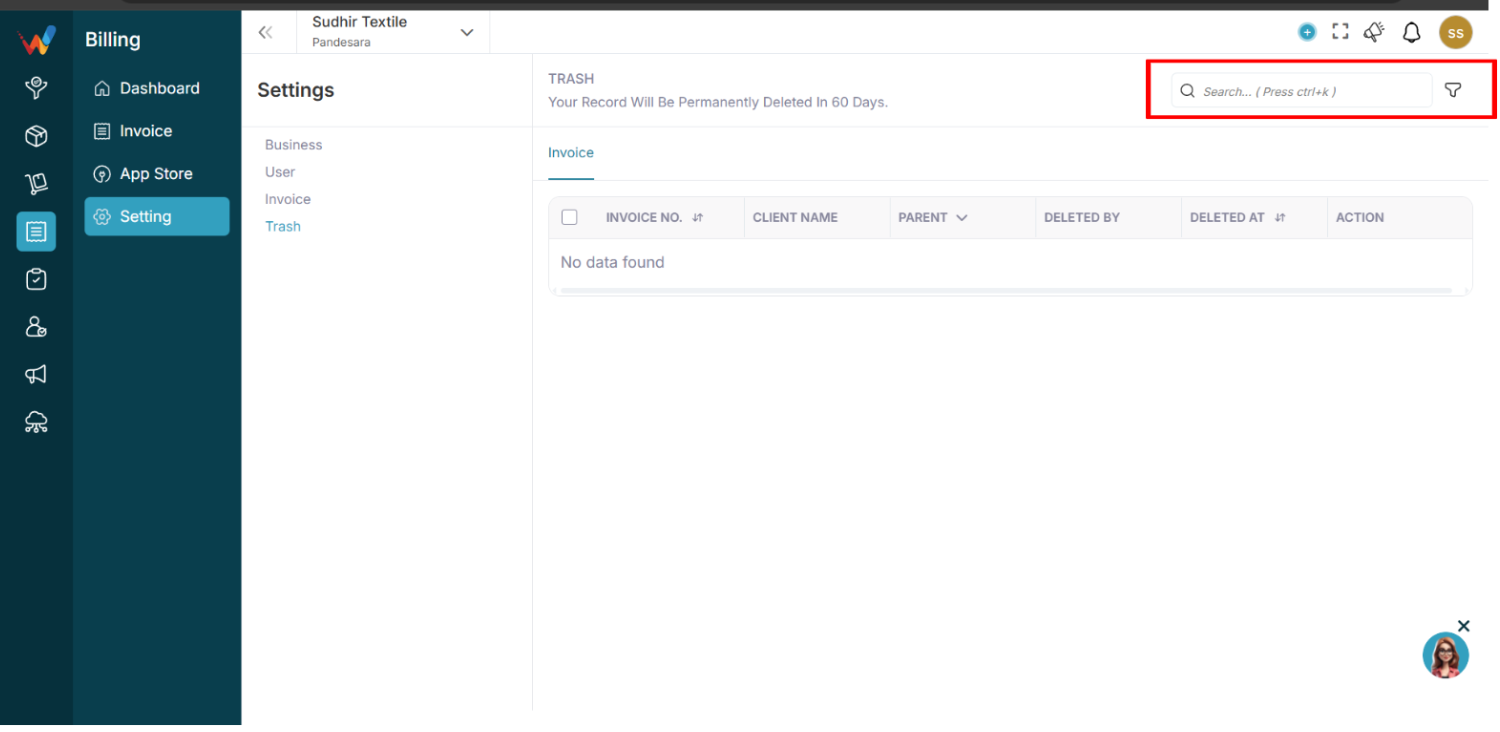
Navigation Path:
Billing Module → Setting → Trash
8.1 Search Bar
Shortcut: Ctrl + K
Search deleted invoices by:
- Invoice number
- Client name
8.2 Filter Panel
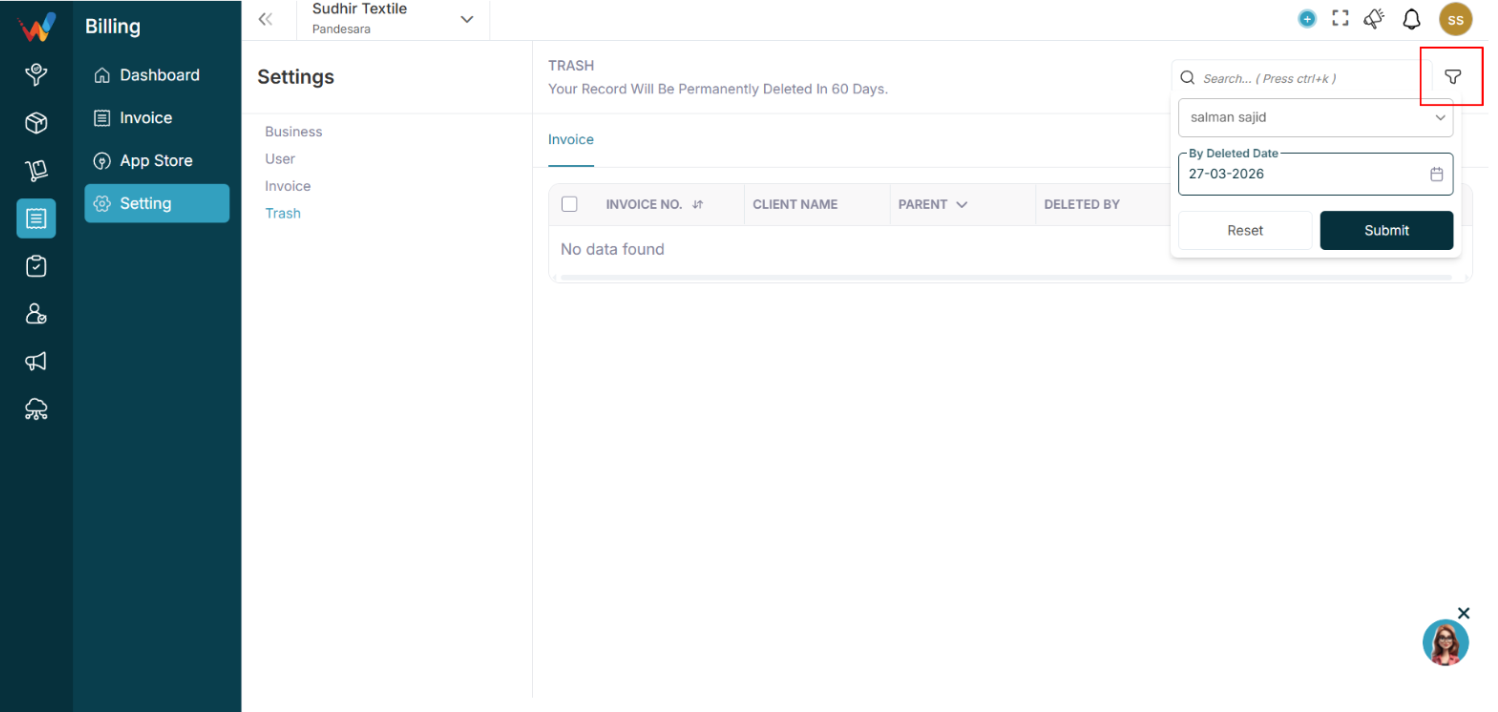
Available filters:
- Deleted By
- Deleted Date
Filter Flow:
- Click Filter icon
- Select Deleted By (user)
- Select Deleted Date
- Click Submit
Reset clears all applied filters.
Workflow and System Logic
9.1 Invoice Deletion Flow
- User deletes invoice
- System moves invoice to Trash
- Invoice is marked as soft-deleted
- Retention timer starts (60 days)
9.2 During Trash Period
The invoice:
- Cannot be used for reporting
- Cannot generate E-Invoice or E-Way Bill
- Is not visible in the active invoice list
- Retains metadata (who deleted, when deleted)
9.3 After 60 Days
System automatically:
- Permanently deletes invoice
- Removes record from database
- Cannot be recovered
Restore Logic
If Restore option is available:
- User clicks Restore
- Invoice moves back to Invoice List
- Retention timer stops
- Invoice becomes active again
If no restore option exists, deletion is final after 60 days.
Real Business Example (Trash)
Scenario:
An accountant accidentally deletes invoice FY/25/26-101.
Instead of being permanently removed, the invoice:
- Moves to Trash
- Shows Deleted By: Accountant
- Shows Deleted Date: 15 Feb 2026
Within 60 days, Admin can:
- Review deletion
- Restore if needed
After 60 days, the invoice is permanently erased.
Best Practices (Trash)
- Restrict delete permissions to authorized users
- Regularly review Trash for accidental deletions
- Restore important invoices before the 60-day limit
- Maintain internal approval before deleting invoices
Common Mistakes (Trash)
- Assuming invoice is permanently deleted immediately
- Forgetting 60-day auto-deletion rule
- Not checking Trash after accidental deletion
- Deleting invoices before confirming E-Invoice cancellation
Compliance Consideration
For GST-compliant businesses:
- Do not delete invoices after IRN generation without cancellation
- Ensure E-Invoice or E-Way Bill is properly cancelled before deletion
- Keep audit trace for statutory review