
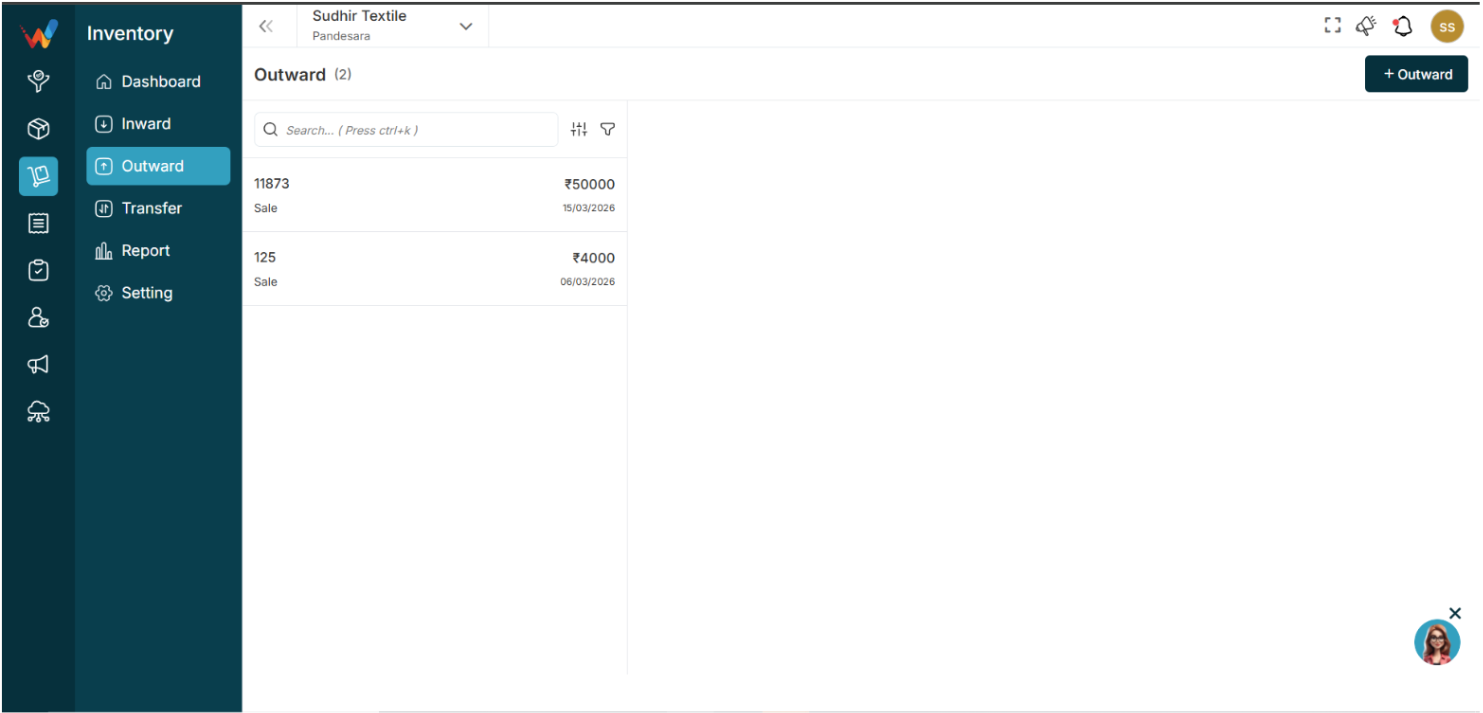
Outward – List View
Navigation Path:
Billing Module → Outward
1.1 Purpose of Outward List View
Displays all outward transactions. Each entry typically includes:
- Invoice Number
- Transaction Type
- Amount
- Date
Purpose:
Provides a complete record of stock leaving your inventory.
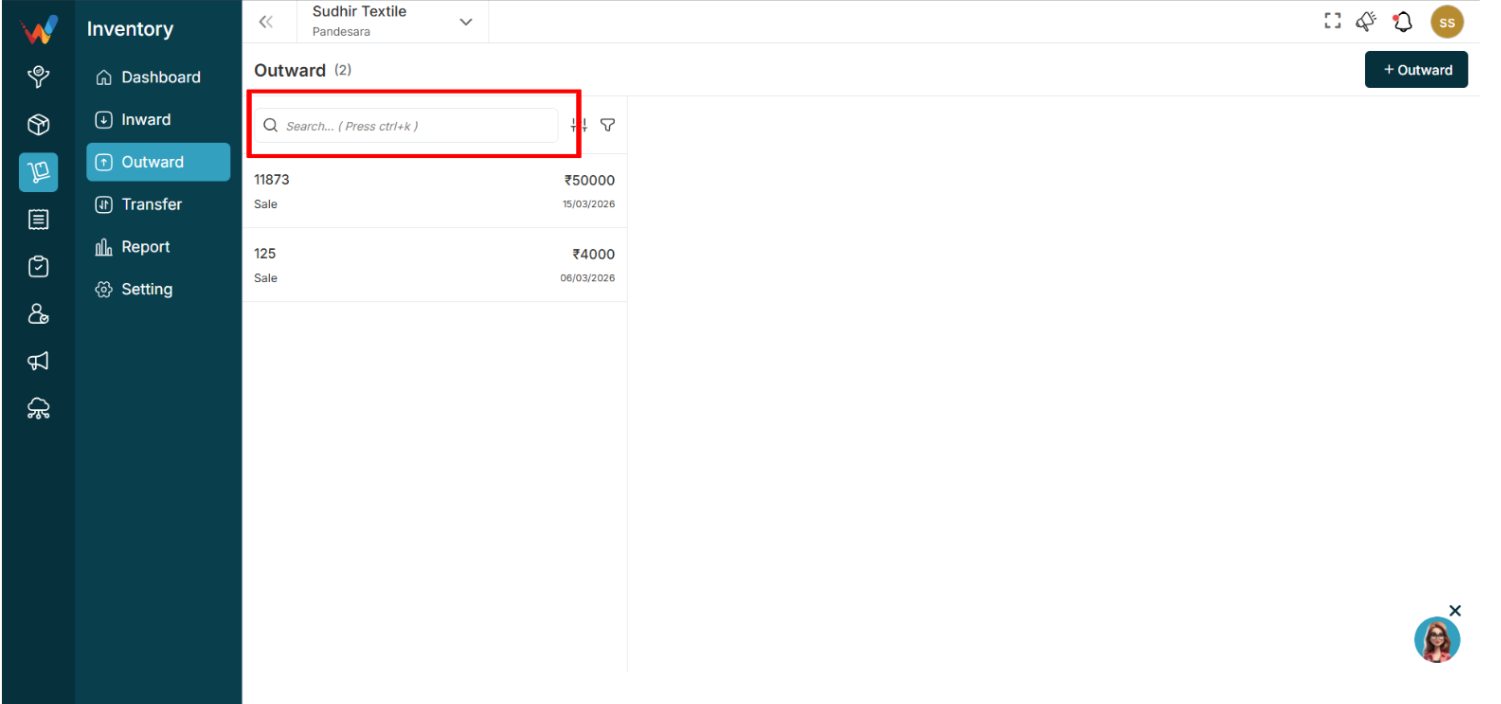
1.2 Search Bar
Used to quickly find outward transactions.
Shortcut: Ctrl + K
How to Use
- Enter Invoice No or Amount.
Note:
Item Name is not searchable.
1.3 Sort Function
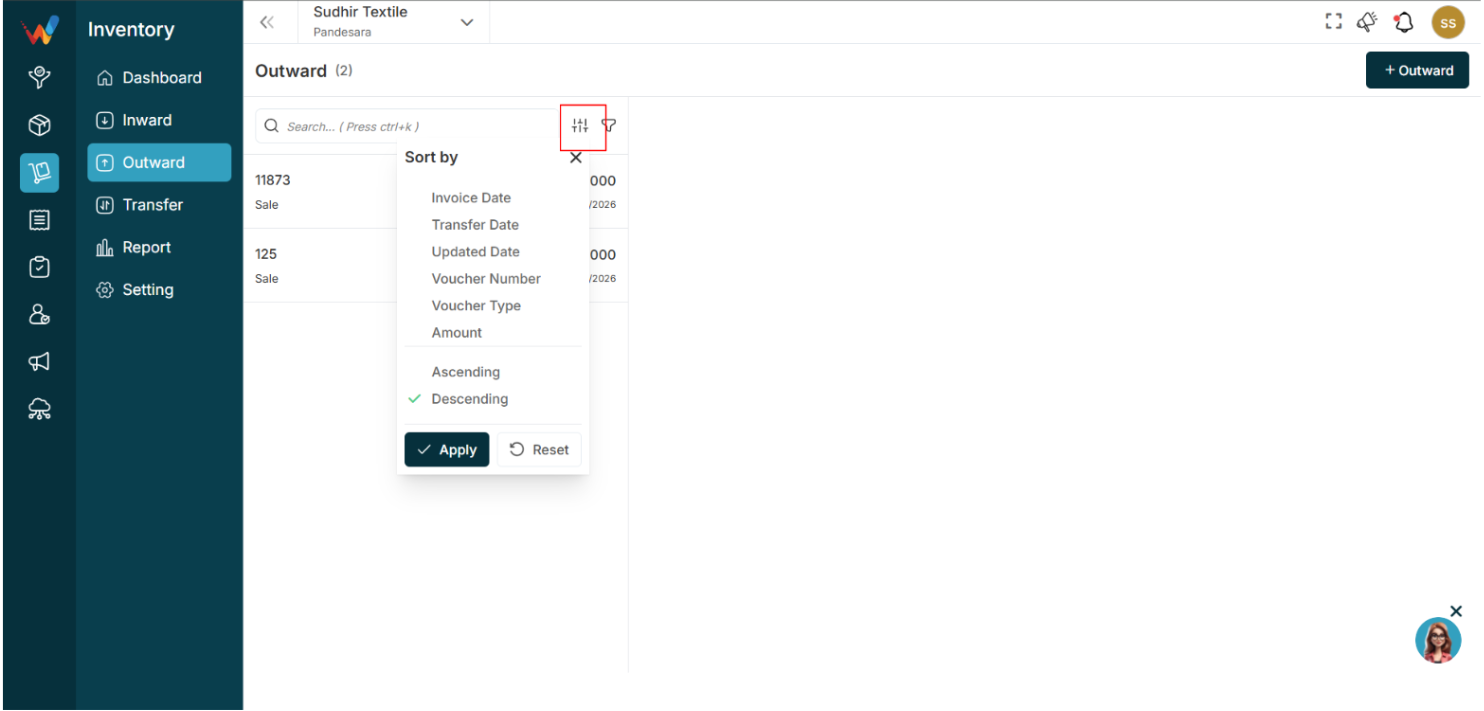
Used to arrange outward records.
Available Options
- Invoice Date
- Transfer Date
- Updated Date
- Voucher Number
- Voucher Type
- Amount
Sort Order
- Ascending
- Descending
Purpose:
Helps organize and review transactions easily.
Apply: Confirms sorting
Reset: Clears selection
1.4 Filter Panel
It helps you find exactly what you’re looking for by filtering out unnecessary results.
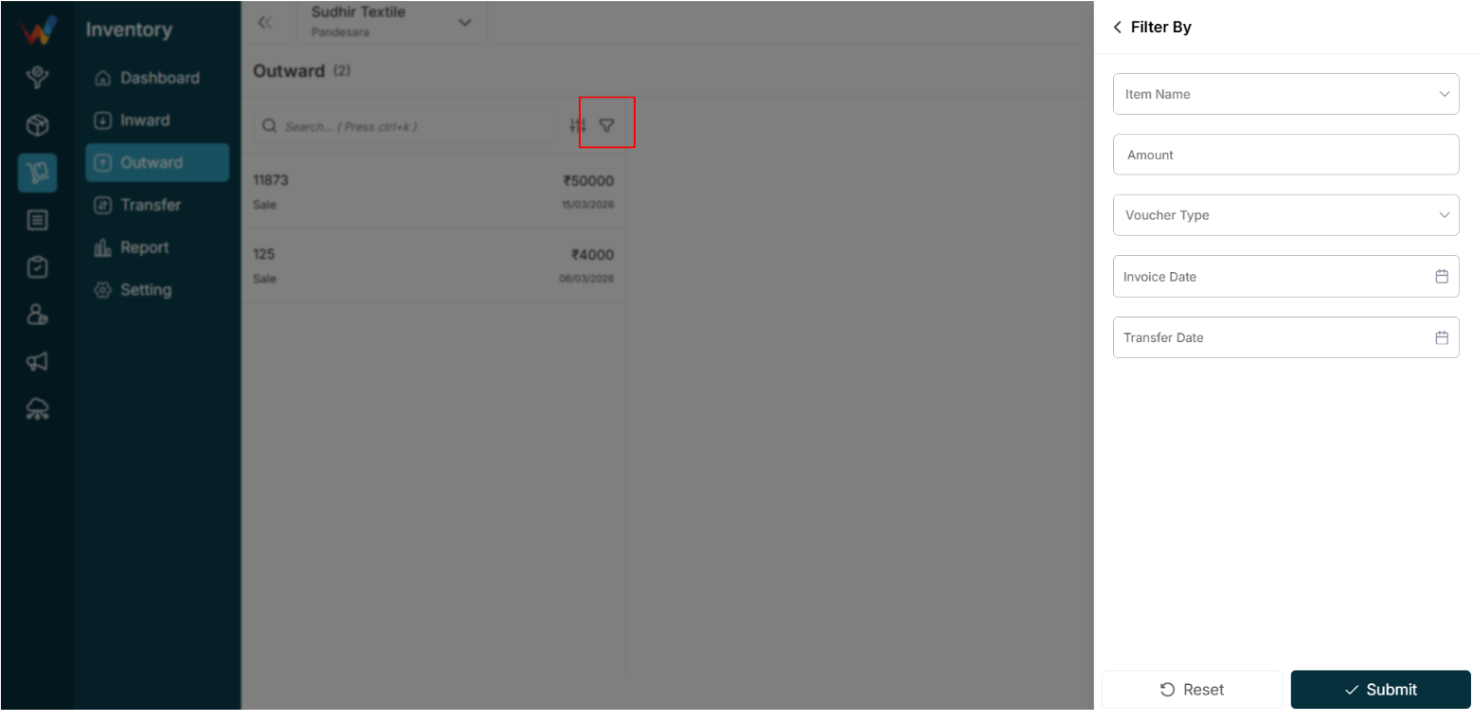
Available Filters
- Item Name
- Amount
- Transfer Type
- Invoice Date
- Transfer Date
How to Use
- Open the Filter Panel.
- Enter filter details.
- Click Submit.
- Click Reset to clear filters.
Purpose:
Allows you to view only relevant transactions.
Outward Details View
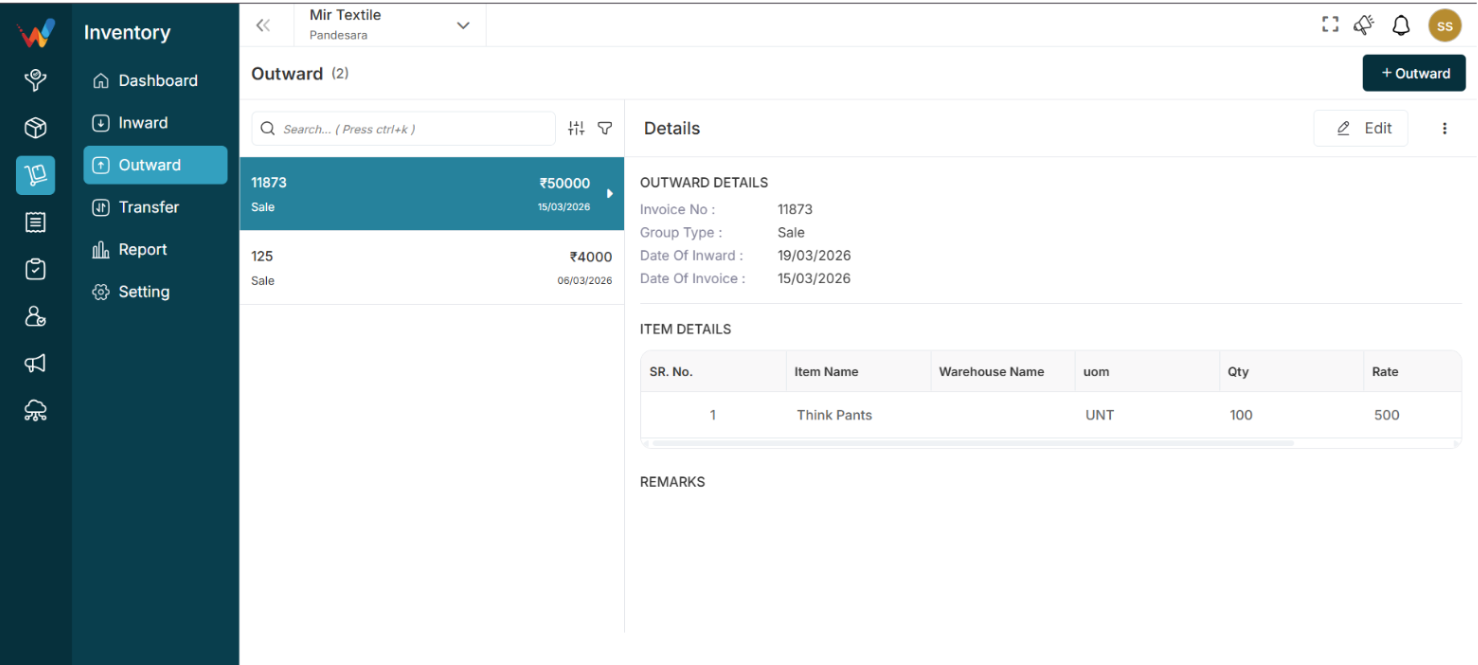
This screen displays complete information for the selected outward transaction. It helps you review stock removals and verify transaction details.
2.1 Viewing Details
If you select an invoice, all related details will be displayed.
2.2 Outward Details
This section shows the basic transaction information.
Fields Available
- Invoice No: Unique invoice reference
- Group Type: Type of transaction (for example, Sale)
- Date of Inward: Linked inward date (if applicable)
- Date of Invoice: Invoice creation date
Purpose:
Helps identify and validate the transaction.
2.3 Item Details
Displays all items included in the outward entry.
Columns Available
- Sr. No.: Item sequence number
- Item Name: Name of the product
- Warehouse Name: Warehouse from which stock is removed
- UOM: Unit of measurement
- Qty: Quantity dispatched
- Rate: Item price per unit
- Amount: Total value of the item
Purpose:
Provides stock and financial breakdown.
2.4 Remarks
Displays additional notes related to the transaction.
Purpose:
Used to store comments or special details.
2.5 Edit Button
Used to update the outward transaction.
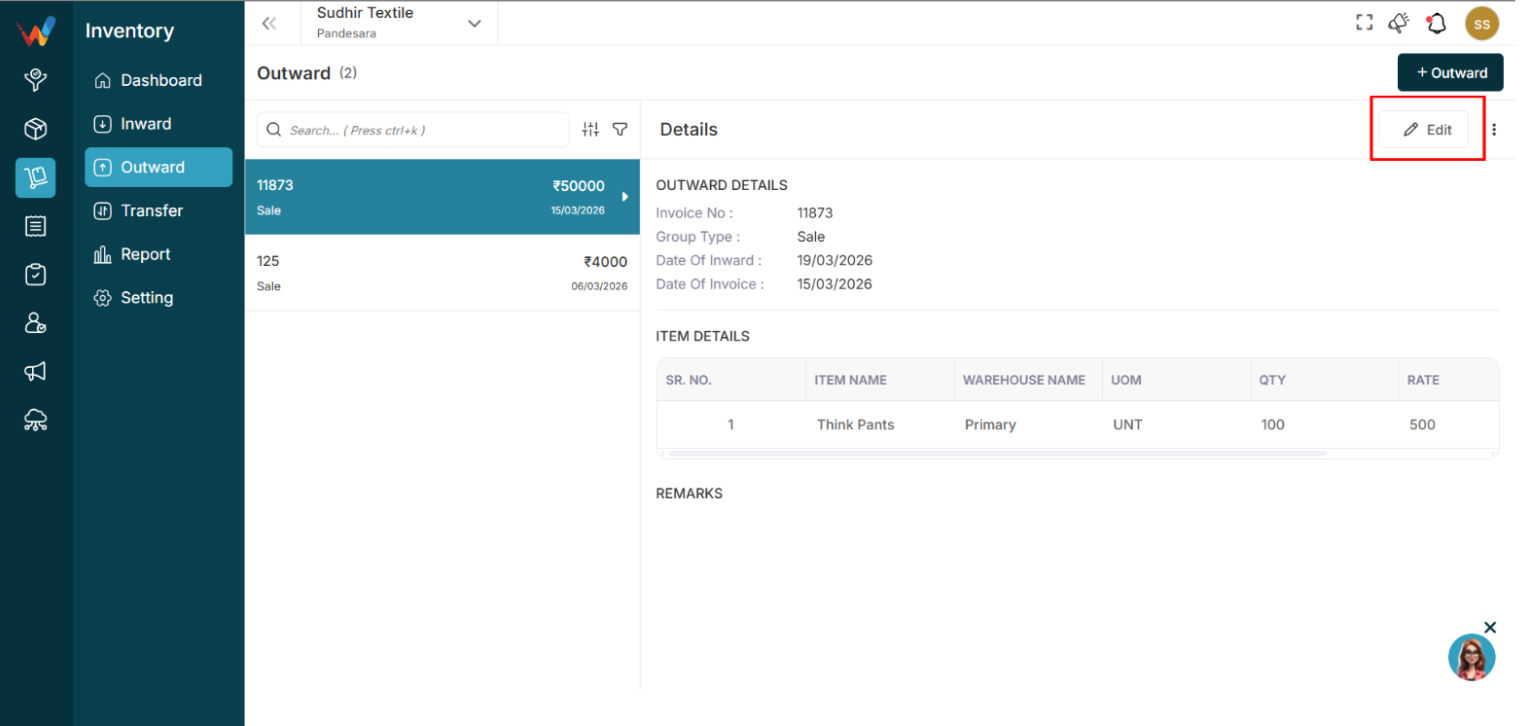
Navigation Path:
Inventory Module → Outward → Click on + Edit
Common Use Cases
- Correct quantity
- Update rate
- Modify invoice details
2.6 Delete Option

Used to remove the outward transaction.
Important:
Deleting this entry will update stock levels.
Recommended Practice:
Allow deletion only to authorized users.