
Navigation Path:
Sales Module → Settings → Inquiry
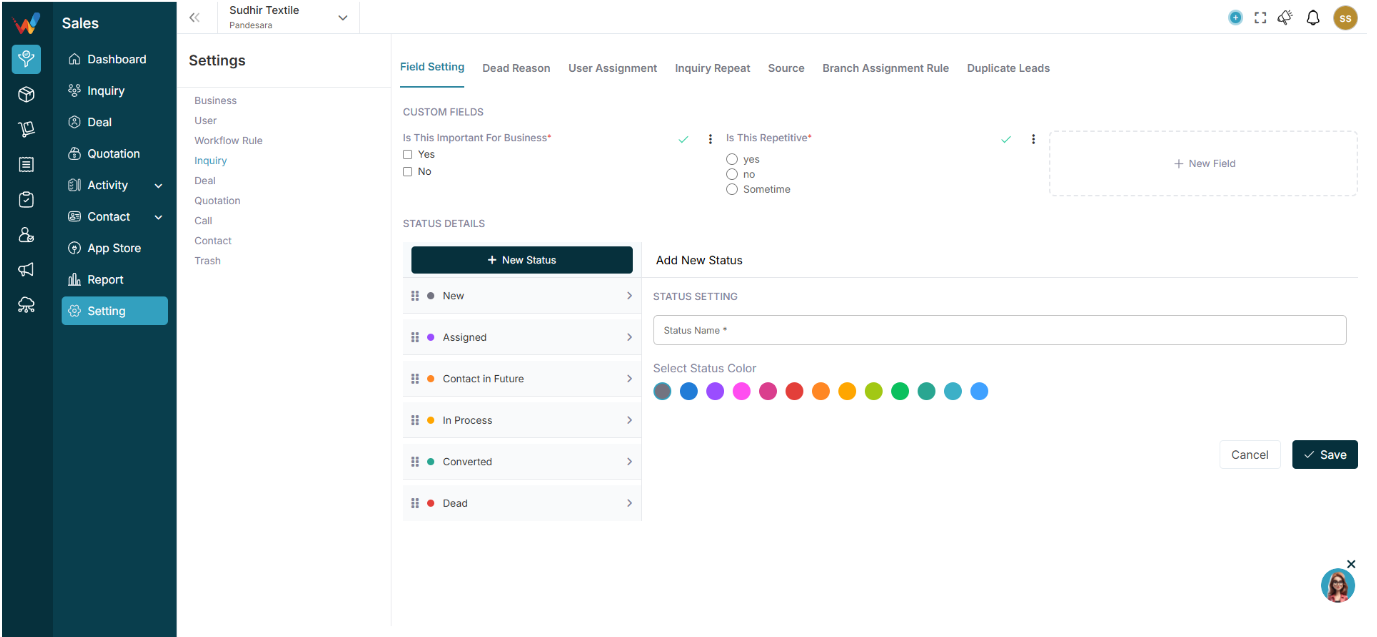
1.1 What Lead Settings Define
The Lead Settings section in WORTAL CRM plays a critical role in configuring how inquiries are captured, managed, and processed within the system. It provides complete control over the structure, flow, and validation of lead data, ensuring consistency and efficiency across the sales process.
Through Field Settings, administrators can define which fields appear in the lead form, making it easy to capture relevant business information while avoiding unnecessary data entry. The Dead Reason configuration helps teams standardize why leads are marked as lost, enabling better analysis and decision-making.
The User Assignment and Branch Assignment Rule features ensure that leads are automatically distributed to the right sales representatives or branches based on predefined logic. This reduces manual effort and improves response time. The Inquiry Repeat setting manages how recurring or duplicate inquiries are handled, ensuring that repeat customers are tracked properly without data confusion.
Additionally, the Source setting allows businesses to track where leads are coming from—such as marketing campaigns, referrals, or direct inquiries—helping measure performance and ROI. The Duplicate Inquiry control prevents redundant entries, maintaining clean and accurate data within the CRM.
Overall, Lead Settings provide a structured and automated foundation for managing inquiries, improving data quality, enhancing team productivity, and enabling better sales tracking and reporting.