
Call Settings – Navigation
Navigation Path:
Sales Module → Settings → Call
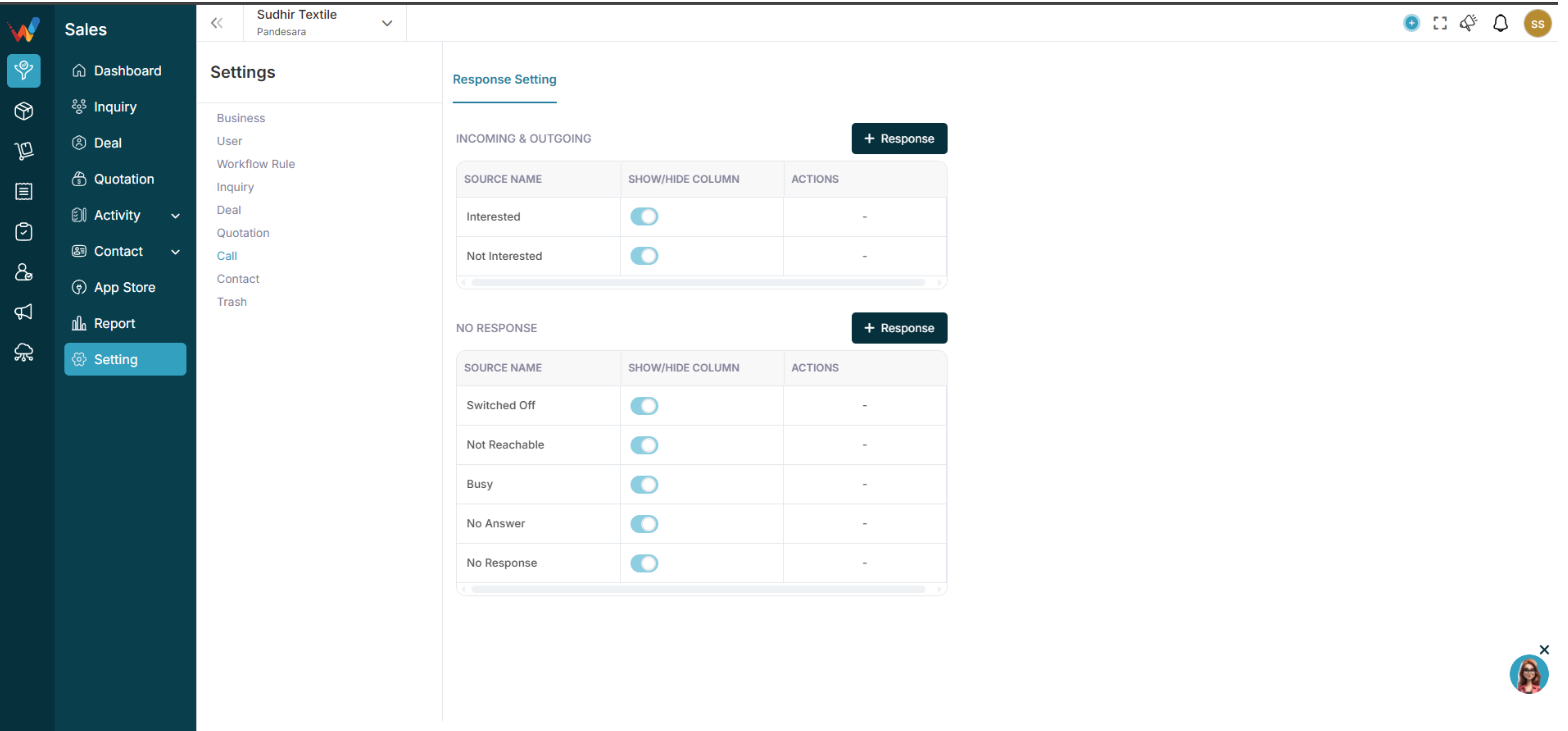
You will see two sections:
- Incoming and Outgoing
- No Response
Incoming and Outgoing Responses (Connected Calls)
2.1 What These Responses Mean
These responses are used when:
- Call was connected
- Customer spoke
- Conversation happened
Examples in your system:
- Interested
- Not Interested
- Call Later
- CNR
- Planned
- Busy
- Not Known
2.2 Add New Response
Click:
+ Response
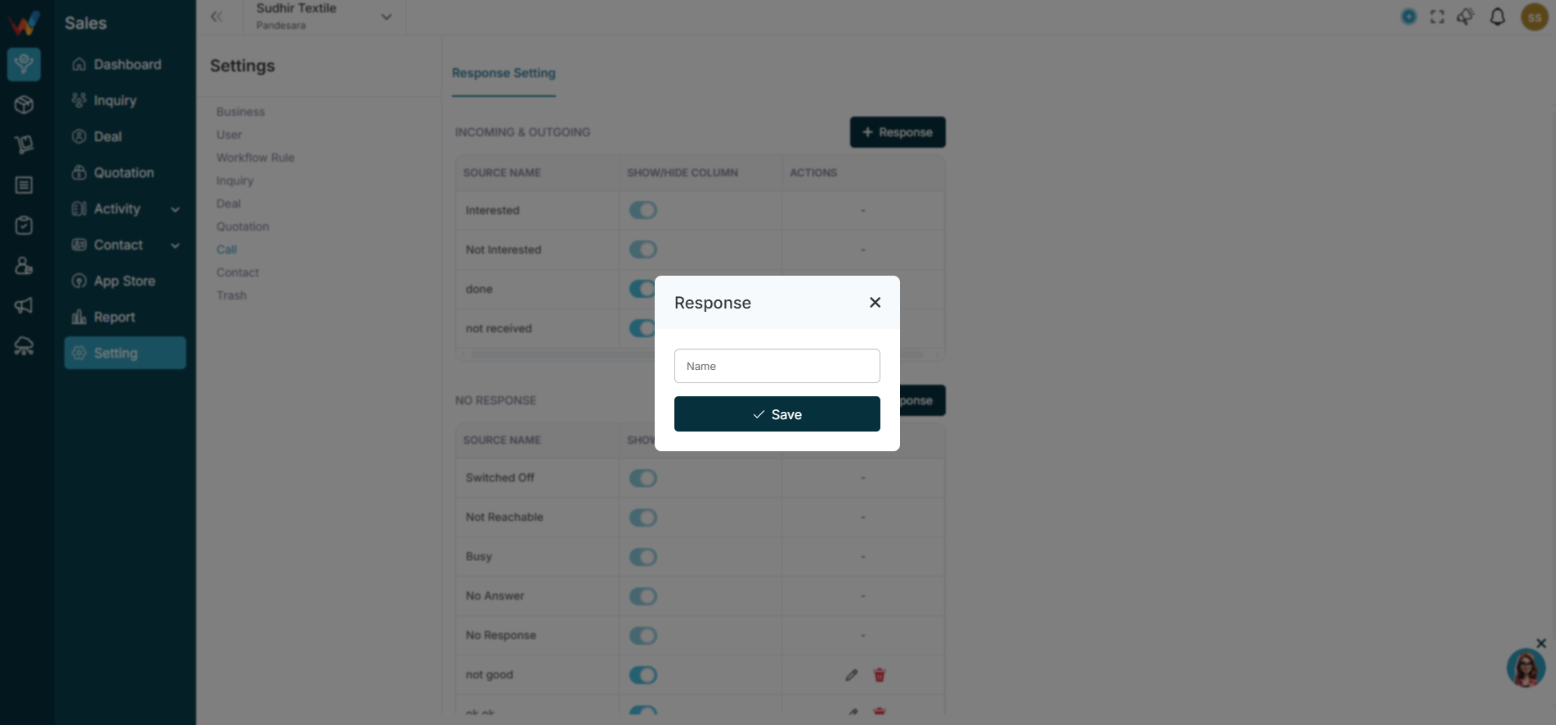
Enter:
Name (Response label)
Then:
Click Save
2.3 Edit or Delete Response
Click:
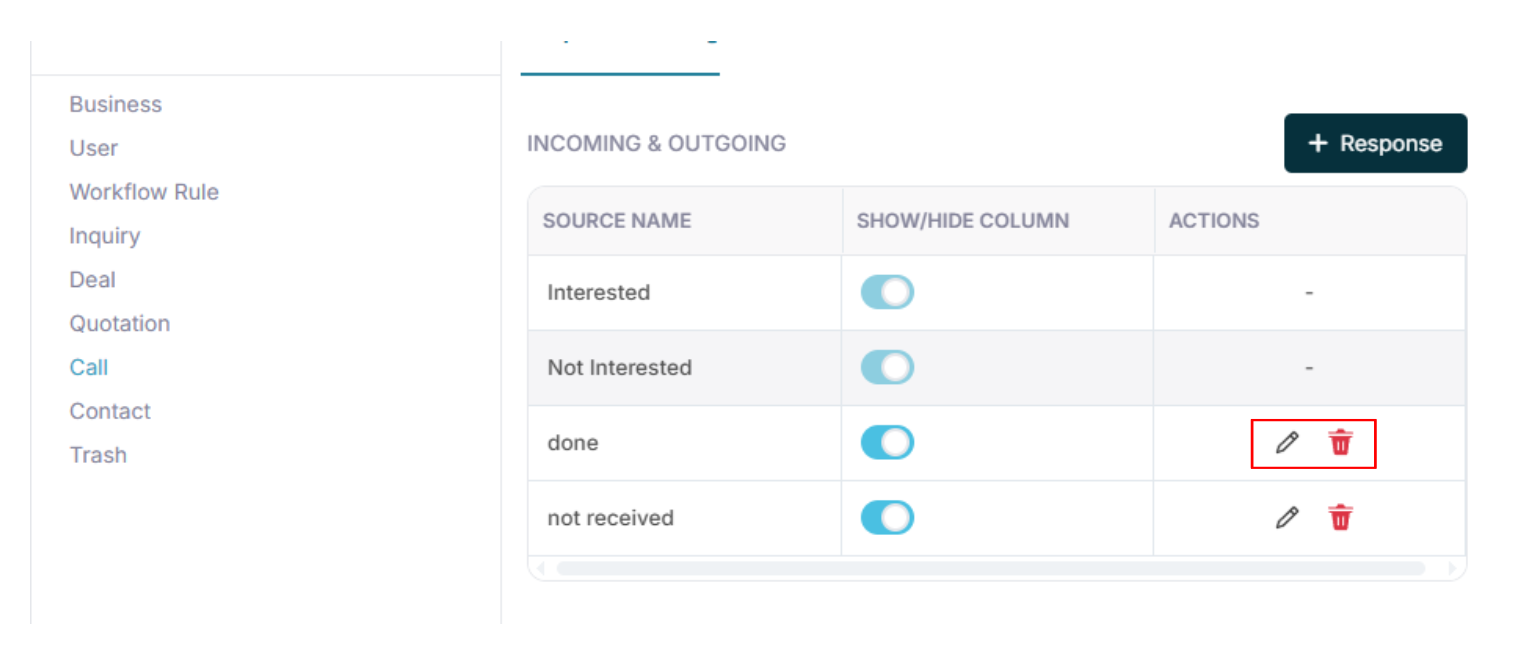
- Edit
- Delete
2.4 Show or Hide Toggle
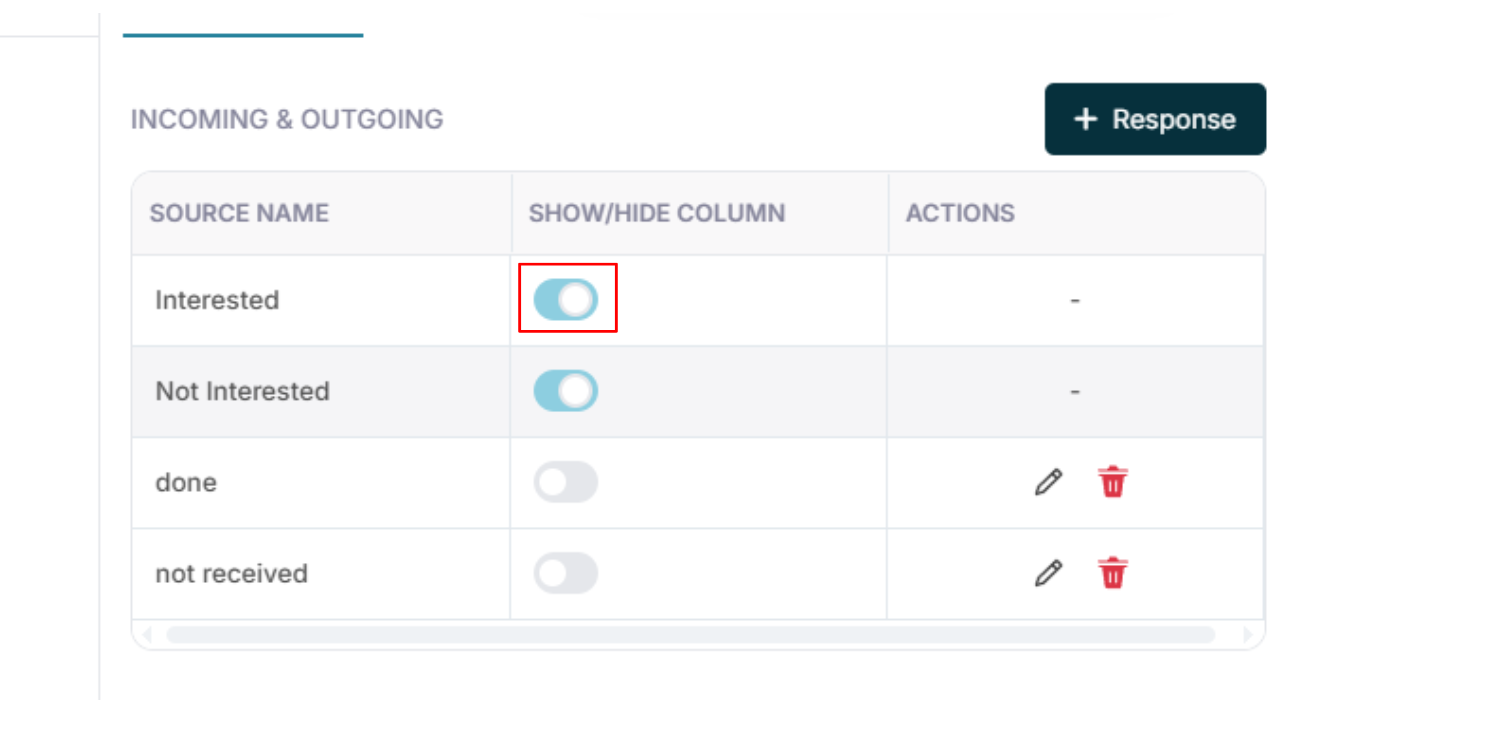
You can enable or disable responses.
If toggle is OFF:
Response will not appear in the call log dropdown.
If toggle is ON:
Response will be available for selection.
No Response (Not Connected Calls)
3.1 What These Responses Mean
These responses are used when:
- Call was not connected
- Phone was unreachable
- Customer did not answer
Examples:
- Switched Off
- Not Reachable
- Busy
- No Answer
- No Response
Why Separating Response Types Matters
Incoming and Outgoing → Connected calls
No Response → Not connected calls
This helps in reporting:
- Actual conversation count
- Attempted calls
- Connection ratio
- Follow-up requirement