
Navigation Path:
Task Module → Task

1.1 Top Section
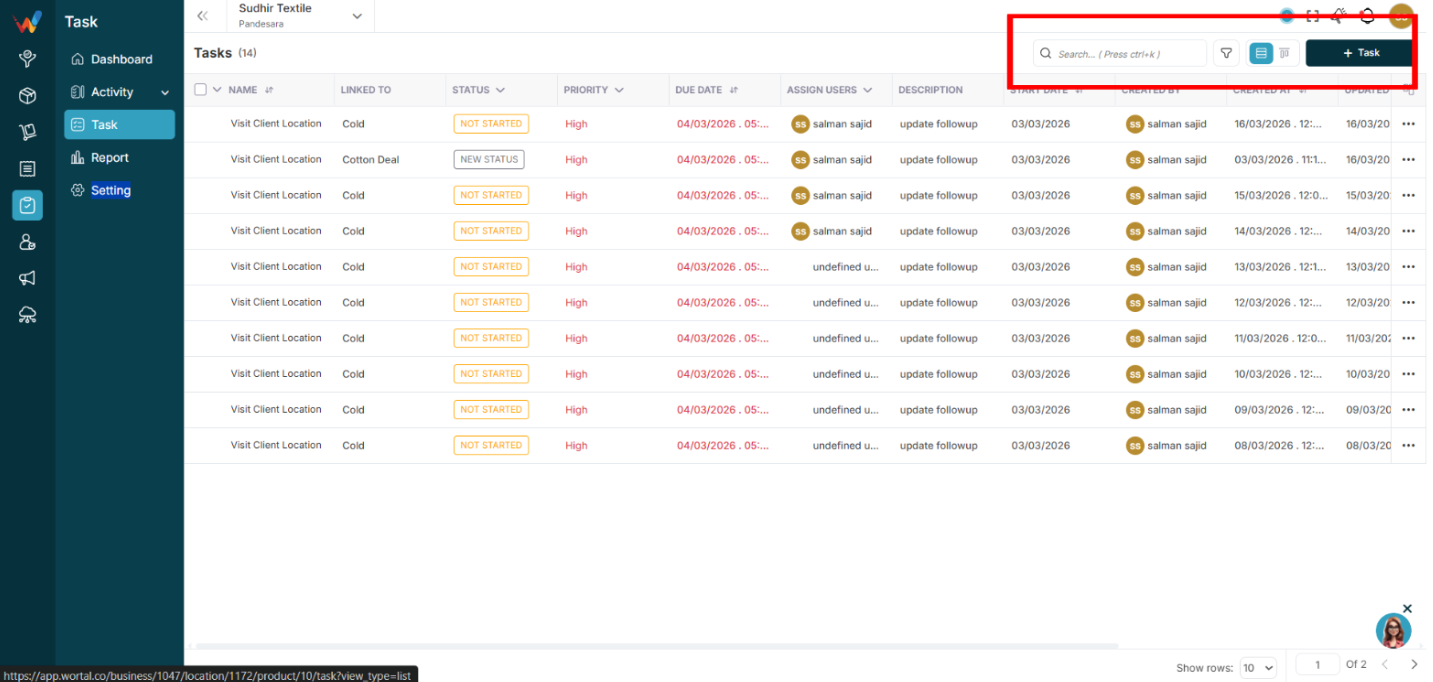
- Search (Ctrl + K supported)
- Filter icon
- View toggle (List and Kanban)
- Task button
1.2 List View Columns
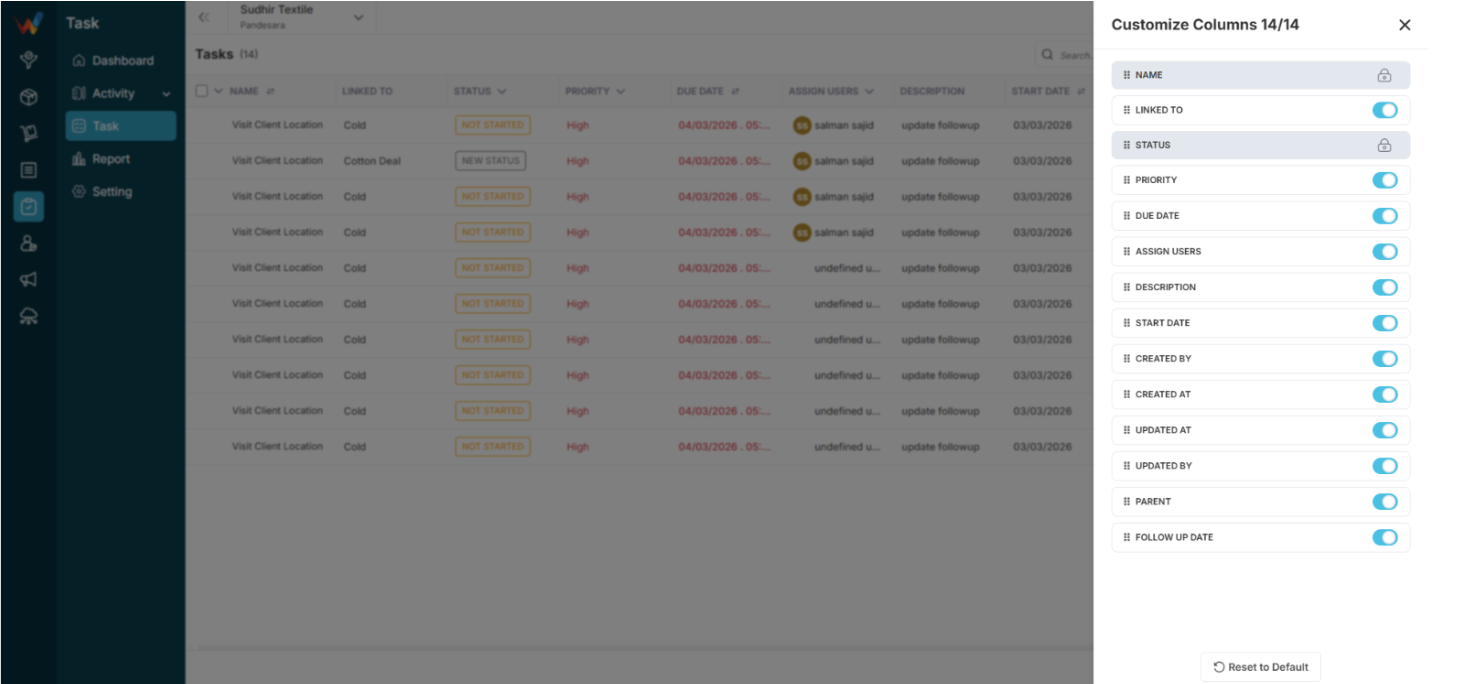
Default Columns
- Name
- Linked To
- Status
- Priority
- Due Date
- Assign Users
- Description
Customizable via:
- Customize Columns in the table header.
Available Extra Columns
- Start Date
- Created By
- Created At
- Updated At
- Updated By
- Parent
- Follow Up Date
Locked Columns
- Name
- Status
1.3 Bulk Selection
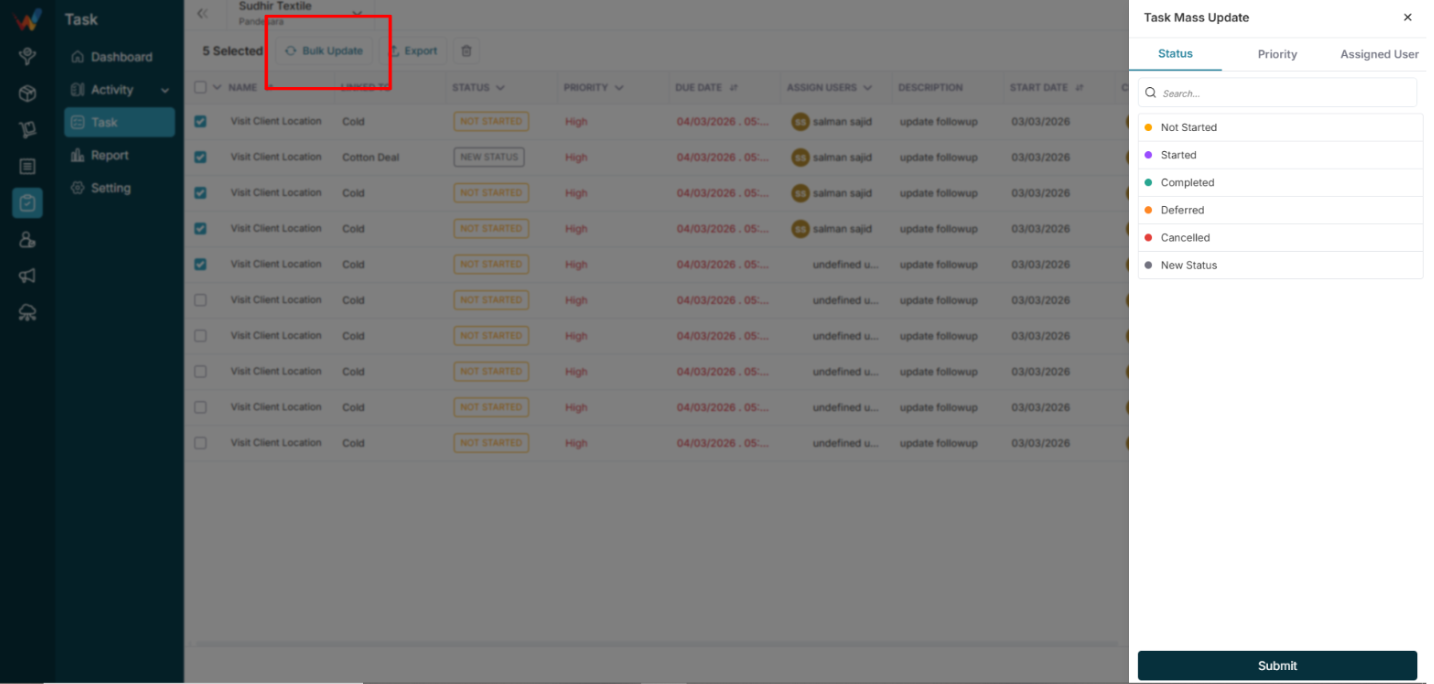
Checkbox selection enables:
- Mass Update
- Delete
- Export
The action bar shows:
“7 Tasks Selected”
Options:
- Update
- Delete
- Export
- Close
Mass Update Screen

2.1 Tabs
- Status
- Priority
- Assigned User
2.2 Status Options
- Not Started
- Started
- Completed
- Deferred
- Cancelled
2.3 Priority Options
- High
- Medium
- Low
2.4 Assigned Users
- Multi-select is supported.
Mass Export
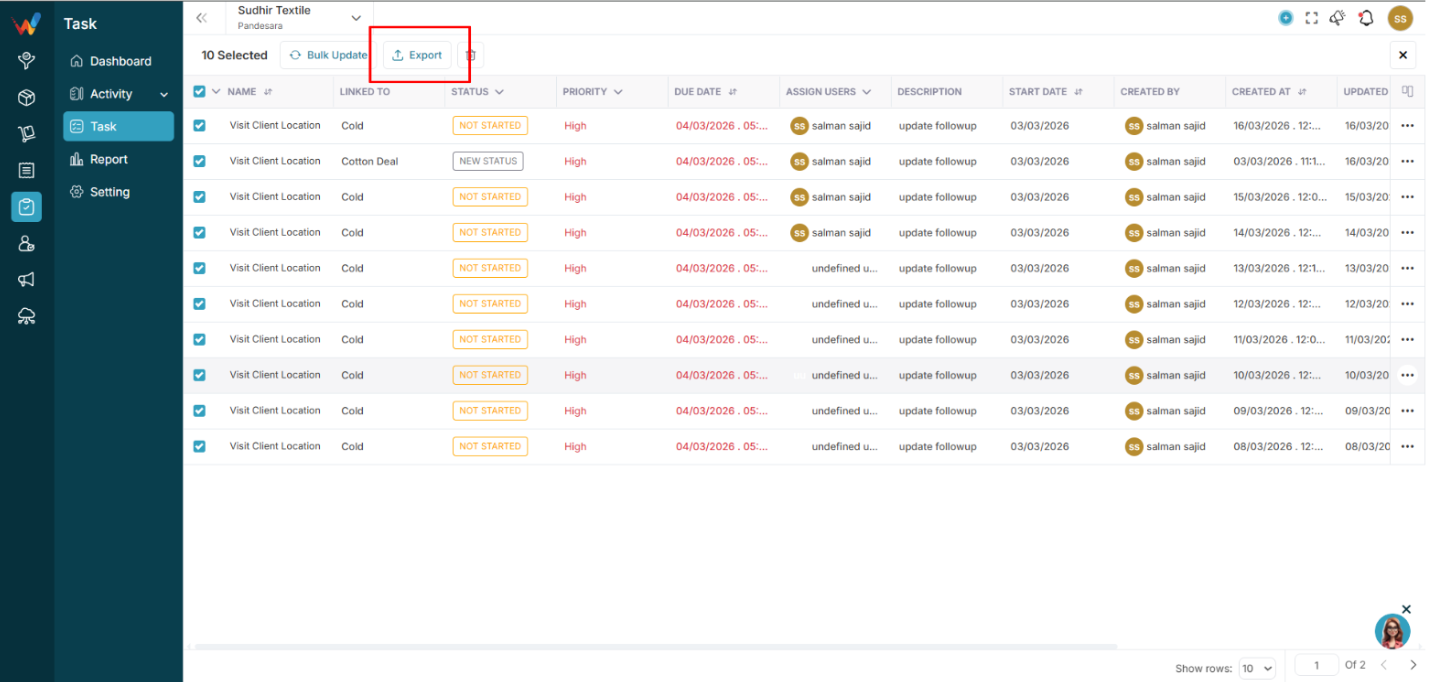
3.1 Formats
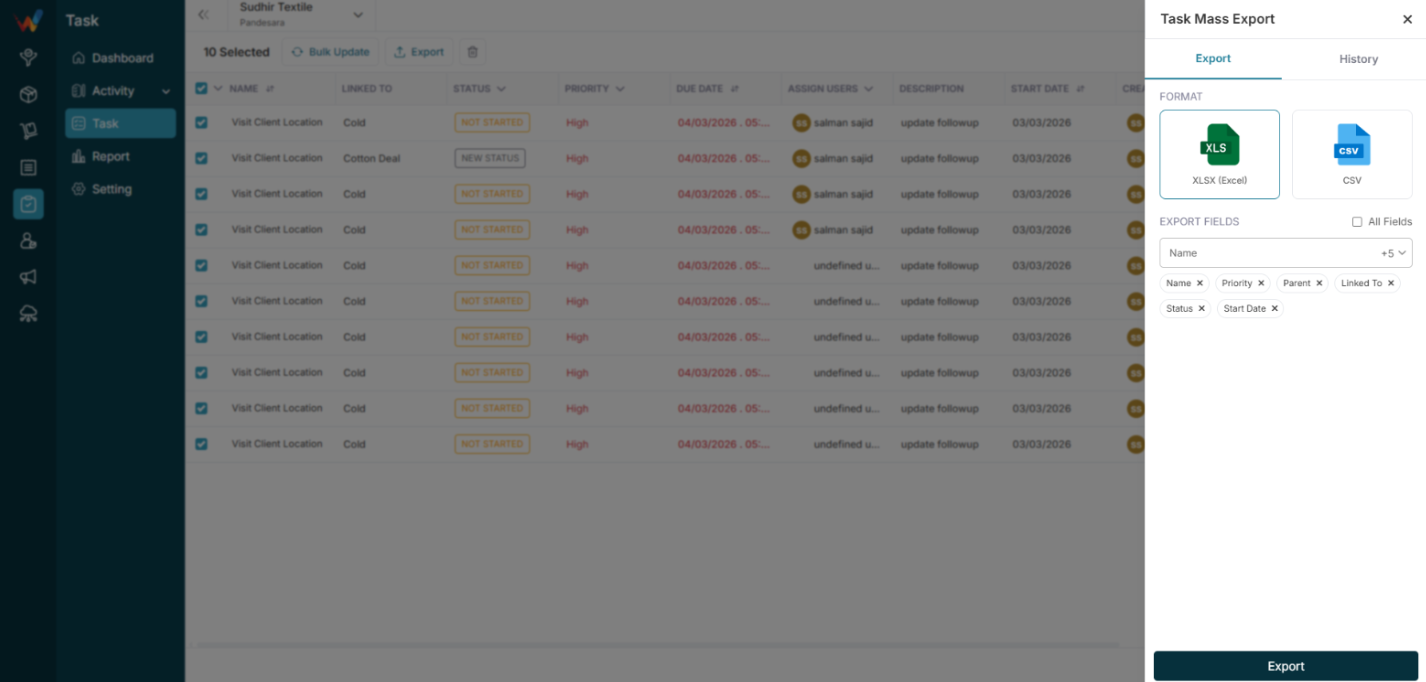
- XLSX (Excel)
- CSV
3.2 Selectable Fields
- Name
- Priority
- Parent
- Linked To
- Status
- Start Date
- More fields (as available)

Option:
- All Fields (checkbox)