Textile Business Example
Salesperson calls 50 leads:
30 → No Response
20 → Connected
Out of 20 connected:
- 10 → Interested
- 5 → Call Later
- 3 → Not Interested
- 2 → Planned
Owner can see:
- Real interest ratio
- Telecalling efficiency
- Lead quality
Why This Is Important
Without structured call responses:
- Sales reports become inaccurate
- Conversion ratio becomes unclear
- Follow-up becomes confusing
- Performance cannot be measured
With proper setup:
- Clear pipeline movement
- Accurate reporting
- Strong telecalling analytics
- Better team accountability
Common Mistakes
- Too many similar responses
- No standard naming
- Not separating connected vs non-connected
- Allowing sales to create random responses
Best Practice
- Keep 6 to 10 responses maximum
- Standardize naming
- Train the team on usage
- Review monthly
Final Checklist
- Incoming responses defined
- No response options defined
- Unused responses disabled
- Team trained
- Reports verified
Call Settings – Navigation
Navigation Path:
Sales Module → Settings → Call
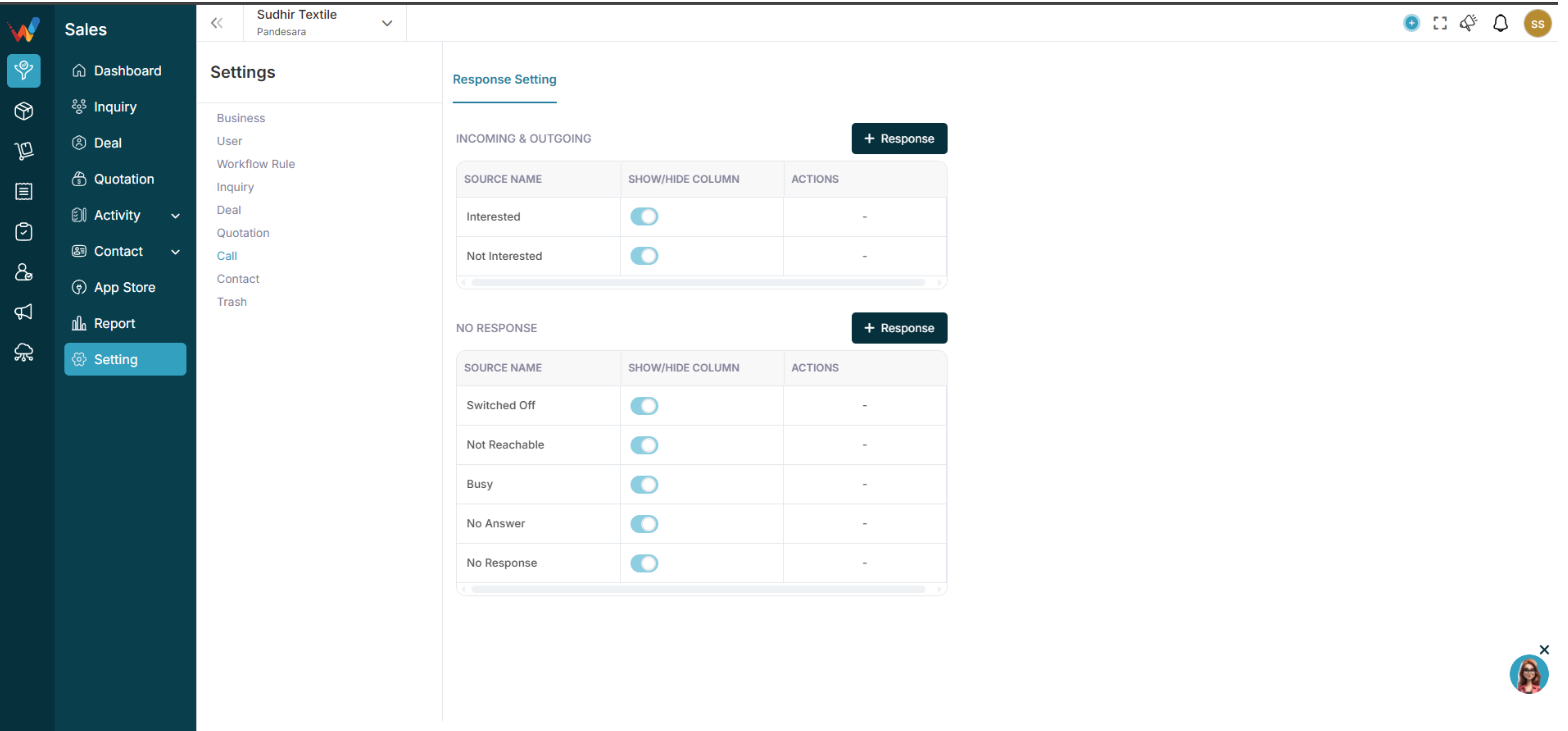
You will see two sections:
- Incoming and Outgoing
- No Response
Incoming and Outgoing Responses (Connected Calls)
2.1 What These Responses Mean
These responses are used when:
- Call was connected
- Customer spoke
- Conversation happened
Examples in your system:
- Interested
- Not Interested
- Call Later
- CNR
- Planned
- Busy
- Not Known
2.2 Add New Response
Click:
+ Response
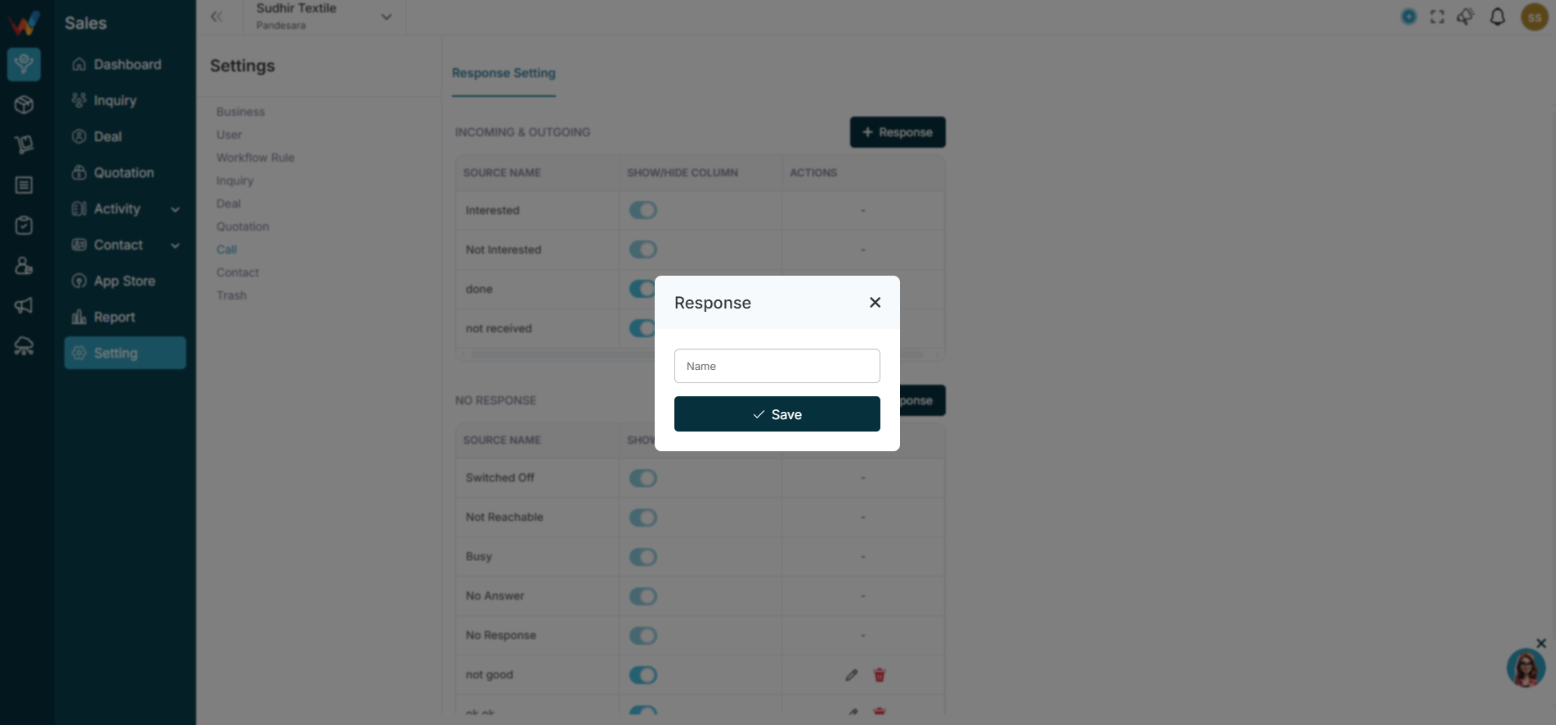
Enter:
Name (Response label)
Then:
Click Save
2.3 Edit or Delete Response
Click:
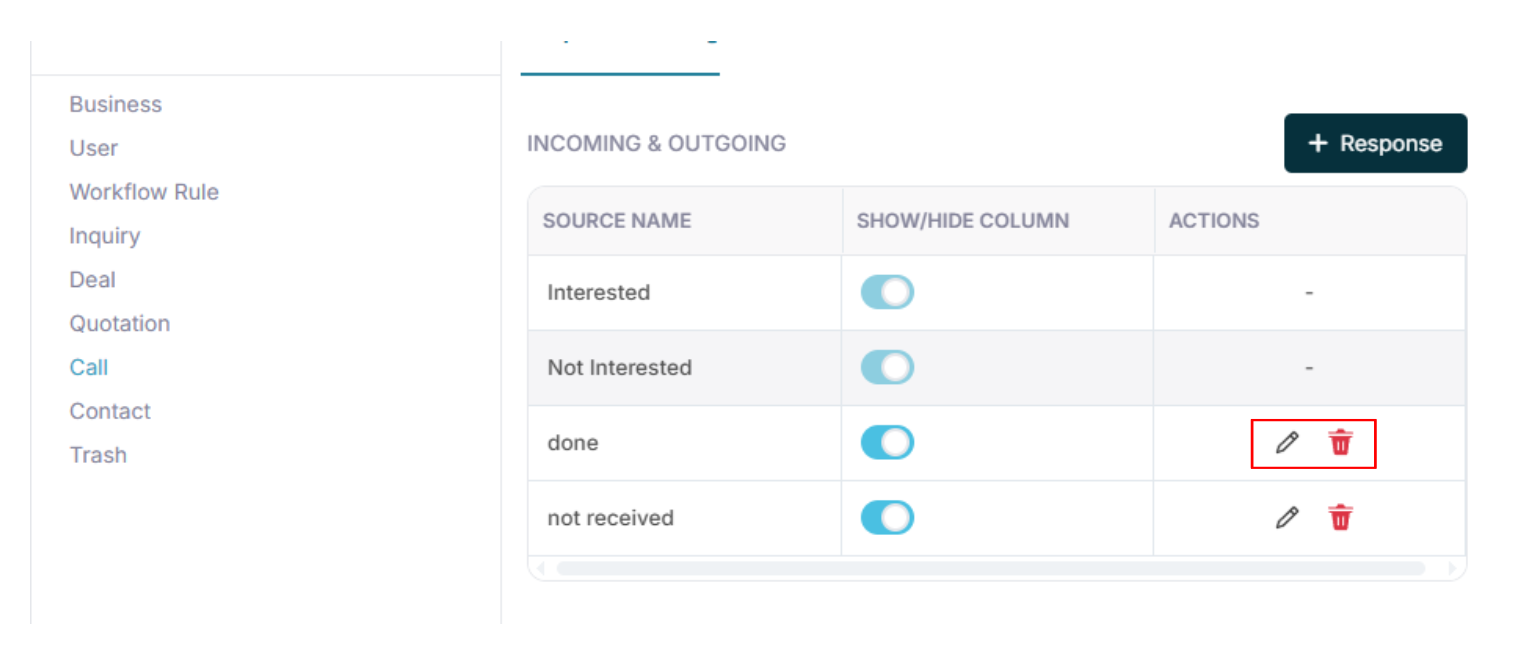
2.4 Show or Hide Toggle
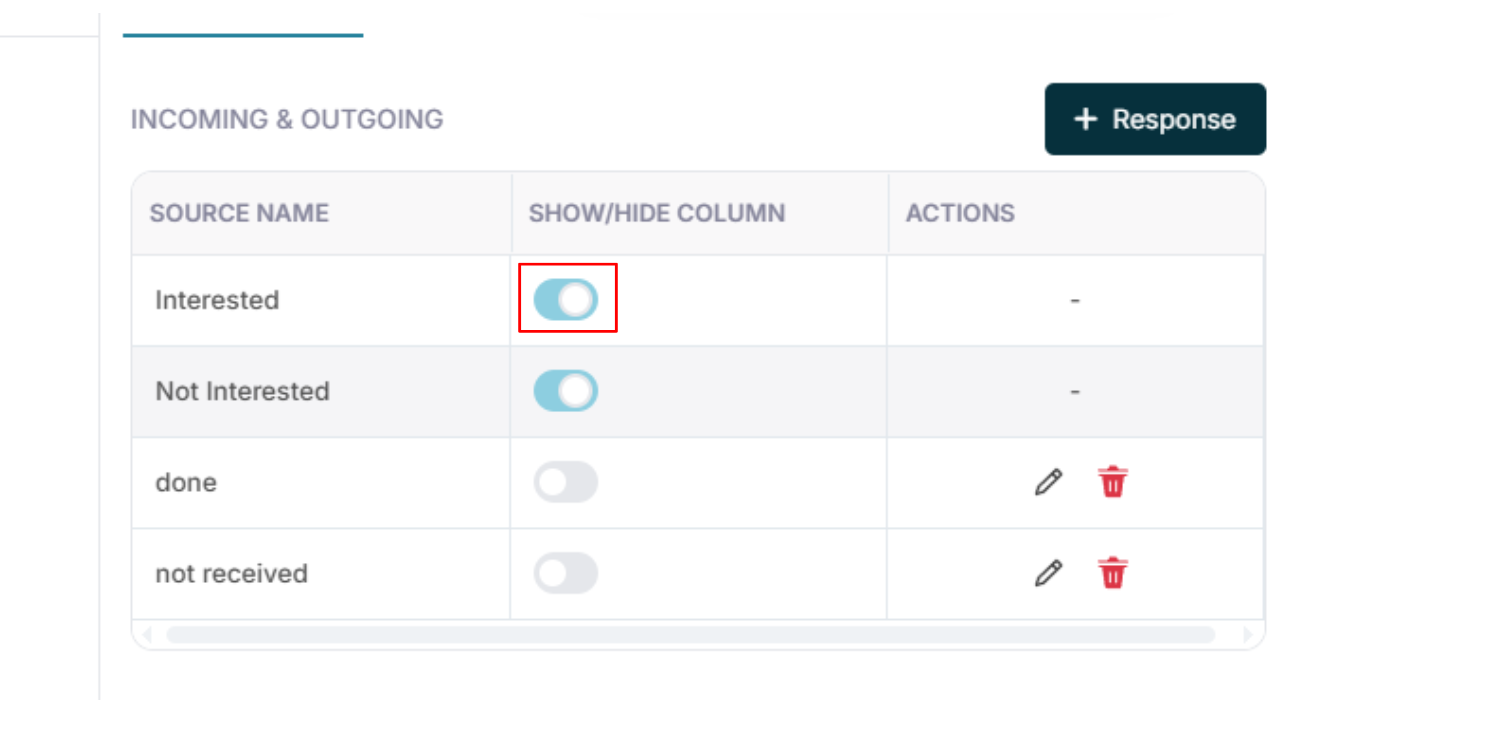
You can enable or disable responses.
If toggle is OFF:
Response will not appear in the call log dropdown.
If toggle is ON:
Response will be available for selection.
No Response (Not Connected Calls)
3.1 What These Responses Mean
These responses are used when:
- Call was not connected
- Phone was unreachable
- Customer did not answer
Examples:
- Switched Off
- Not Reachable
- Busy
- No Answer
- No Response
Why Separating Response Types Matters
Incoming and Outgoing → Connected calls
No Response → Not connected calls
This helps in reporting:
- Actual conversation count
- Attempted calls
- Connection ratio
- Follow-up requirement
1.1 Call Settings (Response Setting) — Complete Guide
Navigation Path:
Sales Module → Settings → Call
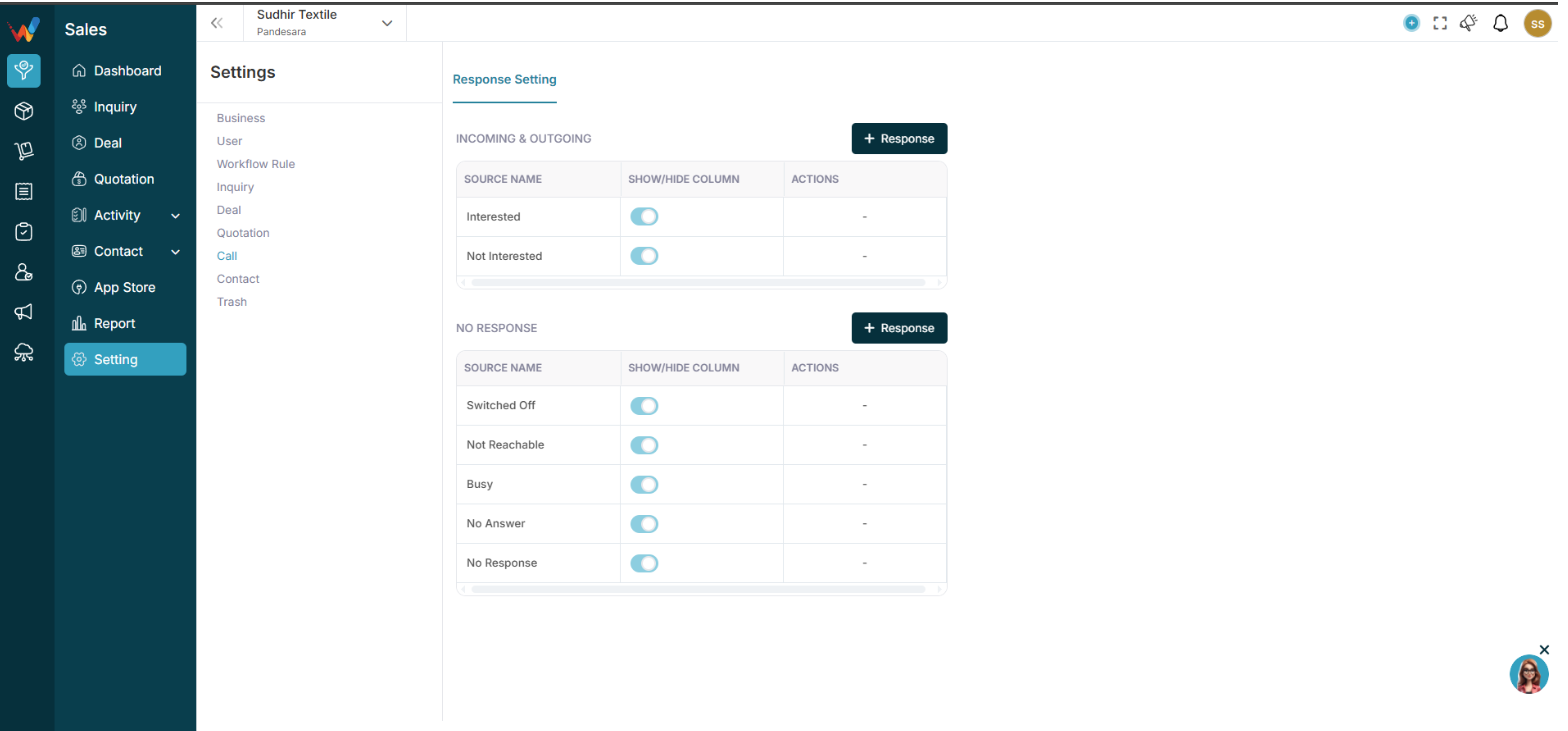
The Call Settings section in WORTAL CRM is designed to define and standardize how call outcomes are recorded and managed within the system. It allows businesses to configure response categories such as Interested, Not Interested, No Response, and other custom outcomes, ensuring that every sales interaction is properly classified and tracked.
This section plays a key role in organizing follow-up classification, helping sales teams clearly understand the next action required after each call. By enabling options to show or hide specific response types, organizations can customize the system according to their sales workflow and communication style.
Call Settings directly contribute to improving sales call tracking clarity and maintaining consistent data across the CRM. Accurate response logging ensures better reporting accuracy, allowing businesses to generate reliable insights into team performance, customer engagement, and conversion trends.
Overall, this module has a significant impact on lead follow-up tracking, sales performance reporting, conversion analytics, and overall call productivity, making it an essential component for managing and optimizing sales communication effectively.