Trash Management & Security
Why Trash Is Important in Textile Business
Textile sales teams often:
- Delete wrong leads accidentally
- Remove duplicate buyers
- Delete quotations mistakenly
Without Trash:
- Permanent data loss
- Reporting mismatch
- Revenue tracking issues
With Trash:
- Safe recovery
- Audit tracking
- Owner control
Example Scenario
Salesperson deletes a lead by mistake.
Owner checks Trash → restores lead.
Follow-up continues without data loss.
Recommended Practice
- Only Admin should permanently delete
- Sales team should restore instead of re-creating
- Review Trash weekly
- Monitor frequent deletions
Common Mistakes
- Permanently deleting without checking
- Not restoring before 60 days
- Ignoring branch filter
- Allowing delete permission to everyone
How Trash Impacts Reports
Deleted records:
- Do not appear in active reports
- Appear in Trash until 60 days
- After permanent deletion → fully removed
Security Recommendation
For enterprise textile clients:
- Restrict Delete permission
- Enable only Restore for managers
- Permanent delete only by Admin
Contacts Structure & Best Practices
Why Contact Customization is Important
Without structured contact fields:
- Random data entry
- No buyer segmentation
- No credit tracking
- Weak reporting
With proper setup:
- Categorize buyers
- Track high-value clients
- Filter by business type
- Target marketing campaigns
Common Mistakes
- Too many unnecessary fields
- Not marking important fields mandatory
- Mixing person and organization data
- No buyer categorization
Final Checklist
- Person fields defined
- Organization fields defined
- Mandatory fields set
- Sales team trained
- Reporting filters tested
Complete Guide
Contact Settings – Navigation
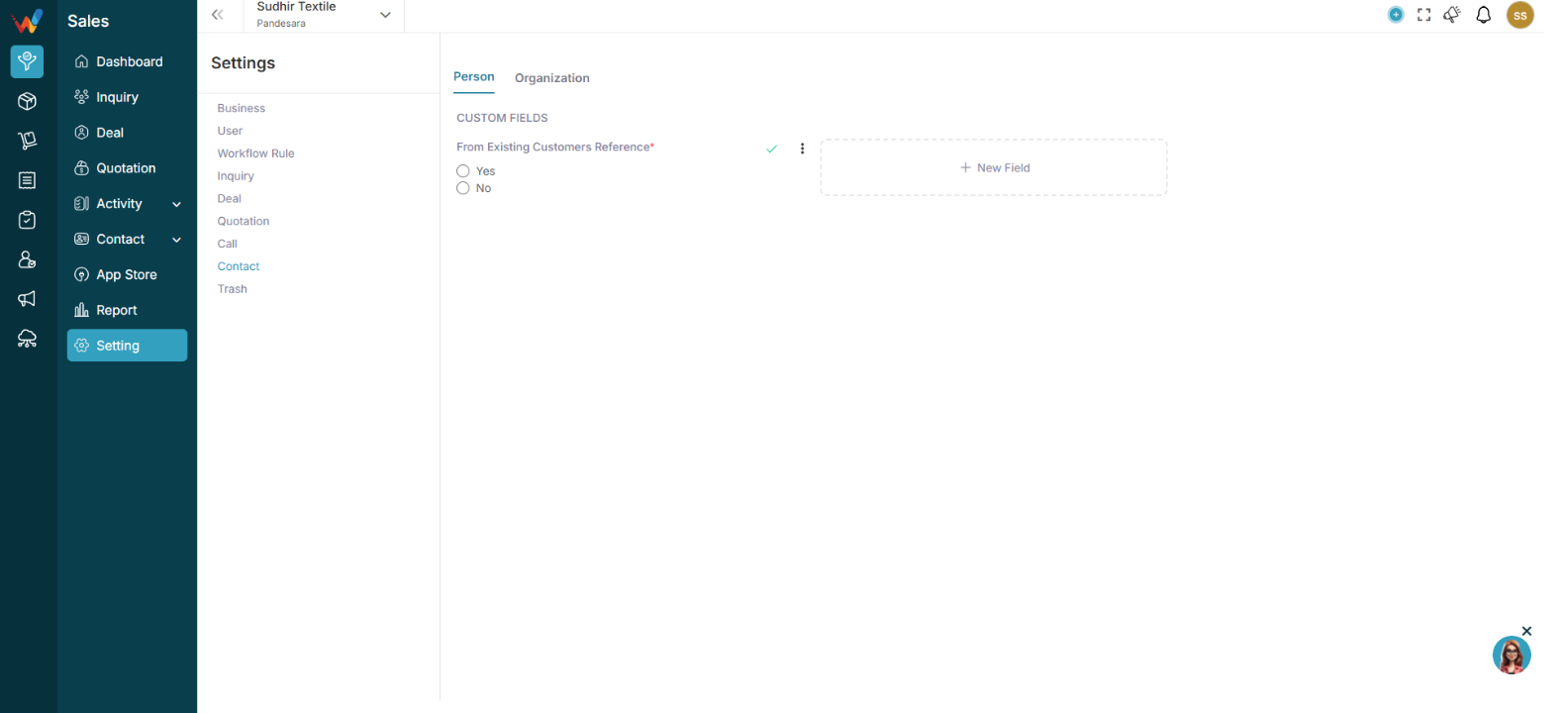
Navigation Path:
Sales Module → Settings → Contact
You will see two tabs:
Each tab allows custom field creation.
Person (Individual Contact)
2.1 When to Use Person
Used when:
- Dealing with an individual buyer
- Contact person inside a company
- Sales representative
- Distributor contact
2.2 Add Custom Field (Person)
Click:
➕ New Field
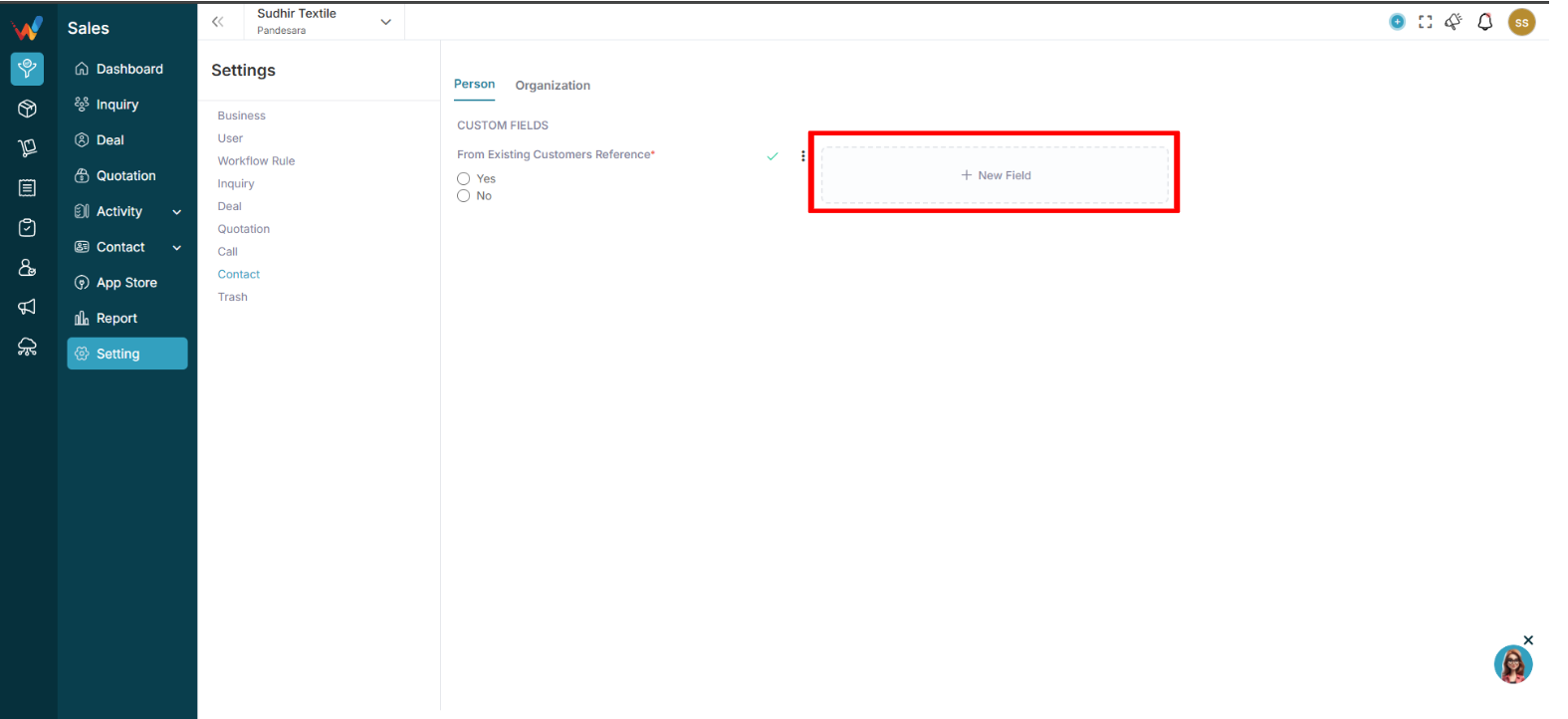
Enter:
- Field Label
- Field Type
- Mandatory (Optional)
2.3 Available Field Types
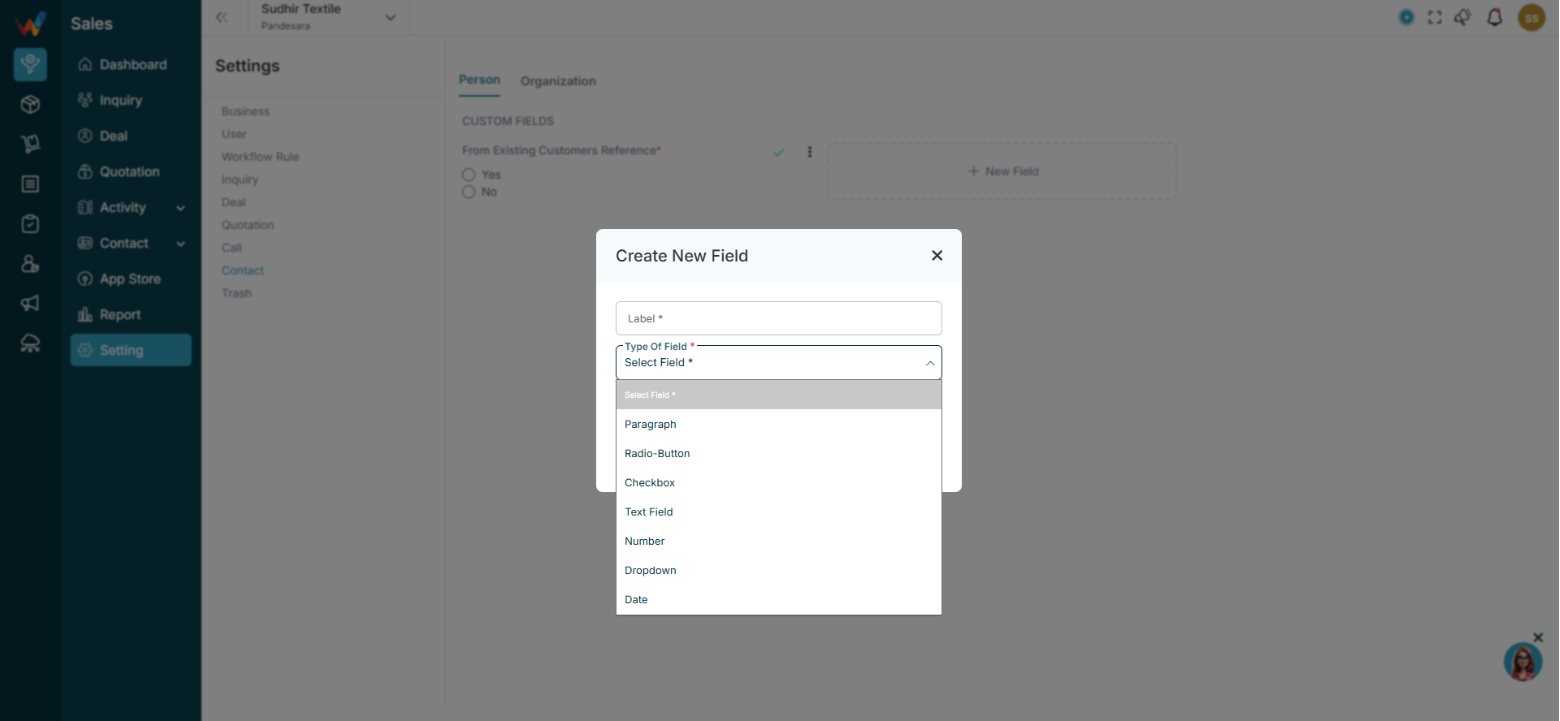
- Text Field
- Number
- Dropdown
- Checkbox
- Radio Button
- Date
- Paragraph
2.4 Textile Person Field Examples
- Department — Dropdown
- Buyer Category — Dropdown
- Purchase Authority — Radio
- Preferred Language — Dropdown
- Birthday — Date
- WhatsApp Active — Checkbox
2.5 Example Use Case
Buyer Name: Rajesh Shah
Company: Saras Textiles
Role: Purchase Manager
Preferred Communication: WhatsApp
This data helps the sales team personalize follow-up.
Organization (Company Level Contact)
3.1 When to Use Organization
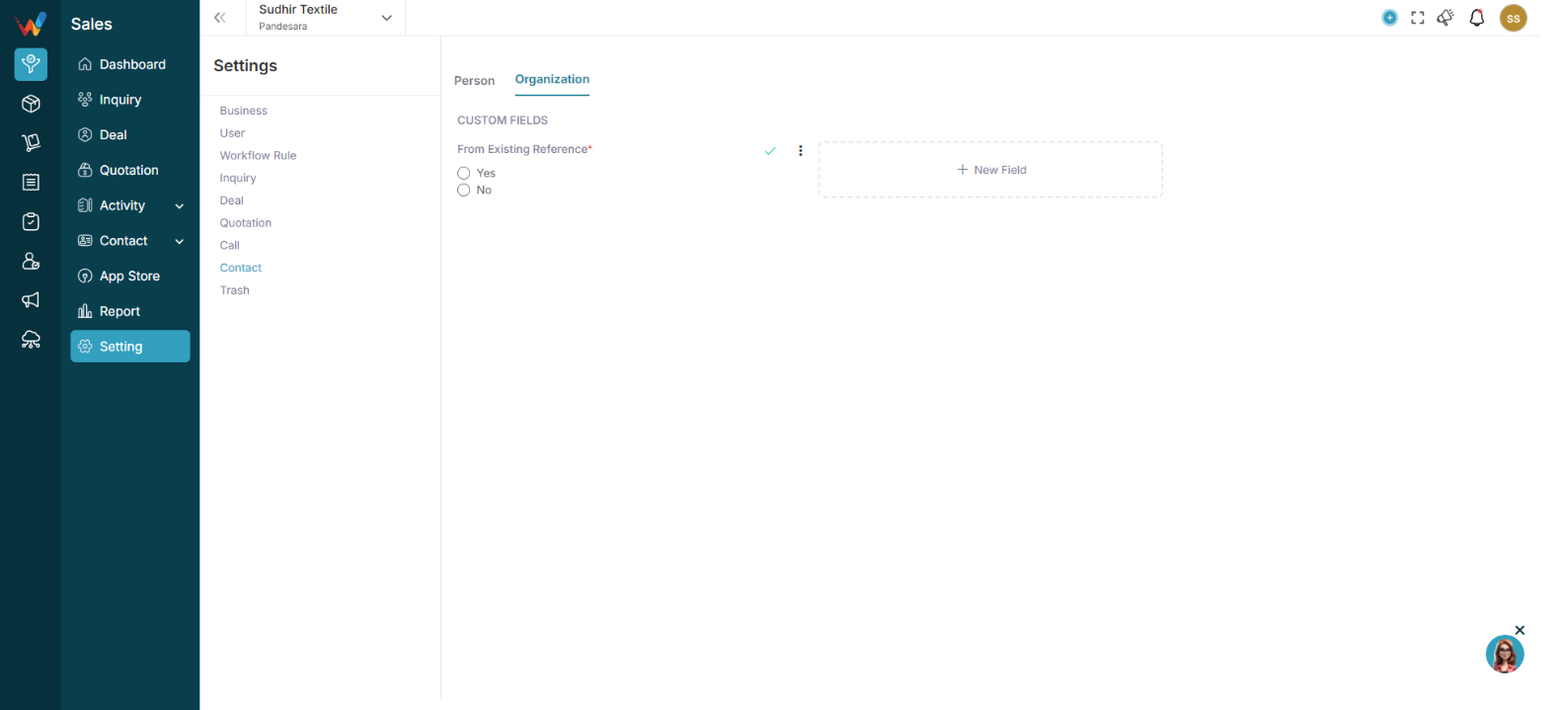
Used when:
- Storing business or company information
- Textile traders
- Wholesalers
- Export buyers
- Retail chains
3.2 Add Custom Field (Organization)
Click:
➕ New Field
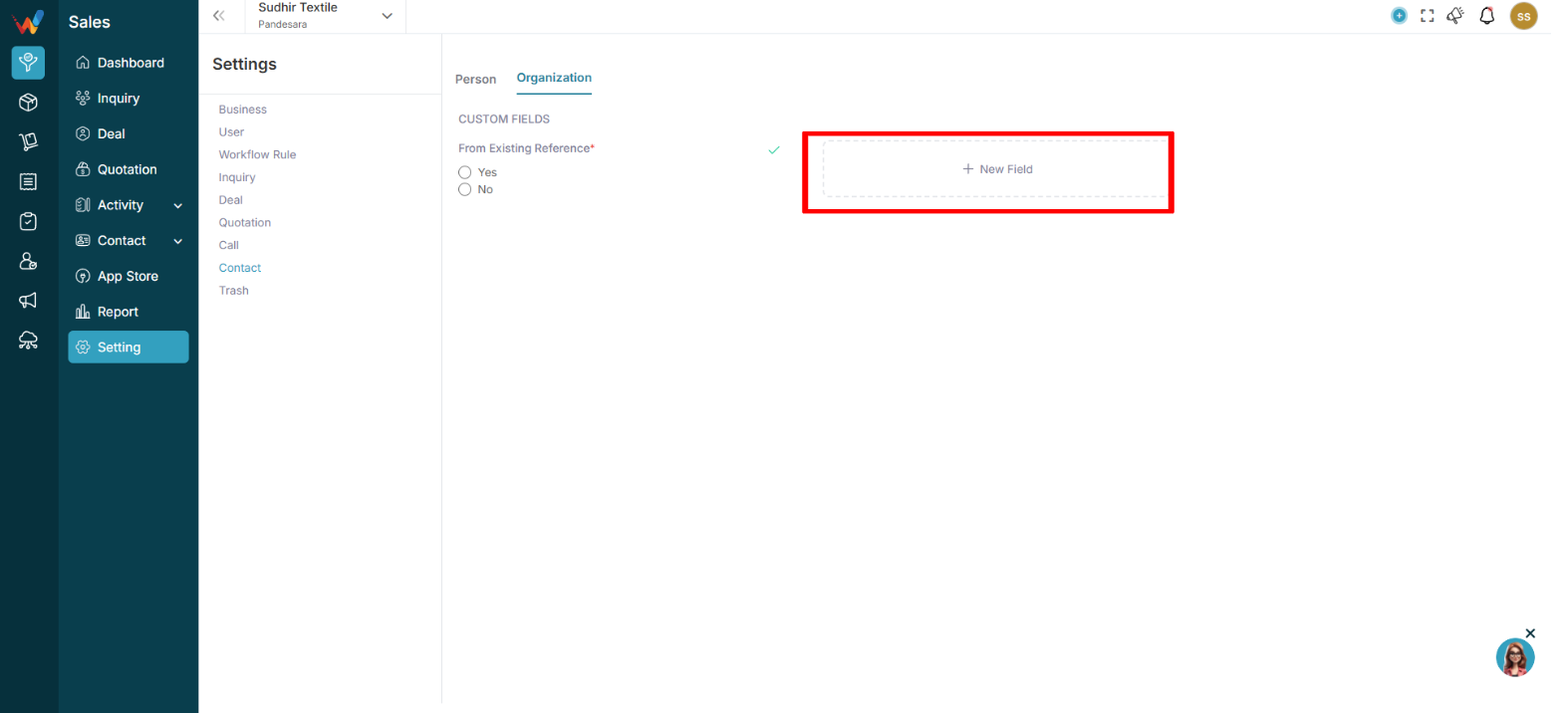
3.3 Textile Organization Field Examples
- Business Type — Dropdown
- Annual Turnover — Number
- Primary Product Category — Dropdown
- Credit Limit — Number
- Payment Cycle — Dropdown
- GST Category — Dropdown
- Territory — Dropdown
3.4 Example Organization Record
Company Name: Saras Fabrics
Business Type: Wholesaler
Primary Product: Cotton Dress Material
Credit Limit: ₹10,00,000
Payment Cycle: 30 Days
This helps in:
- Sales qualification
- Risk assessment
- Target segmentation
Introduction
1.1 Contact Settings (Person & Organization)
This section allows you to:
- Customize contact data fields
- Collect textile-specific buyer information
- Separate Individual vs Company details
- Improve CRM data quality
This directly affects:
- Buyer segmentation
- Credit and payment tracking
- Sales follow-up personalization
- Reporting accuracy