This structure supports:
- B2B textile account structure
- Multi-person decision flow
- Multi-branch delivery
- GST compliance
- Scalable address system
- Clean master data separation

This structure supports:
Navigation Path:
Sales Module → Contact→ Organization → Click on + Organization

This screen is used to create a company-level contact in the Wortal.
An Organization can represent:
This becomes the master entity used in:
Official business name.
Primary display name across the CRM.
Country code selector (default: +91).
Multiple numbers supported via plus icon.
Used for:
Multiple emails supported via plus icon.
Used for:
Company PAN (if applicable).
Important for:
Defines payment cycle.
Examples:
Used in:
Used for:
Used to link individuals under the organization. One company can have multiple decision makers.
Person Name
Select an existing person or create a new person.
Designation
Examples:
Purpose:
Helps identify decision authority.
Contact Number
Personal contact number of the individual (separate from organization number).
Email
Personal email of the contact person.
PAN No.
Individual PAN if needed.
+ New Person
Create a new person inline without leaving the form.
Used for invoice generation.
Ensures structured address entry.
Primary billing address fields.
Optional clarity for location.
Used for:
Options:
Required if GST Type = Registered.
Supports multiple billing addresses.
Important for large buyers with multiple branches.
Used when delivery location differs from billing.
Auto-copies billing address into shipping.
Same structure as billing.
Includes:
Used when:
Supports multiple warehouses and branch delivery locations.
Short internal comment.
Example:
“High volume buyer.”
Detailed internal note.
Example:
“Deals in digital prints, prefers fast dispatch, negotiates heavily.”
Upload documents such as:
Supported file types (example set):
Max size:
1MB (as per your specification)
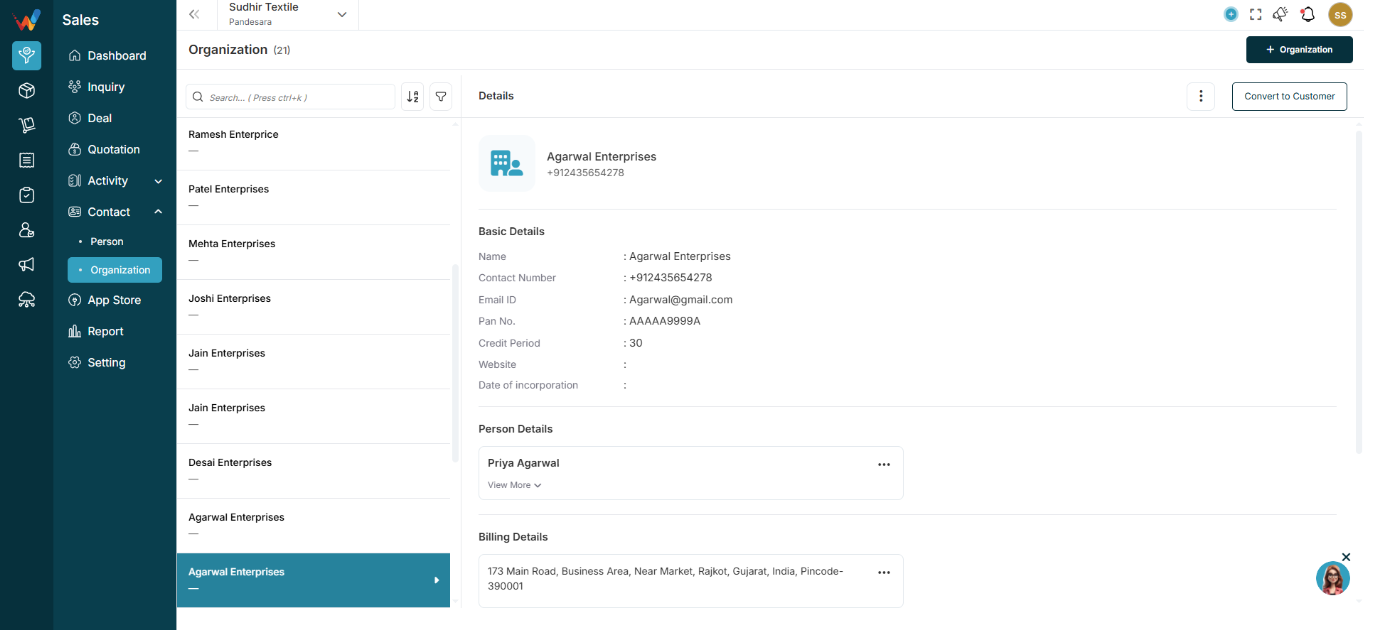
When a user selects an organization from the list, the right panel displays its full details.
Displays:
Navigation Path:
Sales Module → Contact→ Organisation → Click on Convert to Customer
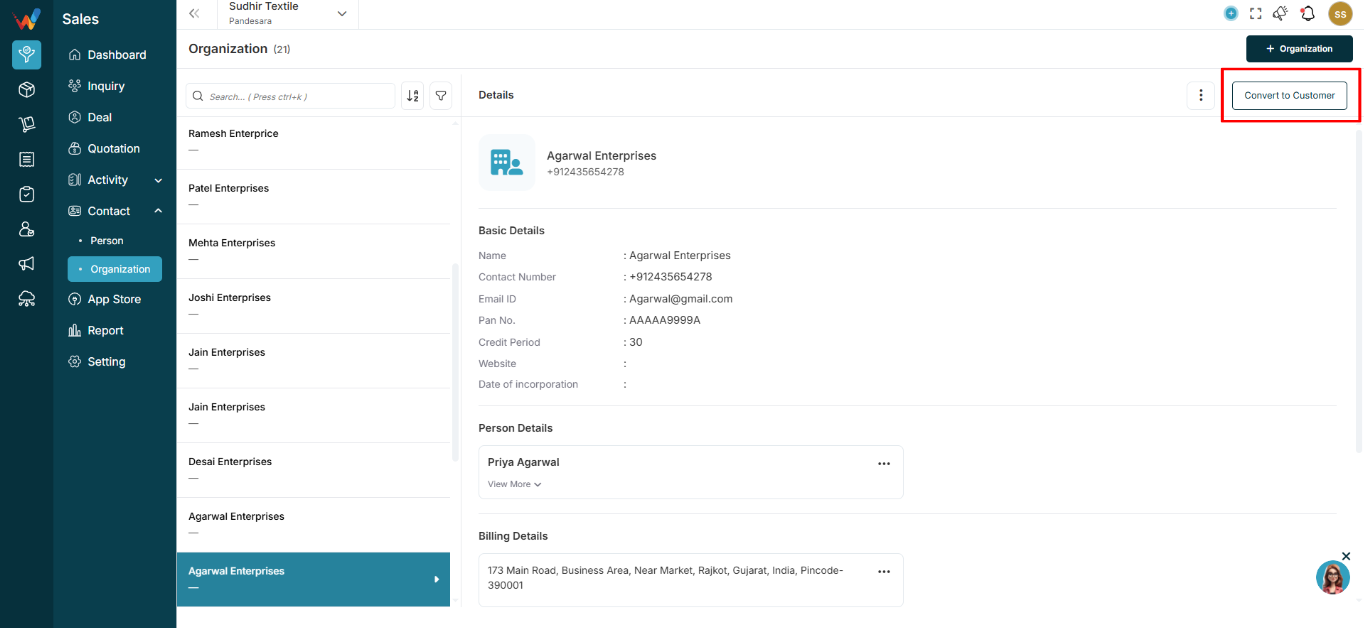
Converts the organization into:
Why it matters:
Enables billing workflows and customer-level tracking.

Options can include:
Purpose:
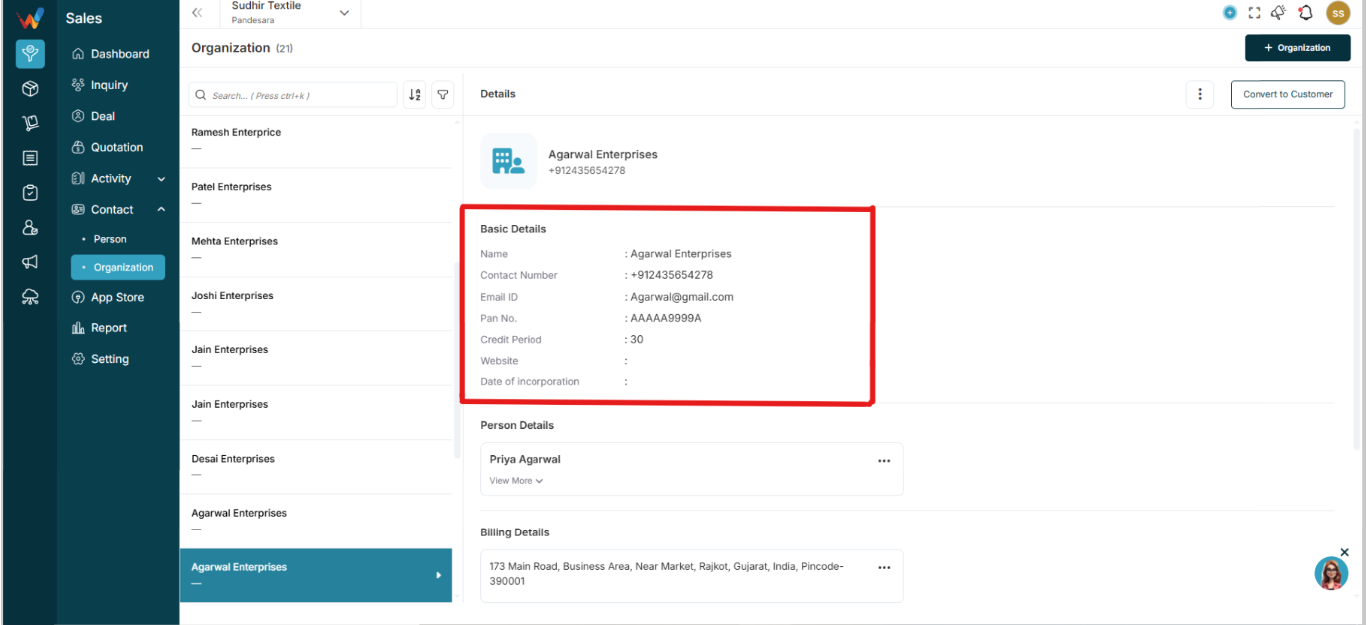
Displays company-level master fields such as:
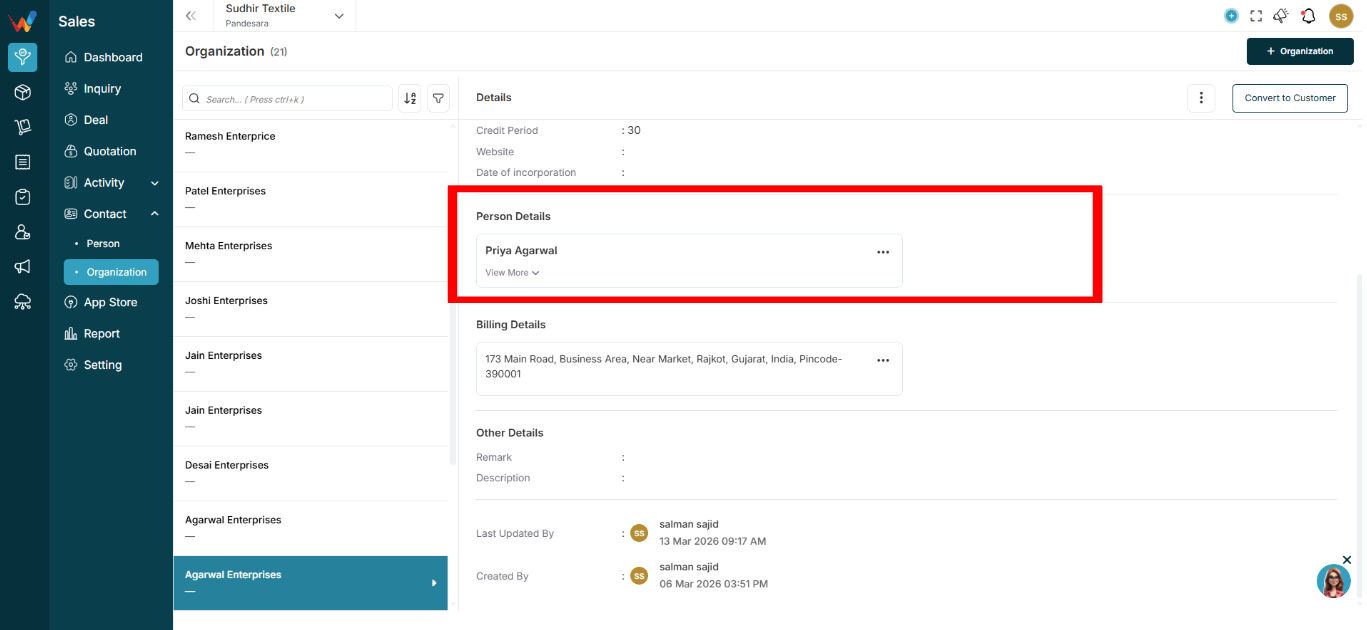
This section lists individuals linked to the organization.
Expandable card can include this details:
Actions:
Purpose:
Supports multiple decision makers under one organization.
This is especially important in a B2B textile workflow.
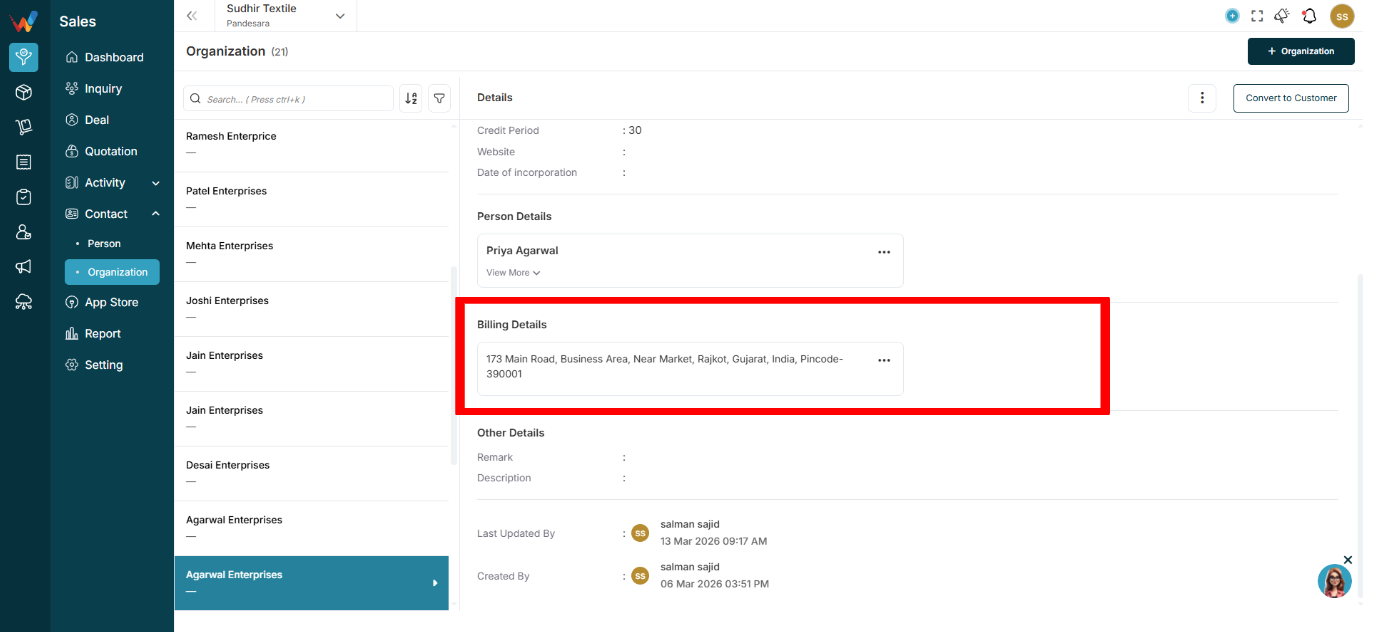
Displays:
Supports:
Used in:
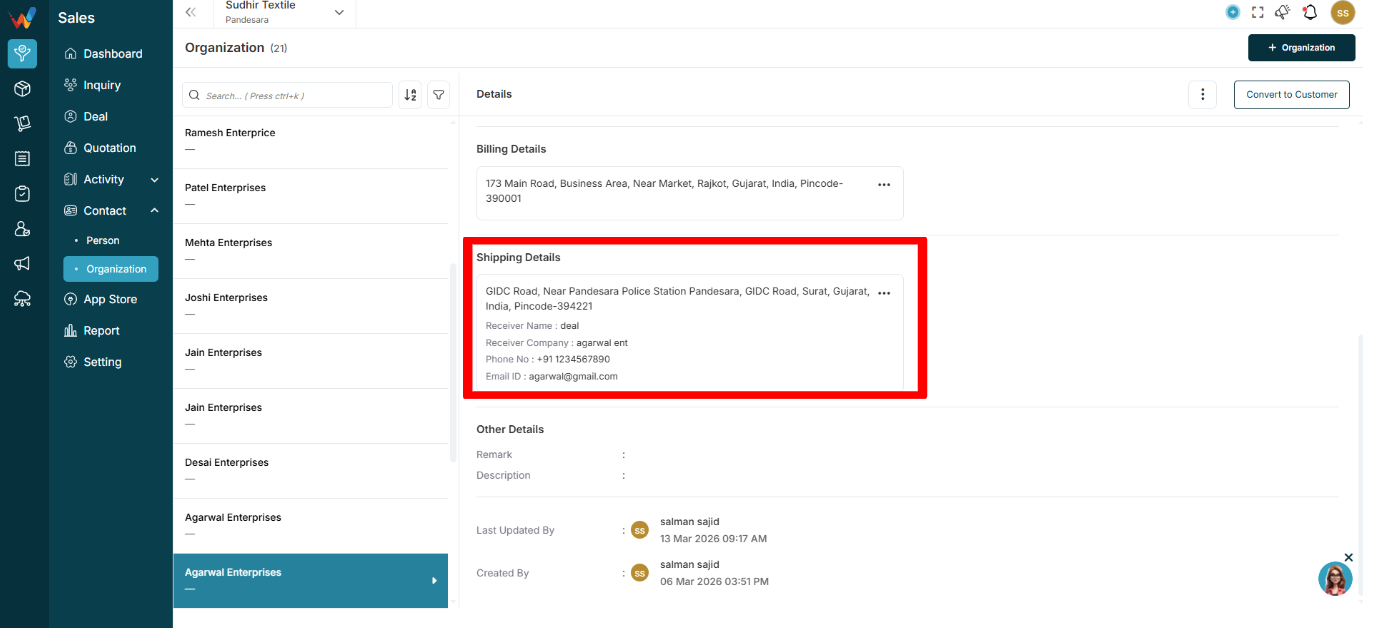
Displays:
Important for:
Especially useful for online delivery execution.
Contains:
Used for internal context.
Example:
“Deals in digital prints. Prefer cash discount.”
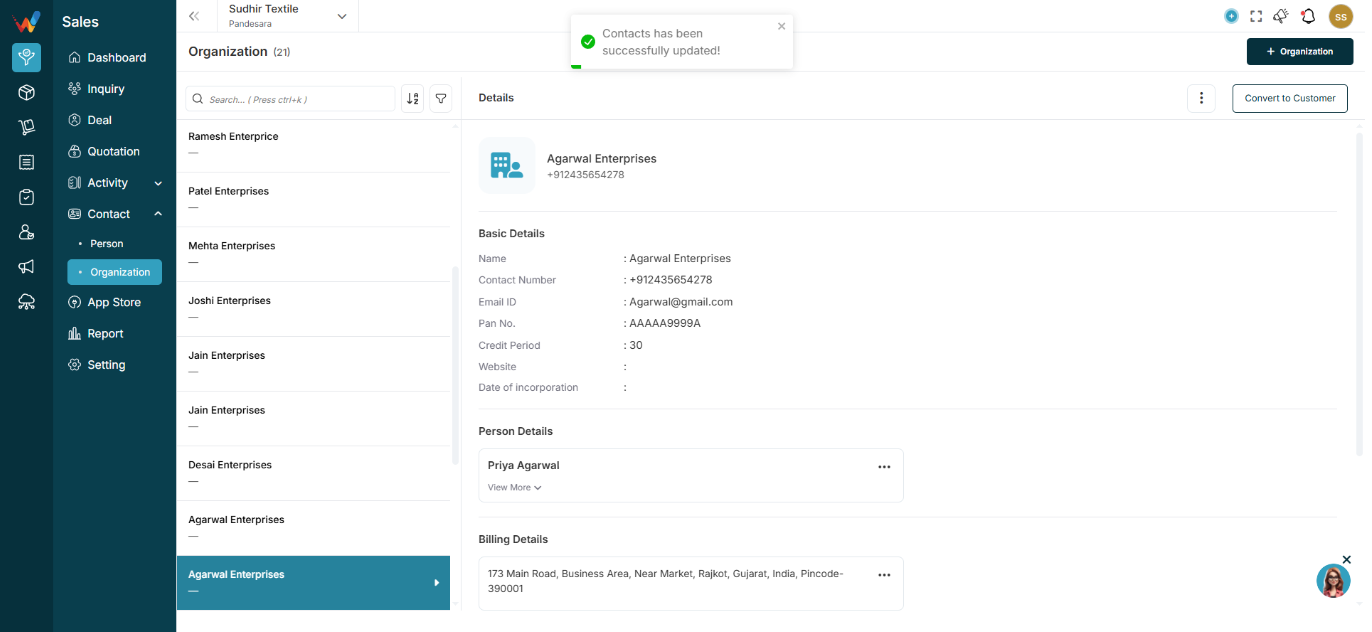
Displays:
Behavior:
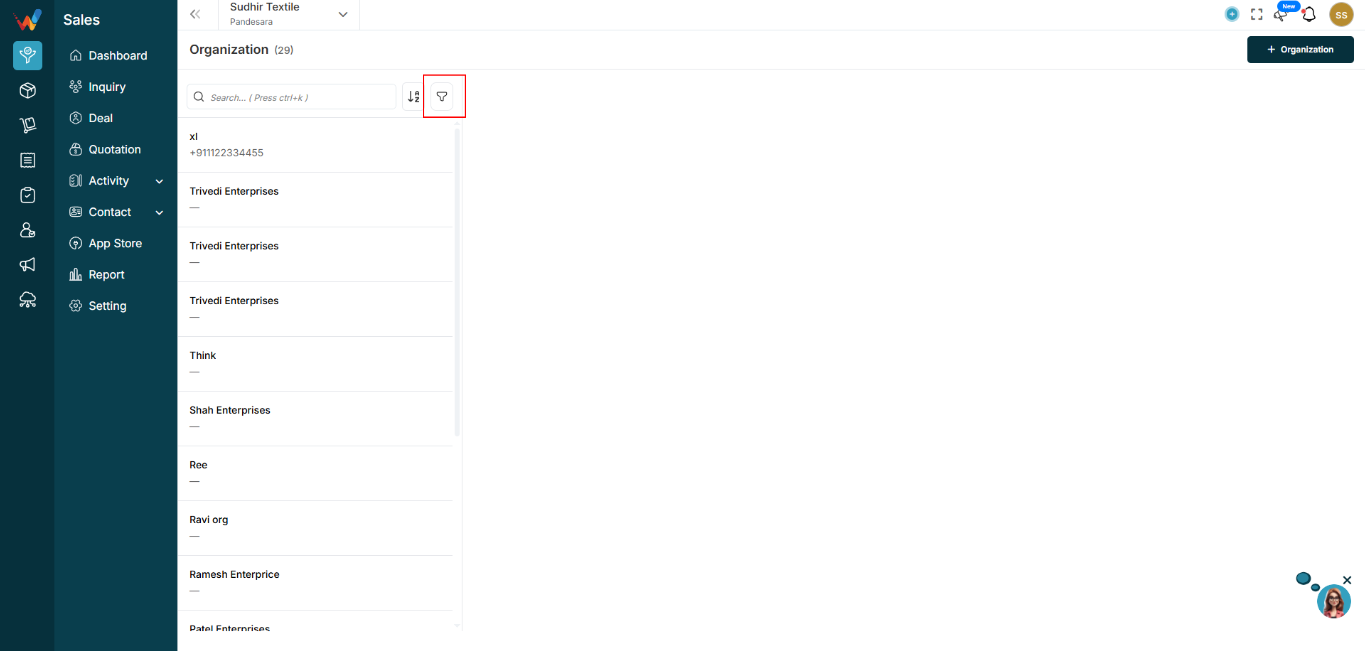
Clicking any organization loads its details in the right panel.
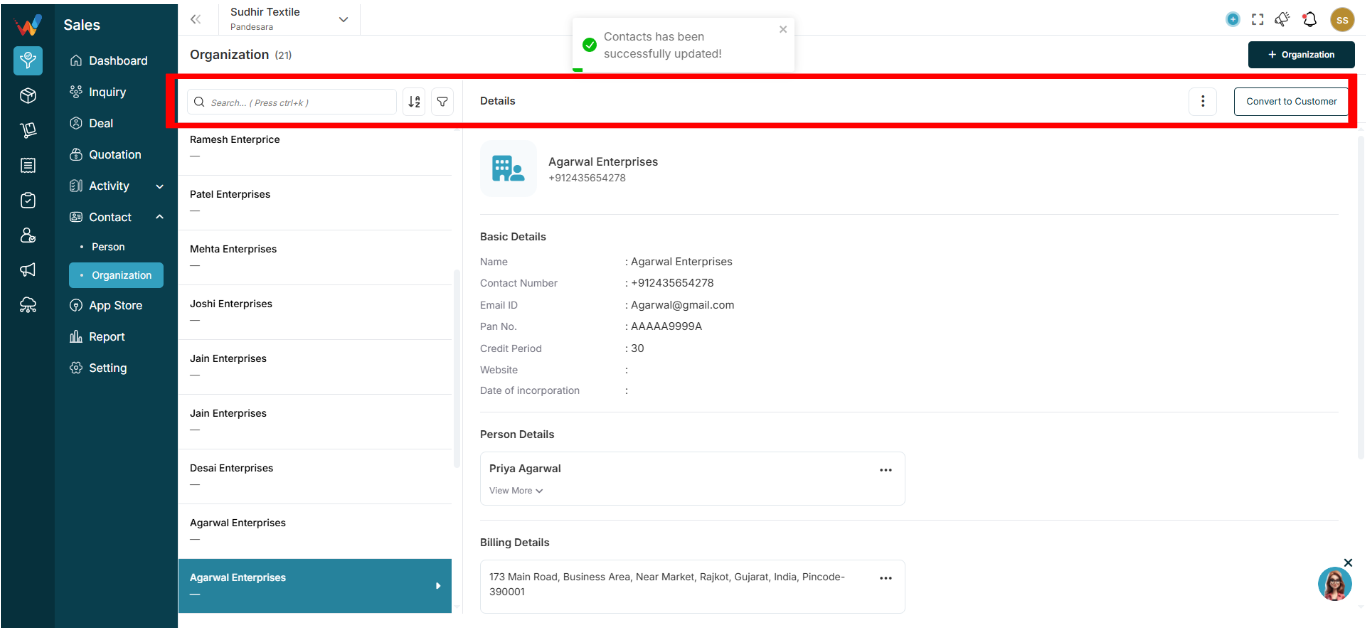
Used for quick access when the database is large.
Capabilities:

Allows alphabetical sorting of the organization list.
Navigation Path:
Sales Module → Contact→ Organization → Click on + Organization
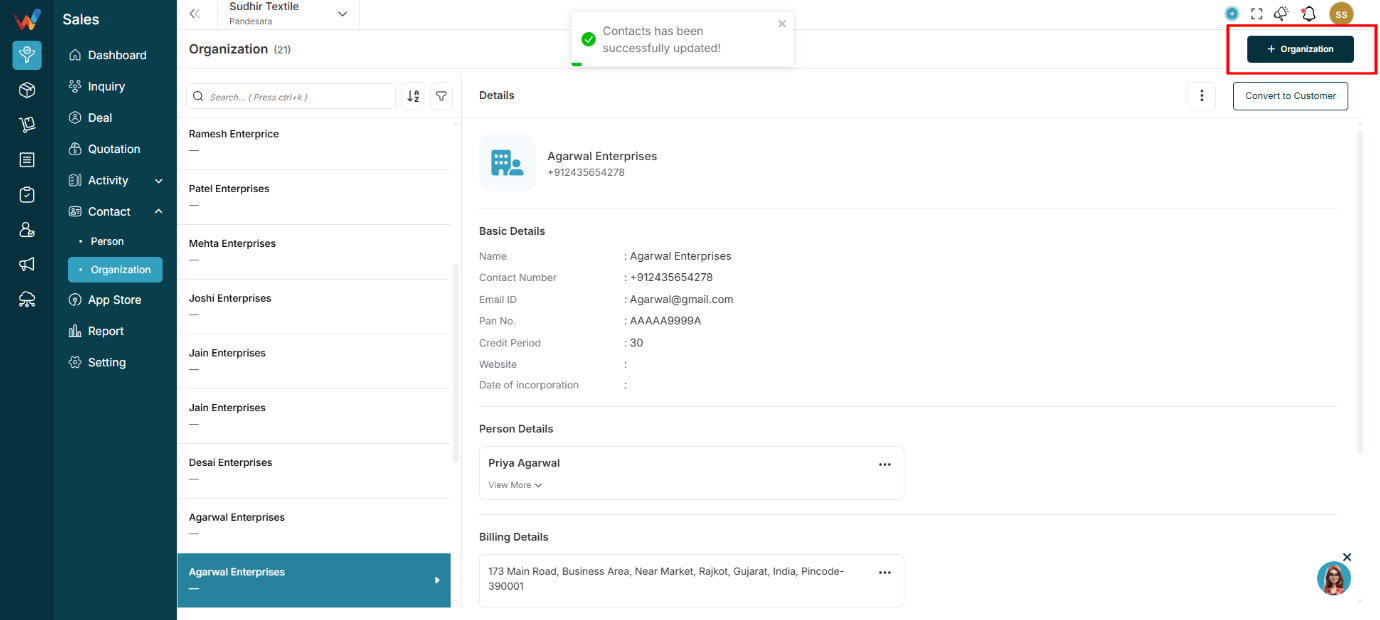
Creates a new organization.
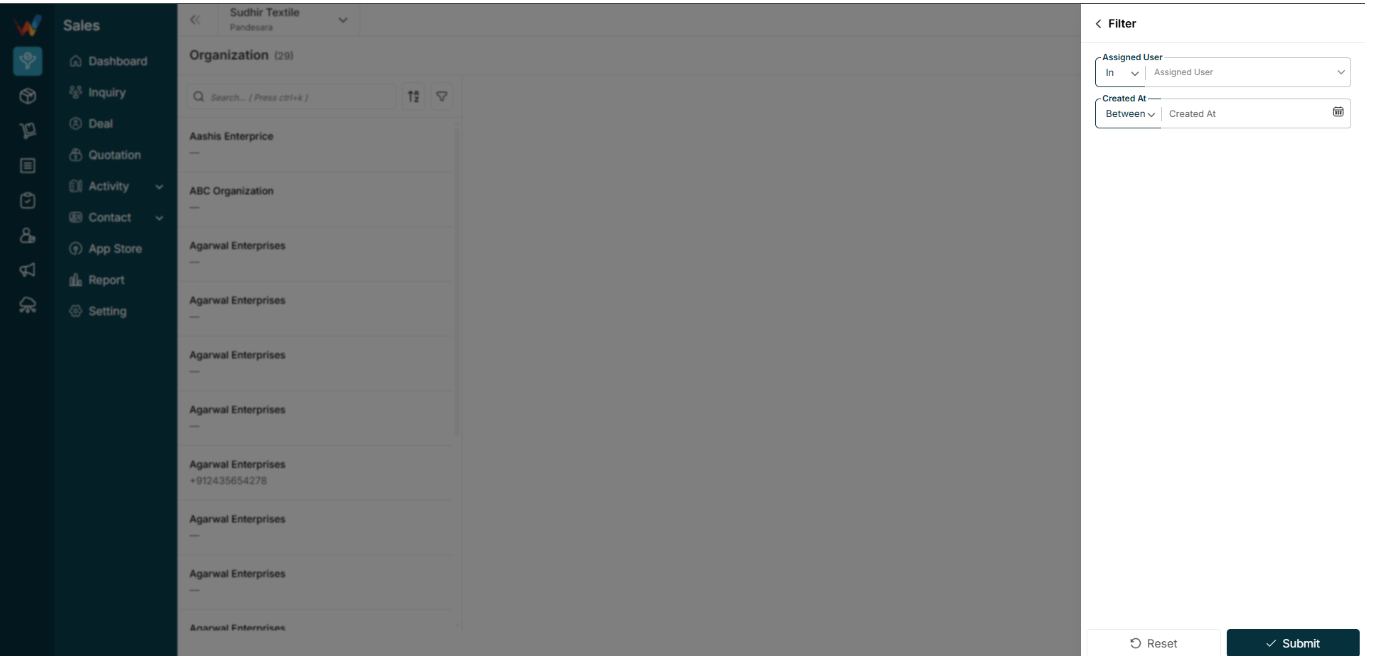
When user click on filer icon
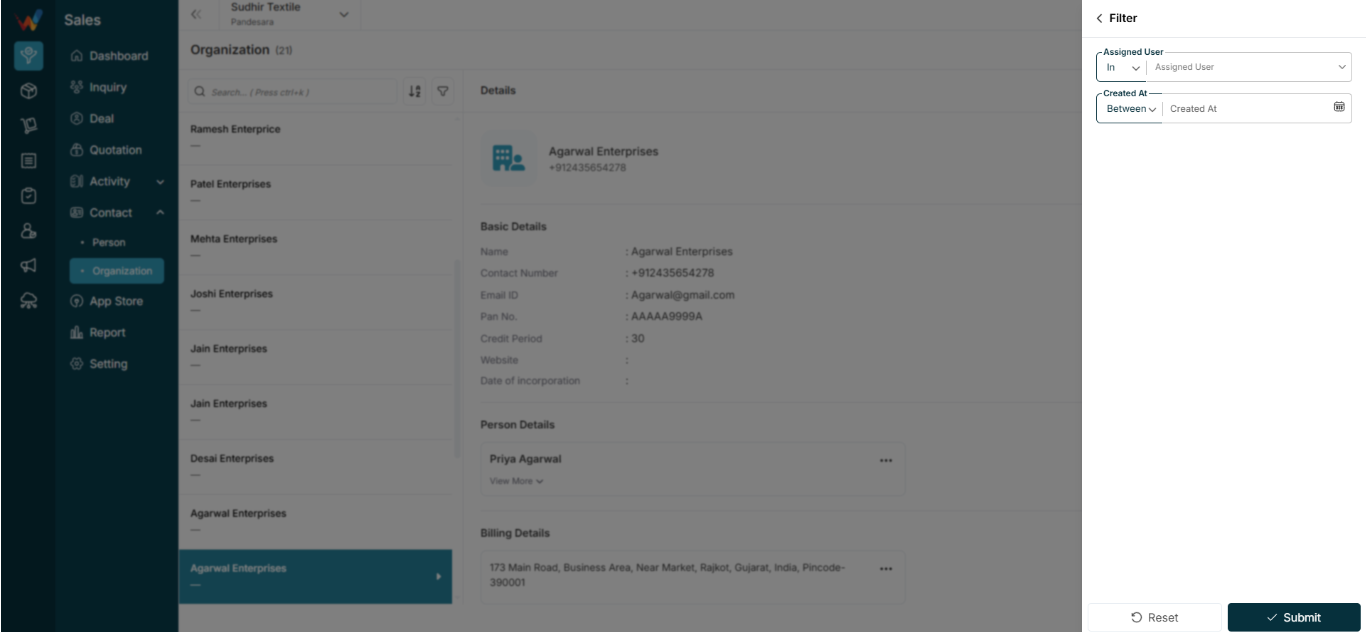
Operator: In
Select one or more assigned users.
Used to:
Filter organizations created or owned by specific salespeople.
Operator: Between
Date range picker.
Used for:
Navigation Path:
Sales Module → Contact → Organization
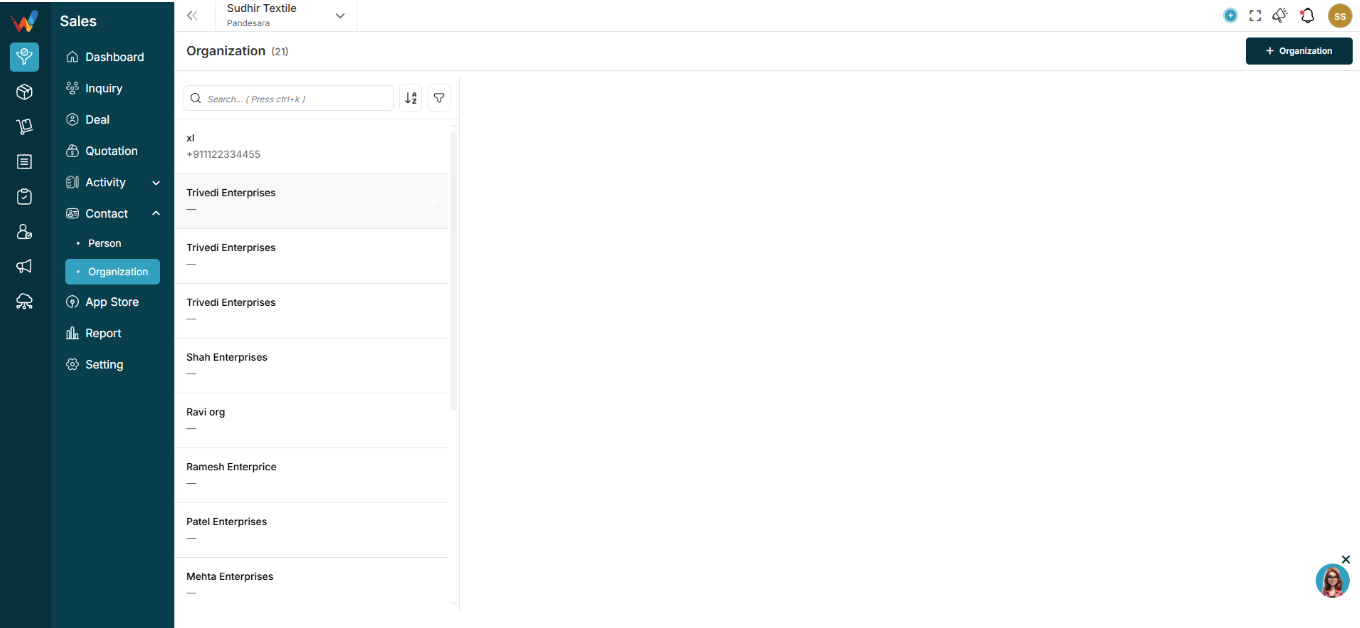
This screen displays all company-level contacts stored in the CRM.
An Organization represents:
Unlike Person, Organization represents the company entity.
The Organization Module in WORTAL CRM is designed to manage and maintain records of business entities such as companies, firms, distributors, retailers, and corporate clients. An Organization acts as a central structure under which multiple related records—such as Persons (contacts), Deals, and Activities—are grouped and managed efficiently.
This module allows users to store essential business information including company name, contact details, email, website, credit terms, and incorporation data. It also supports managing associated contacts (Person Details), along with billing and shipping addresses, ensuring complete and organized business records.
Additionally, users can perform actions such as updating details, adding attachments, and converting an organization into a customer directly from the interface. The module provides a clear, centralized view of all interactions and relationships linked to the organization, improving coordination, visibility, and decision-making.
By consolidating all related data under a single entity, the Organization Module enhances relationship management, streamlines sales processes, and enables better tracking of business-level engagements within the CRM.