Why Trash Is Important in Textile Business
Textile sales teams often:
- Delete wrong leads accidentally
- Remove duplicate buyers
- Delete quotations mistakenly
Without Trash:
- Permanent data loss
- Reporting mismatch
- Revenue tracking issues
With Trash:
- Safe recovery
- Audit tracking
- Owner control
Example Scenario
Salesperson deletes a lead by mistake.
Owner checks Trash → restores lead.
Follow-up continues without data loss.
Recommended Practice
- Only Admin should permanently delete
- Sales team should restore instead of re-creating
- Review Trash weekly
- Monitor frequent deletions
Common Mistakes
- Permanently deleting without checking
- Not restoring before 60 days
- Ignoring branch filter
- Allowing delete permission to everyone
How Trash Impacts Reports
Deleted records:
- Do not appear in active reports
- Appear in Trash until 60 days
- After permanent deletion → fully removed
Security Recommendation
For enterprise textile clients:
- Restrict Delete permission
- Enable only Restore for managers
- Permanent delete only by Admin
Trash – Navigation
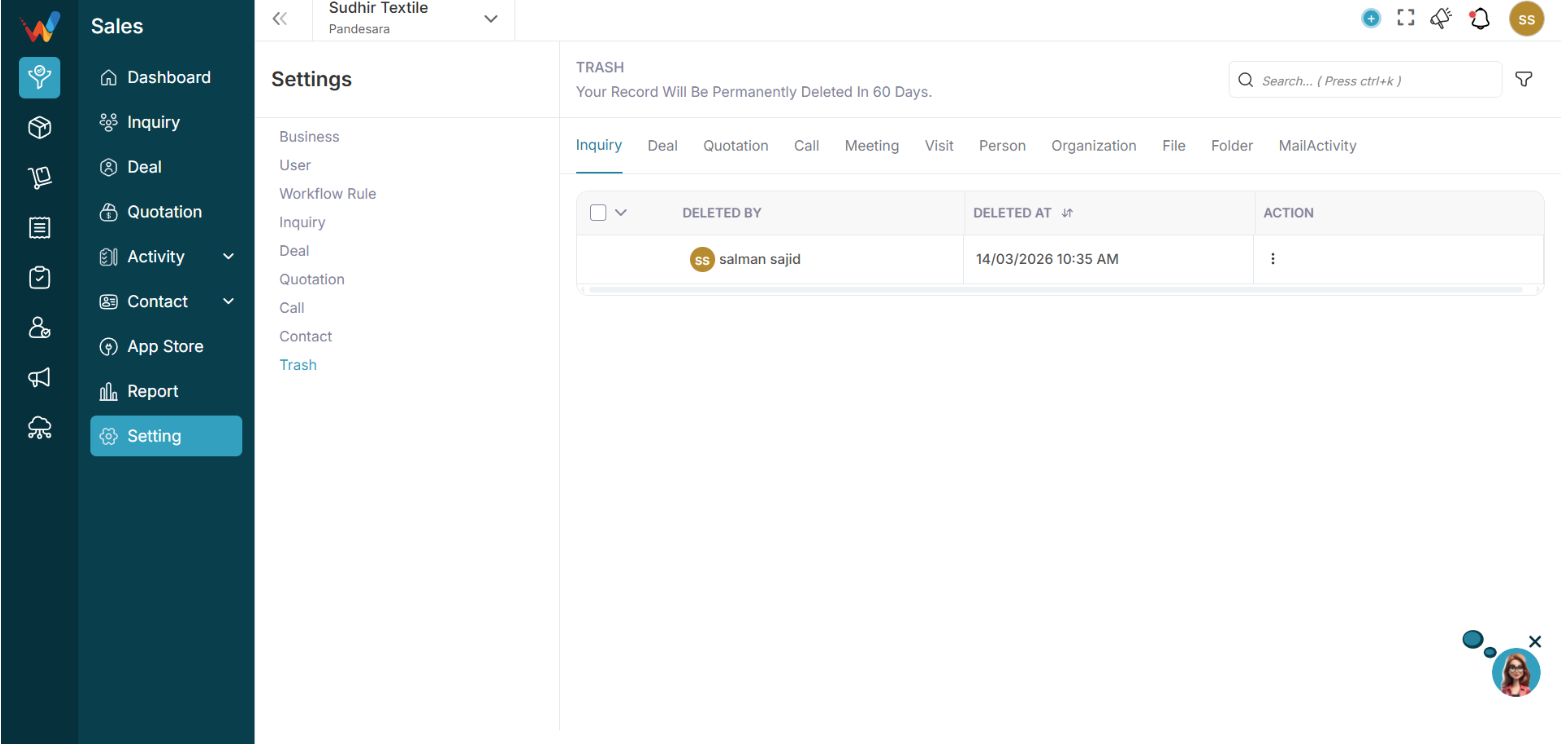
Navigation Path:
Sales Module → Settings → Trash
You will see this message:
Your record will be permanently deleted in 60 days.
This means:
- Deleted records are not removed immediately
- They stay in Trash for 60 days before permanent deletion
Available Trash Tabs (Deleted Records by Module)
Inside Trash, you can view deleted records for:
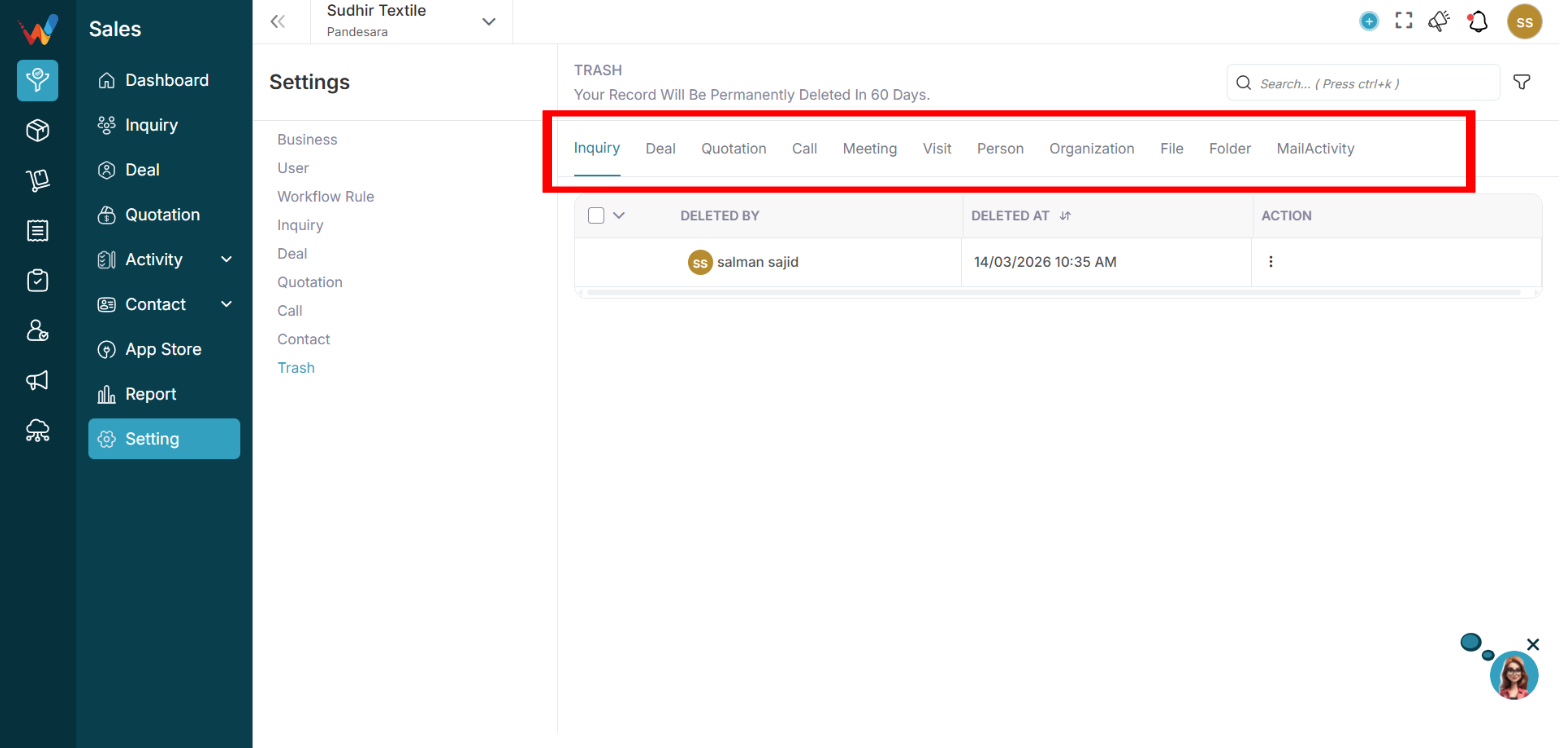
- Lead
- Deal
- Quotation
- Call
- Meeting
- Visit
- Person
- Organization
- File
- Folder
- Mail Activity
Each tab shows deleted records of that module.
What Information Is Visible
Example: Lead tab columns
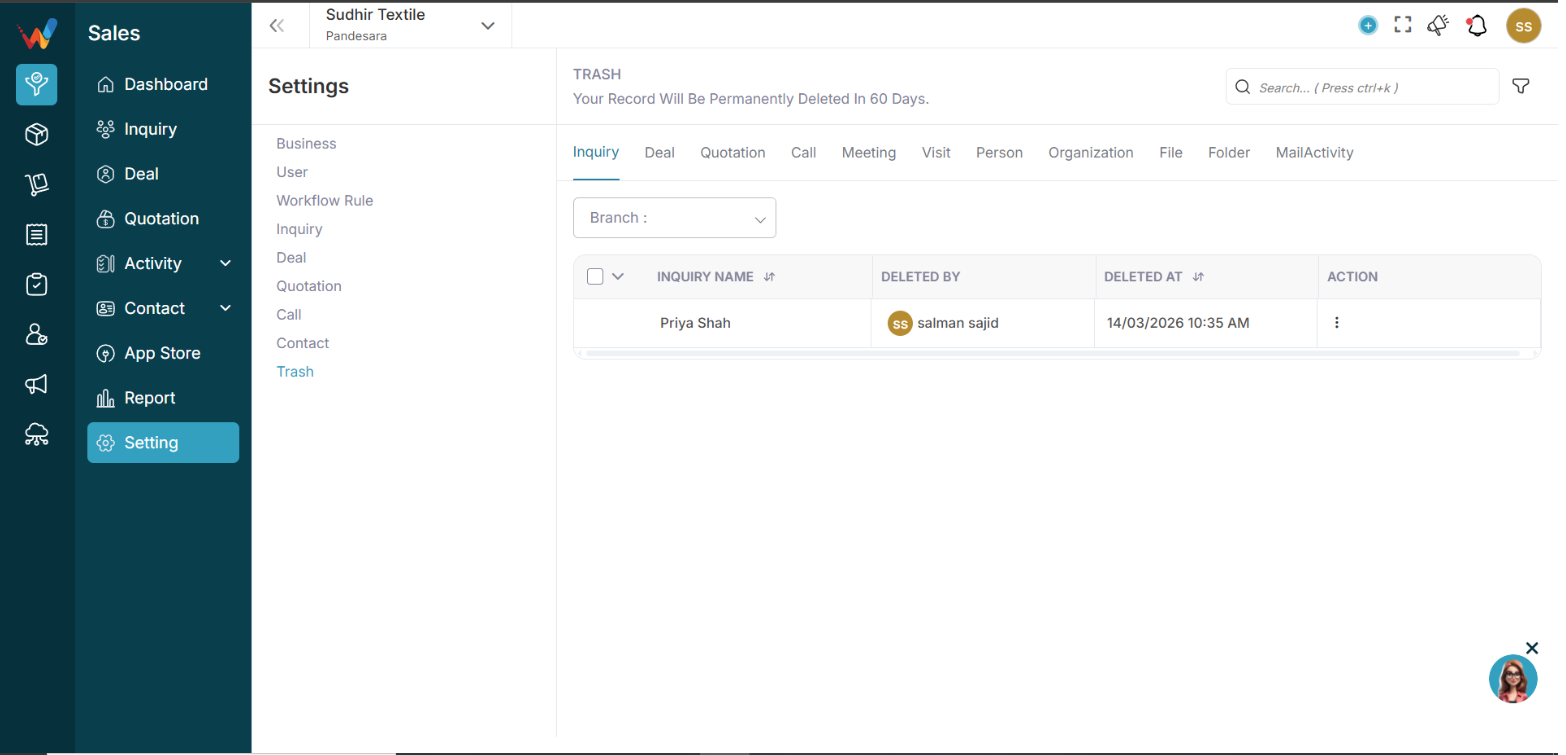
- Lead Name — Name of deleted lead
- Deleted By — User who deleted
- Deleted At — Date and time
- Action — Restore or Delete
This ensures full audit transparency.
Restore Record
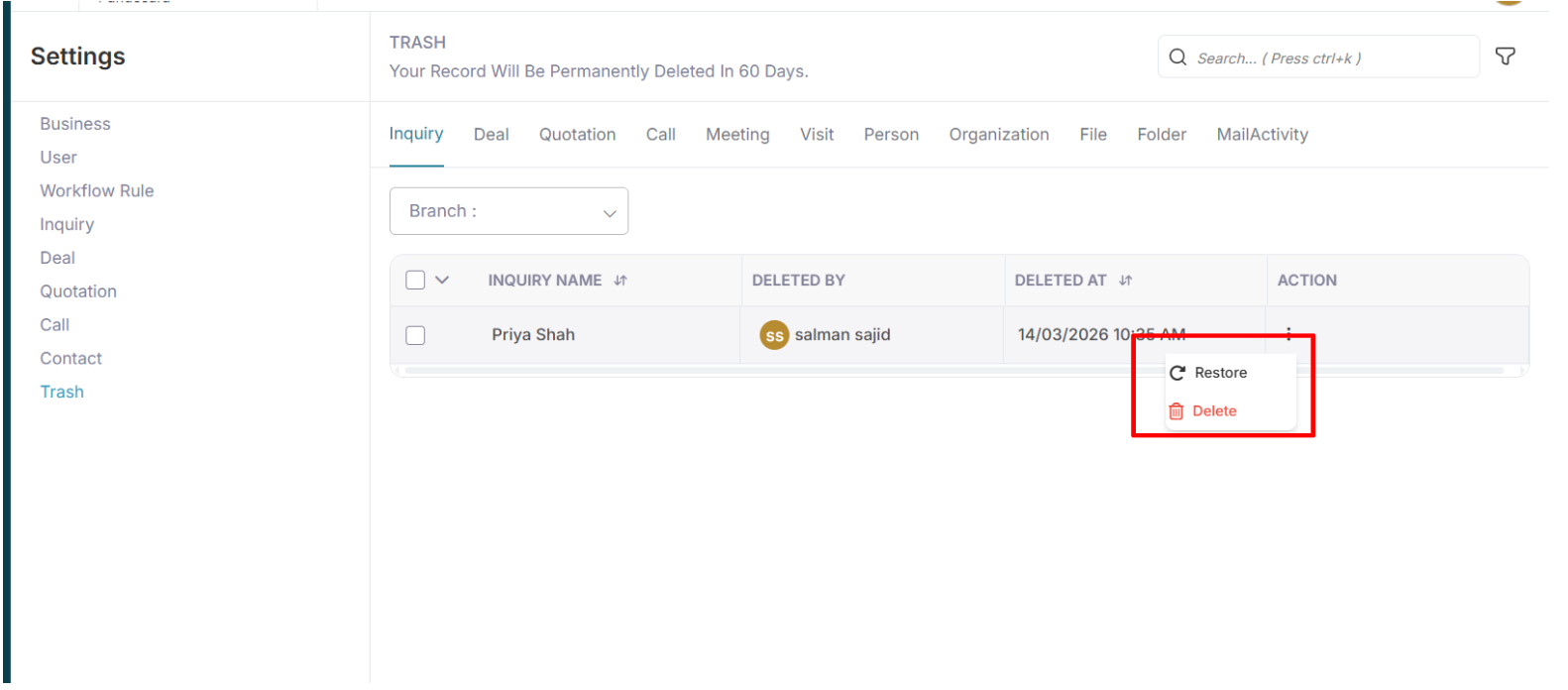
4.1 To Restore
Click:
3 dots
Select:
Restore
The record will:
- Move back to the original module
- Retain original data
- Retain activity history
Permanent Delete
If you select:
🗑 Delete
The record will be:
- Permanently removed
- Not recoverable
- Fully erased from the system
Otherwise, the system auto-deletes the record after 60 days.
Branch Filter
You can filter trash records by branch.
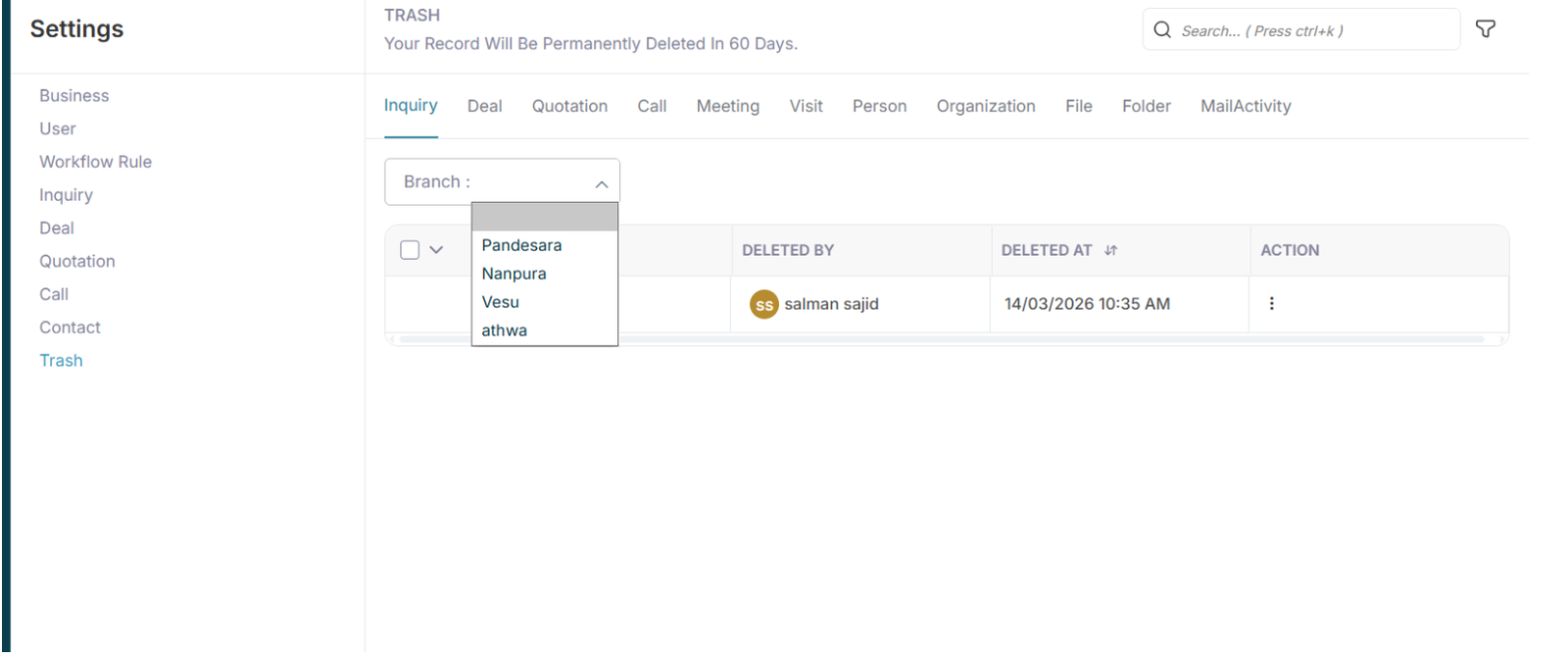
Branch dropdown shows:
This helps in:
- Branch-wise data control
- Multi-location management
Introduction to Trash Management
1.1 Trash Management
The Trash module ensures:
- Safe deletion
- Data recovery option
- Audit visibility
- 60-day safety buffer
This directly affects:
- Protection from accidental deletions
- Owner level control on data removal
- Clean and accurate audit trail
- Reporting reliability